
5.25" Blu-Ray/CD/DVD SATA Drive Enclosure
4.4Editor score
Supports drives up to 171mm depth
USB 3.0 for fast 5Gbps transfers
Aluminum alloy construction for heat dissipation
External optical drive enclosures allow you to repurpose internal drives into versatile USB accessories. Choosing the right one ensures stable performance and broad compatibility with various drive types.
We evaluated ten leading models based on connectivity options, build materials, and real-world usability. Our analysis covers both slim laptop drives and full-size desktop optical units.
Each pick highlights key features and potential limitations to help you decide. Note that availability and pricing may fluctuate over time, so verify details before purchasing.
4.4Editor score
4.6Editor score

4.0Editor score
As an Amazon Associate we earn from qualifying purchases.
The following table provides a side-by-side overview of all ten enclosures, highlighting their primary compatibility, interface speeds, and distinctive design features.




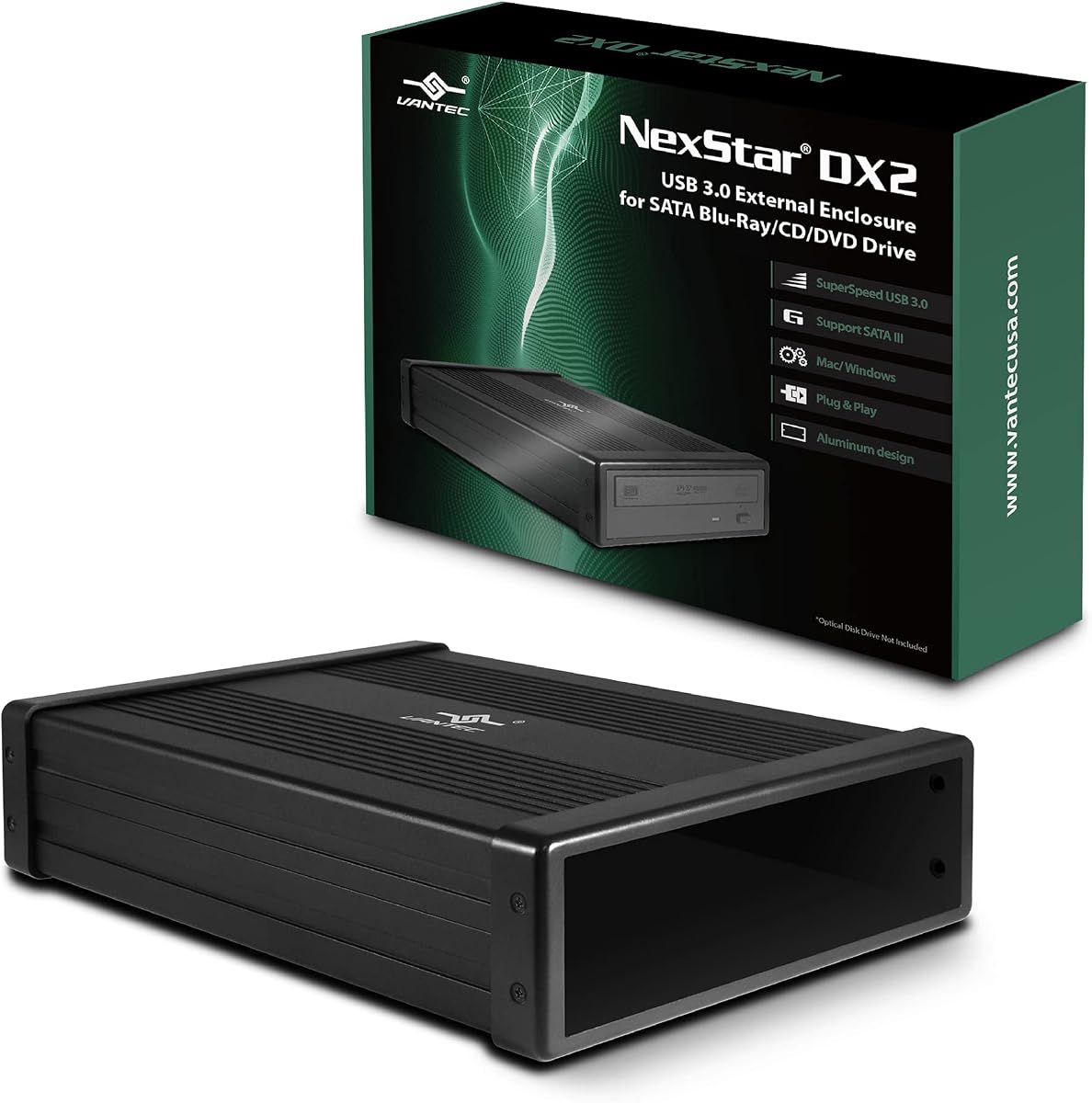
This enclosure stands out for its exceptional compatibility with various 5.25 inch optical drives. Rated highly by users, it ensures a stable connection regardless of drive depth.
We may earn a commission when you buy through this link, at no additional cost to you.
The aluminum alloy casing effectively reduces noise and vibration during operation. Its flexible internal SATA cable accommodates different drive interface positions for easier installation.
While it requires an external adapter, this ensures sufficient power for demanding read and write tasks. The hot swappable feature adds convenience for frequent drive changes.
It is ideal for users needing a reliable solution for desktop optical drives. We recommend it for anyone prioritizing compatibility and build quality over portability.
The design supports optical drives up to 185mm in depth, covering nearly all standard models on the market.
Included 12V AC adapter ensures stable power delivery for smooth high-speed optical data transfer.
We may earn a commission when you buy through this link, at no additional cost to you.
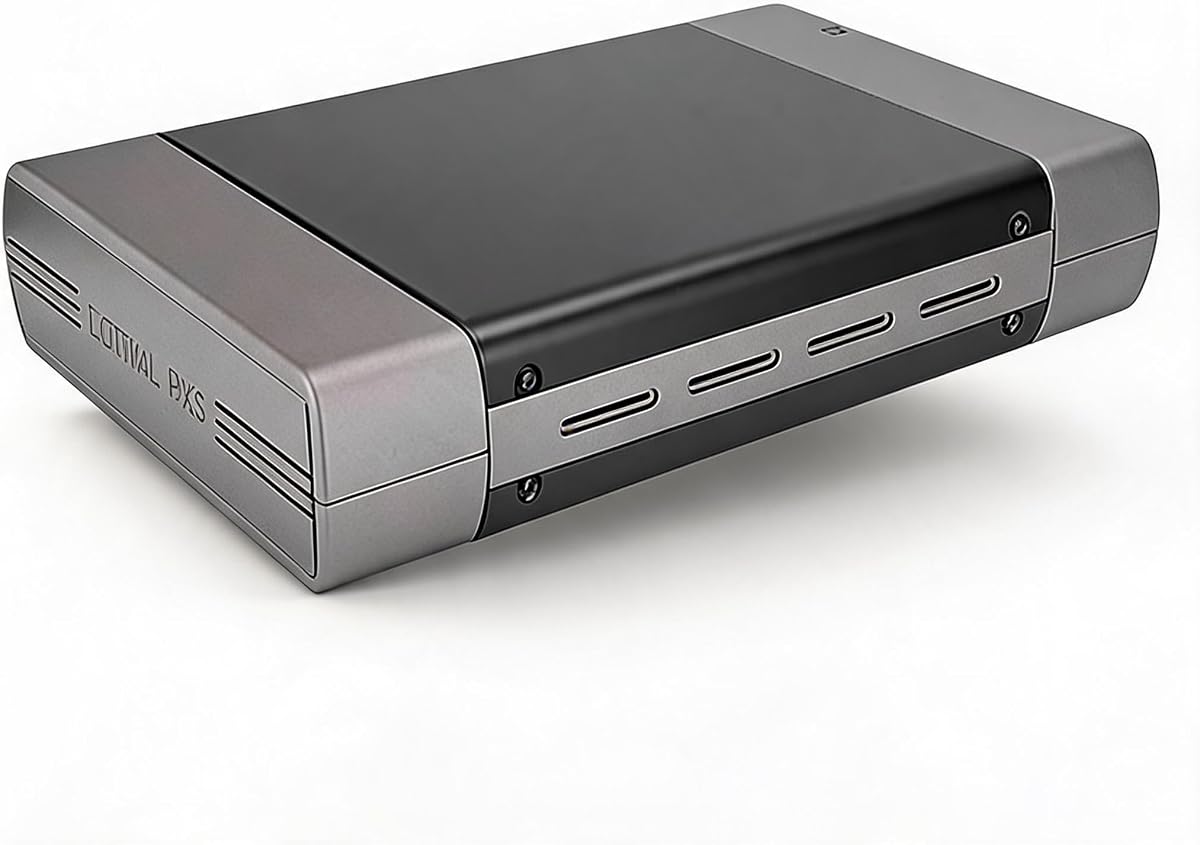
This enclosure offers an affordable way to use internal optical drives externally. It supports most standard 5.25 inch drives with a maximum depth of 171mm.
We may earn a commission when you buy through this link, at no additional cost to you.
The USB 3.0 interface ensures fast data transfer speeds. Its aluminum casing helps dissipate heat effectively during extended usage sessions.
Users should note the installation process may require checking the product video for best results. The design does not support older IDE protocol drives.
It is a great choice for budget-conscious users needing basic optical drive functionality. We suggest it for occasional home or office use.
Reviewing the installation video on the product page ensures proper alignment of screw holes during setup.
USB 3.0 ports enable quick file transfers, up to ten times faster than USB 2.0 connections.
We may earn a commission when you buy through this link, at no additional cost to you.
This enclosure is designed specifically for slim 9mm internal optical drives commonly found in laptops. Its portable form factor makes it convenient for travel.
We may earn a commission when you buy through this link, at no additional cost to you.
The inclusion of both USB 3.0 and Type C cables ensures broad device compatibility. The woven data cable minimizes signal loss for stable performance.
While it lacks external power needs, it relies solely on USB power for simplicity. Users must ensure their drive matches the slim dimensions.
It suits professionals who need a portable solution for optical media. We recommend it for laptop users requiring reliable external access.
Designed to house standard 9mm serial ATA drives, transforming internal laptop components into external USB drives.
Includes both USB 3.0 and Type C cables to connect with various computers and devices seamlessly.
We may earn a commission when you buy through this link, at no additional cost to you.
This enclosure supports both 12.7mm and 9.5mm SATA drives, offering flexibility for different drive types. Its aluminum alloy build provides durability and heat dissipation.
We may earn a commission when you buy through this link, at no additional cost to you.
The included dual cables ensure you can connect to legacy USB 3.0 or modern Type C ports. It also features a power-saving sleep mode for efficiency.
Stable operation is supported by non-slip feet and ventilation design. However, some drives may require additional power beyond what USB provides.
It is a versatile option for users with varied drive needs. We suggest it for those needing a sturdy and flexible external solution.
Accommodates standard 12.7mm and slim 9.5mm optical drives, offering flexibility for different laptop or desktop drives.
Aluminum alloy construction and ventilated design help prevent overheating during long reading or burning sessions.
We may earn a commission when you buy through this link, at no additional cost to you.
This enclosure offers blazing fast data transfer speeds up to 5Gbps via USB 3.0. It works seamlessly with both SATA I and SATA II interface standards.
We may earn a commission when you buy through this link, at no additional cost to you.
The INIC3609 chipset enables automatic sleep mode for energy efficiency. It supports a wide range of operating systems including Linux and OS X.
While performance specs are strong, user ratings vary regarding physical build quality. Some may find the casing less robust than premium models.
It suits users prioritizing transfer speed and broad compatibility. We recommend it for technical users comfortable with varied build options.
Supports USB 3.0 transfers up to 5Gbps, ensuring quick data access and efficient optical media playback.
Fully compatible with Windows, Linux, and Mac OS, providing broad system integration without extra drivers.
We may earn a commission when you buy through this link, at no additional cost to you.
This adapter supports a variety of SATA optical drives and is optimized for speed with UASP support. It is compact and lightweight for easy transport.
We may earn a commission when you buy through this link, at no additional cost to you.
Users benefit from hot-swappable plug-and-play functionality across multiple operating systems. The anti-slip mat helps protect drives during use.
While efficient, high-power drives may require a larger AC adapter for stability. It works best with standard SATA optical interfaces.
It is an excellent choice for integrating optical storage into existing setups. We suggest it for users needing quick and reliable optical access.
Supports UASP protocol to maximize data transfer speeds on compatible USB 3.0 ports and systems.
Designed for SATA optical drives and also adaptable for SSDs or HDDs with optional brackets.
We may earn a commission when you buy through this link, at no additional cost to you.
This enclosure is designed for standard 5.25 inch optical drives and hard drives. It includes an AC adapter for dependable power during tasks.
We may earn a commission when you buy through this link, at no additional cost to you.
The USB 2.0 connection offers reliable speeds for basic read and write operations. Its lightweight aluminum housing protects drives from wear.
Users should note it does not support slim laptop drives or faster USB 3.0 speeds. It remains a solid choice for legacy systems.
It suits users needing a reliable desktop optical solution without modern speed requirements. We recommend it for home office or study setups.
Included AC adapter ensures consistent power for stable optical reading and burning without interruptions.
Aluminum housing reduces everyday wear and protects installed drives from bumps and scratches effectively.
We may earn a commission when you buy through this link, at no additional cost to you.
This enclosure transforms internal 9.5mm optical drives into high-speed external USB drives. Its detachable design makes it easy to carry in a bag.
We may earn a commission when you buy through this link, at no additional cost to you.
The integrated woven cable minimizes interference and ensures stable data transfer. A convenient eject key prevents discs from getting trapped inside.
It relies on USB power, so it is not suitable for drives requiring external adapters. Setup is simple without needing technical skills.
It is perfect for travelers needing quick optical media access. We suggest it for laptop users prioritizing convenience and portability.
Simply replace the panel and slide in the drive to convert internal components into an external USB solution.
Built-in woven cable reduces signal loss and interference for reliable 5Gbps data transfer speeds.
We may earn a commission when you buy through this link, at no additional cost to you.
Designed for 9mm ultra-slim drives, this enclosure turns internal laptop drives into portable external units. The detachable cable folds neatly for travel.
We may earn a commission when you buy through this link, at no additional cost to you.
It supports USB 3.0 interface with speeds up to 5Gbps for reliable optical reading and writing. Setup requires no drivers or external power.
The slim design is convenient for on-the-go use but lacks power flexibility. Users should confirm drive depth matches the 9mm standard.
It is a practical upgrade for extending the life of old optical drives. We recommend it for laptop owners needing accessible media playback.
Specifically built to convert 9mm serial ATA drives into external USB drives for portable use.
Integrated cable with USB C and 3.0 connectors folds into the bottom for tidy storage and travel.
We may earn a commission when you buy through this link, at no additional cost to you.
This enclosure allows you to swap internal drives in seconds without tools. It fits standard 12.7mm Serial ATA optical drives efficiently.
We may earn a commission when you buy through this link, at no additional cost to you.
The scratch-resistant ABS finish maintains a polished look on your desk. Included accessories make setup hassle-free for most users.
It connects via integrated cables for true plug-and-play convenience. However, high-power drives may need additional adapters for stability.
It is a practical choice for quick and easy external drive setup. We suggest it for users seeking simplicity and style.
Swap internal drives in seconds without screws using the detachable panel design.
Integrated USB 3.0 Type A and Type C cables ensure broad device compatibility.
We may earn a commission when you buy through this link, at no additional cost to you.
Selecting the right enclosure requires evaluating compatibility, connectivity, build quality, and power needs based on your specific use case.
Always check if the enclosure supports your drive size and interface. Desktop models fit 5.25 inch drives while slim units target 9mm laptop drives.
Confirm SATA protocol support to ensure your drive will function correctly within the enclosure.
USB 3.0 provides faster transfer rates ideal for high-speed optical media and large file backups. USB 2.0 may suffice for basic playback tasks.
Dual USB and Type C options offer flexibility for modern laptops and legacy desktops.
Aluminum alloy cases dissipate heat effectively and protect against physical damage during travel. ABS plastic is lighter and cheaper but may be less durable.
Look for reinforced cables and anti-slip feet to ensure stable operation during use.
Most slim enclosures rely on USB bus power while desktop units often need external AC adapters for stability.
Choose an enclosure with sufficient power to handle your drive's consumption without interruptions.
Consider the overall size and weight if you plan to transport the enclosure frequently. Integrated cables reduce clutter and enhance portability.
Slim profiles fit easier in laptop bags compared to bulky desktop adapters.
Ensure the enclosure supports your current operating system for seamless plug-and-play functionality. Most modern models work with Windows and Mac without drivers.
Check compatibility with Linux if you rely on open-source platforms for media playback.
Enclosures with tool-free designs simplify swapping drives without extra hardware or complex steps. Look for included mounting brackets and clear instructions.
Features like front panels and eject keys make daily usage more convenient.
Some models include sleep modes to save energy or hot-swappable capabilities for quick drive changes. Evaluate these features against your daily needs.
Anti-interference cables can improve data stability especially with older USB ports.
To use your enclosure, insert the SATA optical drive securely into the slot and connect the included USB cable to your computer. Wait for the system to recognize the device before loading discs.
Always eject discs using the software eject command or the physical eject key to prevent data corruption. Keep the enclosure away from moisture and direct sunlight to maintain performance.
For maintenance, wipe the exterior with a soft dry cloth and avoid using abrasive cleaners. Store the unit in a protective case when traveling to prevent accidental drops.
Most modern enclosures are plug-and-play and do not require driver installation. They use standard USB mass storage protocols recognized by Windows and macOS. If drivers are needed, they are usually included on a CD or available online.
No. Desktop enclosures fit 5.25 inch drives while slim models fit 9mm laptop drives. Additionally, most enclosures support SATA interfaces and not older IDE ones. Check product details before purchasing.
Larger optical drives often need more power than USB ports can supply. An external adapter ensures stable operation and prevents read errors during burning or playback.
Yes, USB 3.0 provides significantly faster data transfer rates. This improves performance when reading large files or burning discs quickly. USB 2.0 is slower and may cause delays.
Check your drive's interface type SATA versus IDE and its physical dimensions. Compare these with the enclosure specifications. Most product pages list supported drive types clearly.
Many enclosures are compatible with Linux systems as they rely on standard USB drivers. However, some proprietary features might require additional software. Check product support details before use.
Use the eject key or software eject command to release the disc. Avoid forcing it open manually as this may damage the mechanism. If stuck persists, consult the manual for troubleshooting tips.
Use a specialized optical drive cleaning disc to remove dust and debris. Do not open the enclosure to clean the laser manually as it may damage sensitive components.
Our top picks like the NexStar DX2 and Zunate enclosures offer reliable performance across various use cases. Whether you need desktop compatibility or slim portability, there is a model to fit your needs.
Prioritize connectivity speed and power stability when selecting an enclosure for frequent media access. Build quality and ease of installation also play significant roles in long-term satisfaction.
Prices and availability may change so verify current details before purchasing. With the right enclosure you can extend the life of your optical drives seamlessly.