
VSD Mini Macro Pad
4.1Editor score
6 customizable LCD keys
Compact mini portable size
Dual side RGB light bars
Discover the top macro pads for streaming in October 2026. We compare features, compatibility, and controls to help you choose the best stream controller for
Streaming requires precise control over audio, video, and chat. A macro pad for streaming offers customizable keys to streamline your workflow. These devices let you trigger actions instantly without hunting for keyboard shortcuts.
We evaluated ten top models based on key count, customization options, and software support. Each product was analyzed for build quality, compatibility with OBS and other tools, and user feedback. Our list covers various budgets and needs.
Each pick highlights unique strengths like LCD keys, RGB lighting, or audio mixing. Prices and availability may change over time. Always check the latest details before purchasing to ensure you get the best value for your specific streaming requirements.
4.1Editor score

4.8Editor score

4.4Editor score
This comparison table highlights key specifications across all ten selected products. Reviewing these details helps you quickly identify which macro pad fits your streaming needs and budget constraints.




The VSD M18 Macro Pad offers 18 programmable keys tailored for streamers needing control. With a 4.4 rating it stands out for its LCD visual customization. Users can assign unique images to each key for quick recognition during live sessions.
We may earn a commission when you buy through this link, at no additional cost to you.
Its single tap control and multi-shortcut macros streamline workflows significantly. The RGB light ring enhances desk ambiance during dim setups. Compatible with OBS and major platforms it triggers actions seamlessly without needing extra keyboard shortcuts.
Some users may find Linux support limited compared to Windows or Mac. The RGB customization also depends on firmware updates. However these trade-offs are minimal given the price and extensive features included in this macro pad.
Streamers needing many customizable buttons should consider this model. It balances affordability with high functionality. The VSD M18 is a strong choice for those wanting visual feedback and macro automation without spending heavily on premium alternatives.
LCD keys accept JPG PNG and GIF files for unique visual icons.
Operation Follow allows multiple macro steps in custom order.
We may earn a commission when you buy through this link, at no additional cost to you.
This Streaming Deck Macro Pad adopts a vertical layout to save desk space. With a 4.7 rating it is highly praised for its three switchable modes. It includes a left-hand shortcut mode calculator mode and numeric keypad option.
We may earn a commission when you buy through this link, at no additional cost to you.
The 15 LCD keys support drag and-drop for quick access to apps and files. Users can customize keys with images GIFs or screenshots easily. The plugin marketplace offers hundreds of options to extend functionality further.
Its left-hand ergonomic shape might feel odd for right-handed users initially. Plugin setup may need extra steps compared to plug-and-play devices. Yet these are minor issues for the versatility offered by this unique macro pad.
Anyone looking to minimize desk clutter should find this useful. It supports efficient workflows with visual cues and diverse modes. The vertical design and three modes make it a distinct choice among stream controllers.
Vertical design expands shortcut keys while saving desktop space.
Switch between shortcut keyboard calculator and numeric keypad modes.
We may earn a commission when you buy through this link, at no additional cost to you.
The VSD M18 Stream Controller delivers efficient one-touch operations for creators. It holds a 4.5 rating due to its reliable performance and extensive customization. The 18 macro keys include 15 LCD and 3 physical buttons for flexibility.
We may earn a commission when you buy through this link, at no additional cost to you.
Users can execute game combos and launch apps with single clicks. The multi-hotkey feature runs multiple steps simultaneously or in sequence. The RGB ring adds style to dim streaming or work environments effectively.
Setup requires installing VSD Craft software for full functionality. Linux users must rely on open-source SDK files which might be technical. These requirements are standard for custom macro pads and rarely impact usage significantly.
Creators valuing speed and customization will appreciate this controller. The combination of keys and visual feedback supports multitasking well. It is a robust option for gamers and streamers needing quick access to various tools.
One-touch operation launches macros controls media and switches scenes.
Surrounding RGB light ring supports auto cycling and custom colors.
We may earn a commission when you buy through this link, at no additional cost to you.
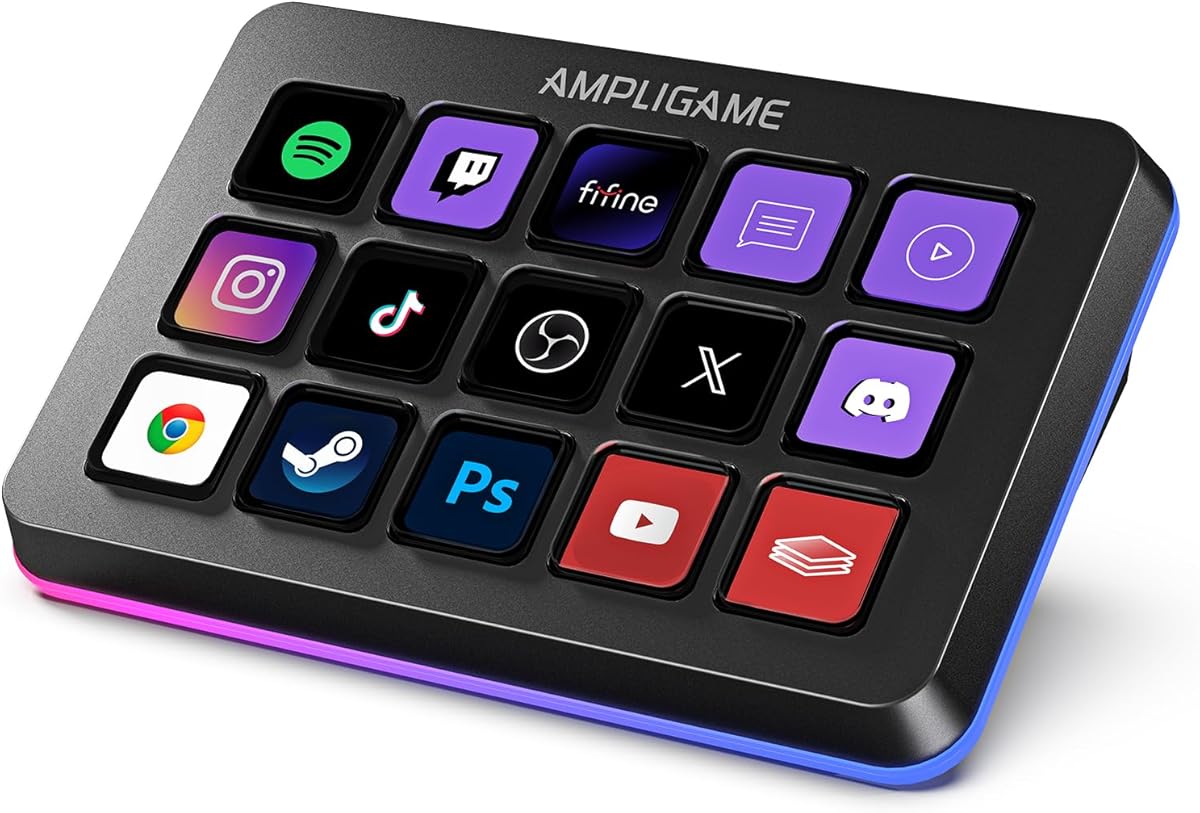
The VSD Mini Macro Pad is ideal for budget-conscious streamers needing basics. With a 4.1 rating it is a compact option that still delivers core features. Its six customizable LCD keys support essential shortcuts and media controls.
We may earn a commission when you buy through this link, at no additional cost to you.
Dual side RGB light bars create an ambient desktop effect. The device is USB powered so no battery is needed during sessions. It works with major platforms like OBS and Streamlabs for immediate use.
With only six keys complex macro sequences might be restricted. Software installation is mandatory instead of plug-and-play functionality. Despite this the low price and portability make it a strong entry-level choice.
Those with limited desk space or tight budgets will find it useful. It balances simplicity with customization well. The VSD Mini is perfect for beginners wanting visual feedback without high costs.
Mini portable size saves desk space while retaining macro functions.
Dual side RGB bars add stylish desktop ambiance.
We may earn a commission when you buy through this link, at no additional cost to you.
The VSD N4 Pro stands out with knobs and audio-specific features. Rated 4.4 it combines LCD keys with 4 RGB knobs for fine control. It acts as a USB sound deck to manage audio commands efficiently.
We may earn a commission when you buy through this link, at no additional cost to you.
Users can trigger sound effects and adjust audio with one tap. The RGB visuals support GIF MP4 and MOV files for dynamic feedback. An ergonomic stand helps during long streaming or editing sessions comfortably.
The price reflects its advanced audio and visual features compared to simpler decks. It lacks built-in speakers relying on external audio output. For streamers prioritizing audio control this trade-off is acceptable.
Professional creators needing granular control should consider this deck. The knob integration and audio commands streamline complex setups. It delivers premium utility beyond standard macro keypads for serious users.
4 RGB knobs allow adjustments to volume and playback.
RGB visuals support animated media for engaging displays.
We may earn a commission when you buy through this link, at no additional cost to you.
The fifine D6 offers 15 programmable buttons for extensive control. It holds a 4.6 rating due to its versatility and solid build. The customizable LCD keys give visual feedback when apps run or commands execute.
We may earn a commission when you buy through this link, at no additional cost to you.
Its RGB ring supports nine different controllable modes for customization. Users can organize folders for different scenes or workflows easily. The wide plugin support integrates well with OBS and YouTube streaming needs.
Updating firmware before use is mandatory which adds to setup time. Multiple software steps may confuse beginners initially. These hurdles are temporary and ensure full functionality of the macro keyboard.
Multi-tasking streamers needing scene management will benefit significantly. The combination of buttons and visual cues boosts efficiency. It is a reliable option for those needing diverse shortcuts on a single deck.
LCD touchscreen shows applications for direct control feedback.
Create folders to manage different streaming and editing programs.
We may earn a commission when you buy through this link, at no additional cost to you.
The TreasLin VSDinside Deck offers three modes including numeric keypad support. With a 4.4 rating it is praised for its adaptability. The 18 keys include 15 LCD and 2 buttons plus a rotary knob.
We may earn a commission when you buy through this link, at no additional cost to you.
It supports dynamic animated icons beyond standard static images. Users can download thousands of plugins from the marketplace easily. The numeric keypad helps when quick calculations or data entry are needed.
Spotify integration depends on a Premium account limiting free users. Software reliance means setup is not fully plug-and-play initially. However these limitations are outweighed by its flexible mode switching.
Streamers needing calculator or data tools alongside shortcuts will find it valuable. The dynamic icons add personality to the interface. It is a versatile choice for creators requiring multifaceted input tools.
Numeric keypad mode compensates for compact keyboard limitations.
Beyond static images support animated icons for vibrant interfaces.
We may earn a commission when you buy through this link, at no additional cost to you.
The Streonor S15 stands out with three status display panels. It holds a 4.6 rating for its informative layout. These panels show data like CPU temperature GPU status or memory usage.
We may earn a commission when you buy through this link, at no additional cost to you.
Users can create dedicated pages for streaming editing or gaming. Action flows allow multi-step commands via single key presses. The plugin store offers extensive customization to suit various workflows.
Linux support is absent requiring Windows or macOS for full use. Installing official software is necessary for stable operation. These constraints are typical for custom controllers and easy to manage.
Streamers needing performance monitoring alongside controls should consider this. The panels add value beyond standard macro keys. It delivers a balanced mix of info and control for serious setups.
Non-touch panels display weather CPU and GPU system data.
Build flows to trigger multiple commands with one key.
We may earn a commission when you buy through this link, at no additional cost to you.
The Streonor S10 brings together LCD keys touchscreen and knobs. With a 4.9 rating it is highly valued for premium features. The integrated touchscreen supports controls and information access beyond keys.
We may earn a commission when you buy through this link, at no additional cost to you.
Users can assign knobs to volume mic levels and playback. Multi-action workflows help launch apps and switch scenes efficiently. The audio mixer functions make it ideal for music or voice control.
Its premium price reflects these advanced capabilities compared to basic decks. Some services require subscriptions for full plugin use. These are minor considerations given its top-tier performance rating.
Demanding users needing granular control will appreciate this console. The combination of inputs supports complex production workflows. It is a flagship option for streamers seeking maximum flexibility and precision.
LCD keys touchscreen and knobs in one premium creator console.
Multi-action workflows help reduce repetitive steps across projects.
We may earn a commission when you buy through this link, at no additional cost to you.
The Elgato Stream Deck MK.2 is an industry standard for streamers. With a 4.8 rating it is trusted for its reliability. The 15 customizable LCD keys allow instant control over various apps.
We may earn a commission when you buy through this link, at no additional cost to you.
Users can trigger single or multiple actions with one touch. The plugin ecosystem is extensive supporting tools like Spotify and Discord. Visual feedback shows exactly which commands have been executed.
The price is higher than budget pads but quality justifies it. Software dependency means keys require setup before first use. These aspects are typical for high-end controllers and worth the investment.
Creators needing robust integrations should choose this premium deck. Its plugin support and feedback make workflows seamless. It remains a top recommendation for professional and semi-pro streaming needs.
Plugins include OBS Twitch YouTube Discord Philips Hue and more.
Know your command has been executed with clear icons.
We may earn a commission when you buy through this link, at no additional cost to you.
Selecting the right macro pad depends on your workflow needs and budget. Consider these key factors to ensure you get the best performance.
Most macro pads offer between six and eighteen keys. More keys allow you to store complex commands and shortcuts. Look for models with LCD screens to customize icons easily.
Choose a key count that matches your number of frequent actions.
Software determines how you set up macros and manage plugins. Top models integrate with OBS Streamlabs Discord and Spotify. Check if the software is user-friendly and regularly updated.
Ensure the software supports the apps you use daily for streaming.
Some macro pads work on Windows and macOS while others support Linux. Verify the product supports your OS before buying to avoid issues. USB-C connectivity is becoming a standard requirement for new models.
Always confirm OS compatibility and connection type in the product specs.
LCD keys provide visual cues so you know which button does what. Custom icons and animations make setup intuitive during live sessions. This feature is especially helpful when switching between multiple scenarios.
Prioritize LCD keys if you need instant visual confirmation during streaming.
RGB lighting adds style to your desk setup. Look for adjustable colors and modes to match your streaming vibe. Some decks offer audio-synced lighting for dynamic visual effects.
Select models with customizable lighting if aesthetics matter to you.
Sturdy materials ensure the deck withstands regular use over time. Ergonomic designs and adjustable stands reduce wrist strain. Check user reviews for feedback on long-term durability.
Look for durable materials and comfortable design for long sessions.
Advanced models include audio mixing or rotary knobs for volume control. These add value for streamers managing sound frequently. USB docks are included in premium units for extra port connectivity.
Consider audio features if you control sound levels during broadcasts.
Budget options range from thirty to sixty dollars while premium ones go higher. Higher price often brings better build quality and software support. Weigh the cost against the features you actually need.
Balance your budget with the specific features you need for streaming.
Start by installing the required software on your computer. Follow the setup guide to connect the device via USB or USB-C. Allow permissions if asked to ensure all macros function correctly.
Customize your keys by dragging and dropping app icons. Create folders or pages for different scenarios like gaming or editing. Use visual icons so you can recognize tasks quickly.
Keep the device clean by wiping it with a soft dry cloth. Avoid spills or dust buildup on the LCD keys and LEDs. Store it safely when not in use to extend its lifespan.
A macro pad for streaming is a specialized keypad with programmable keys. It helps creators trigger commands like mute mute or scene changes instantly. This improves workflow efficiency during live broadcasts.
Yes most macro pads are fully compatible with OBS Studio. They allow quick scene switches and command triggers. Many even have official plugins for seamless integration.
Many models support macOS but check the product details first. Most top-rated pads list Mac compatibility explicitly. Some may require specific software versions for full support.
LCD keys offer visual customization with custom icons and GIFs. This makes tasks easier to identify compared to static buttons. They are ideal for complex setups needing many shortcuts.
Yes most macro pads require custom software for setup. You install this software to assign actions to keys. Some models even have plugin marketplaces for extra features.
Most high-quality macro pads last several years of regular use. Build quality and materials impact longevity. Proper care ensures they function well for daily streaming needs.
The VSD Mini Macro Pad is a strong budget choice. It offers six customizable LCD keys at a low price. Its compact size suits smaller setups or beginners.
You can connect multiple pads via USB ports on most computers. Software may let you assign different keys to each pad. This helps expand your control options further.
We reviewed ten top macro pads including the Elgato MK.2 and VSD N4 Pro. Each model offers unique strengths in customization audio control and design. Our top picks cover varied budgets and user needs.
Prioritize features like LCD keys and software support for best results. Consider your primary tasks like gaming or video editing to narrow choices. Compatibility and ergonomics should also guide your decision.
Prices and availability may change so check current listings before buying. Always verify the latest software support and customer reviews. This ensures you get the best value for your streaming setup.