
HDMI to RF Modulator
5.0Editor score
Plug and Play Setup
NTSC Channel Output
Compact Size Design
This guide compares the top coax to HDMI converter models for connecting legacy devices to modern displays, ensuring compatibility and signal stability.
Connecting legacy devices to modern displays often requires a reliable coax to HDMI converter. These devices bridge the gap between older analog signals and high-definition inputs found on today's televisions and monitors.
We evaluated ten top models based on signal stability, compatibility with various sources, and ease of setup. Our analysis focuses on devices that deliver clear video and audio without requiring complex configuration steps.
Each pick highlights specific strengths like resolution support or durability. Keep in mind that availability and pricing can change over time, so always verify the latest details before making your final decision.
5.0Editor score

4.7Editor score

4.4Editor score
This table provides a side-by-side look at the key specifications and capabilities of each model to help you find the right fit for your setup.


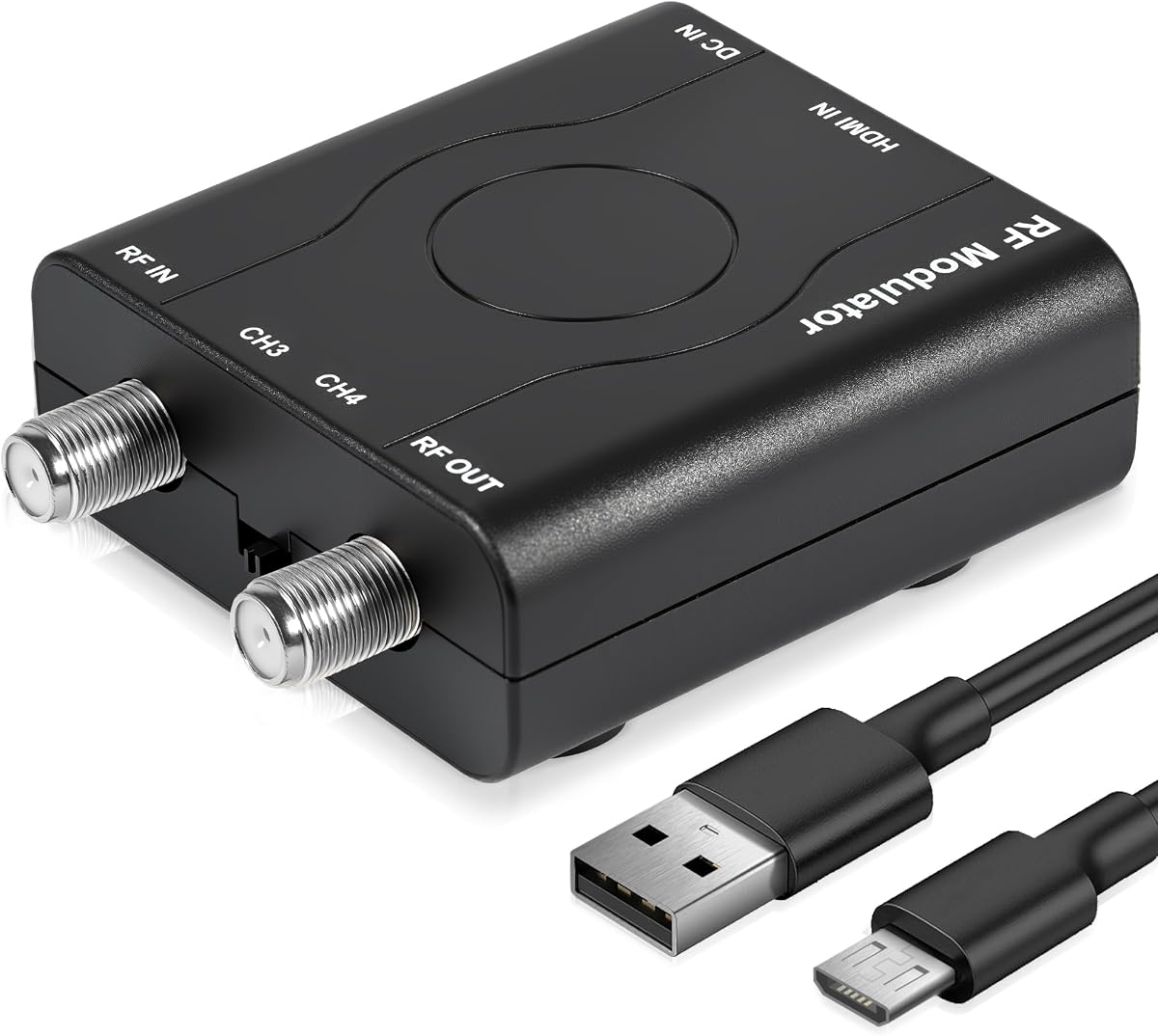


This BNC to HDMI converter stands out for its ability to translate analog security camera signals into high-definition video. It holds a strong rating among users who need to view old footage on modern screens without complex setups.
We may earn a commission when you buy through this link, at no additional cost to you.
The device supports both NTSC and PAL formats automatically, which is essential for mixed camera systems. It outputs up to 1080P resolution, ensuring that details like faces and license plates remain sharp on HD monitors.
While it excels in video quality, note that it requires a separate coax cable for connection. The lack of included cabling might require you to check your existing inventory before purchase to ensure everything fits.
It is an ideal choice for security professionals or homeowners updating their surveillance systems. The stable performance and heat management make it reliable for continuous operation in various environments.
The automatic detection of NTSC and PAL signals removes the guesswork during installation. This ensures that cameras from different regions or eras work together without manual adjustment of switches.
Designed to operate stably for 24 hours continuously, the unit uses 3D compensation technology to reduce noise. This thermal efficiency prevents overheating even during long monitoring sessions.
We may earn a commission when you buy through this link, at no additional cost to you.
This model is designed to help users connect modern gaming consoles to older TVs that only accept RF inputs. It comes with the necessary cables to get started immediately, which is a significant convenience for buyers.
We may earn a commission when you buy through this link, at no additional cost to you.
It supports major consoles like PlayStation and Xbox, converting HDMI signals to NTSC RF on channels 3 and 4. The built-in PLL control ensures that the frequency remains stable, reducing signal dropouts during gameplay.
The device is strictly one-way, meaning it cannot convert RF back to HDMI. Users need to be aware of this limitation if they plan to use it for other types of signal conversion beyond HDMI to coax.
Gamer looking to preserve retro setups or connect to older displays will find this very useful. The inclusion of a power adapter and HDMI cable makes it a complete solution out of the box.
Having the HDMI cable and power adapter included saves the hassle of buying extra accessories. This allows for immediate testing and setup without waiting for additional shipments or store runs.
The PLL control technology helps maintain a consistent VHF frequency. This is crucial for older TVs that might struggle to lock onto unstable signals, ensuring a clear picture during use.
We may earn a commission when you buy through this link, at no additional cost to you.
This device is specifically marketed towards users with vintage gaming consoles and VCRs. It converts the analog RF signals from these older devices into digital HDMI signals compatible with modern displays and projectors.
We may earn a commission when you buy through this link, at no additional cost to you.
It comes with a remote control that allows for convenient channel selection and power management. The ability to handle up to 251 channels gives it flexibility for various broadcast and input needs.
The rating reflects some variability in user experience with certain older devices. While it lists many compatible systems, the complexity of legacy connections can sometimes lead to inconsistent results depending on the source.
Enthusiasts looking to play Atari or Betamax on a flat-screen TV should consider this option. The remote control adds a layer of usability that is often missing in similar basic converters.
The extensive list of compatible consoles like Atari and Sega makes it a strong choice for retro gamers. It bridges the gap between old media formats and new display technologies effectively.
Having a physical remote allows for easy switching between channels or power states. This feature enhances the user experience when managing multiple inputs or settings remotely.
We may earn a commission when you buy through this link, at no additional cost to you.
This modulator is crafted for home entertainment setups where HDMI content needs to be sent over existing coaxial wiring. It supports HDCP standards which is essential for protected content playback.
We may earn a commission when you buy through this link, at no additional cost to you.
It accepts multiple resolution inputs including 1080P and adjusts them to the appropriate RF output. The ABS material ensures the device remains durable during daily use in living rooms or bedrooms.
The device is limited to HDMI input, so it will not work with devices that only have analog outputs. Users must ensure their source device has an HDMI port to utilize this converter effectively.
It is a reliable option for those wanting to stream modern content to older TVs in other rooms. The compatibility with local CATV systems makes it versatile for different household configurations.
Supporting HDCP 1.4 allows this unit to handle protected media content without black screens. This makes it suitable for streaming services and modern media players that require this handshake.
The ABS material construction provides resistance to minor impacts and wear. This ensures the device stays functional over time even in environments with frequent handling.
We may earn a commission when you buy through this link, at no additional cost to you.
This unit receives top marks for its ability to distribute HDMI signals through existing coaxial cable systems. It is well-suited for homes or businesses where a single source needs to reach multiple displays.
We may earn a commission when you buy through this link, at no additional cost to you.
The kit includes a 4ft HDMI cable and power adapter, ensuring you have everything needed to start immediately. The setup is described as simple, requiring no additional drivers or complex settings.
It supports stable output which is critical for maintaining consistent video quality across multiple screens. The manufacturer offers quick support response times, which adds value for users who might encounter setup questions.
Ideal for classrooms or hotel rooms, it allows flexible content sharing without running new cables. The high satisfaction rate suggests it performs reliably in a variety of distribution scenarios.
Designed to send content to multiple TVs, it maximizes the use of existing infrastructure. This is cost-effective for properties where adding new HDMI ports is impractical.
The provider promises answers within 18 hours, ensuring users can resolve issues quickly. This commitment helps maintain a positive experience during the initial setup and use phases.
We may earn a commission when you buy through this link, at no additional cost to you.
This compact adapter is praised for its small form factor which makes it easy to hide behind TVs. It converts HDMI input to analog RF signals efficiently without requiring any software installation.
We may earn a commission when you buy through this link, at no additional cost to you.
The device is built with a sturdy ABS shell that protects the internal components. It outputs specific NTSC channels which align with older television standards for clear reception.
While it lacks a remote control, the plug-and-play nature means you rarely need to adjust settings once connected. This simplicity appeals to users who want a set-it-and-forget-it solution.
It is an excellent choice for space-constrained environments like dorms or offices. The high rating indicates consistent performance and reliability for basic HDMI to coax conversion needs.
The compact size allows it to blend into entertainment centers without taking up valuable space. This is ideal for setups where portability and discreet placement are priorities.
No driver installation is needed, allowing for immediate use after connecting cables. This streamlines the setup process for users with technical expertise or limited time.
We may earn a commission when you buy through this link, at no additional cost to you.
This modulator is designed to handle both home and commercial needs with a focus on stability. It supports HDMI 1.4 and HDCP 1.4 for reliable playback of high-definition content on older screens.
We may earn a commission when you buy through this link, at no additional cost to you.
The USB power cable makes it easy to source power from most displays or adapters. It is built from ABS material which offers protection against daily wear in high-traffic areas.
It is limited to HDMI to RF conversion, so users should not expect reverse functionality. The manual guides through the process to ensure correct setup without frustration.
It is a solid choice for small businesses looking to display content on legacy monitors. The included manual and cables make deployment straightforward for IT managers.
The inclusion of a USB power cable simplifies power management. This allows the device to be powered by the TV or other nearby USB sources easily.
Designed for consistent performance, it ensures stable signal transmission over time. This reliability is key for business settings where interruptions are not acceptable.
We may earn a commission when you buy through this link, at no additional cost to you.
This unit stands out for offering both RCA and RF outputs, providing flexibility for different types of connections. It allows you to connect to a capture card and a TV simultaneously.
We may earn a commission when you buy through this link, at no additional cost to you.
The coaxial RF signal supports ultra-long-distance transmission which is useful for sharing content across rooms. It also includes a channel switch to avoid interference with other devices like VCRs.
While versatile, some users report mixed experiences with the specific quality of the output. The dual functionality might require careful configuration to optimize for your specific setup needs.
It is ideal for users who want to record video from modern devices on older equipment. The ability to split signals offers more utility than single-output converters in complex setups.
Simultaneous RCA and RF outputs allow for multiple connection options from one device. This adds significant value for setups that require both viewing and recording capabilities.
The channel switch helps manage existing signals without disrupting other devices. This ensures that you can watch content while maintaining other analog connections.
We may earn a commission when you buy through this link, at no additional cost to you.
This adapter is a premium choice for security professionals working with modern analog cameras. It supports high-resolution inputs up to 8MP, ensuring detailed footage on HD displays.
We may earn a commission when you buy through this link, at no additional cost to you.
The metal housing dissipates heat efficiently allowing for continuous operation. It also features a loop out port so you can send the feed to a DVR while viewing on a monitor.
The higher price reflects its robust build and advanced format support. It is designed for reliability in demanding environments like warehouses or commercial properties where downtime is unacceptable.
It is an ideal pick for upgrading surveillance systems without replacing all cameras. The multi-format support makes it versatile for mixed camera setups across a property.
Supporting up to 8MP input means it handles modern security cameras effectively. This ensures that the detail needed for identification is preserved during conversion.
The BNC loop out allows simultaneous viewing and recording. This dual-path capability is essential for systems that require live monitoring and archival storage.
We may earn a commission when you buy through this link, at no additional cost to you.
This model is designed with professional-grade requirements in mind. It ensures stable conversion with PLL control which maintains consistent signal quality for critical applications.
We may earn a commission when you buy through this link, at no additional cost to you.
It is fully compatible with CATV systems and supports HDCP standards for reliable operation. The ABS construction adds durability while the compact design allows for flexible placement.
Users should note that it is a specialized unit meant for consistent high-performance environments. While it costs more than budget options the reliability often justifies the investment.
It is a top choice for environments where signal integrity is paramount. The high rating reflects its performance in demanding usage scenarios.
Designed to meet professional standards, it ensures high consistency during operation. This makes it suitable for settings where interruptions could be costly or disruptive.
Supporting HDCP ensures protected content can be played back without issues. This is critical for businesses that need to display commercial or proprietary media.
We may earn a commission when you buy through this link, at no additional cost to you.
Selecting the right converter involves understanding your source device and target display requirements. Here are the key factors to consider.
Ensure the device supports the specific connections you need. Some convert HDMI to RF while others handle BNC or RCA inputs.
Verify that the converter matches the signals you are trying to bridge.
Check the maximum resolution the unit can handle to ensure it matches your display capabilities. Some support 1080P while others are limited to lower resolutions.
Higher resolution support ensures sharper images on modern screens.
Look for models that list compatibility with your specific game consoles or media players. Some units have limitations with certain streaming devices or computers.
This ensures you can use your existing equipment without needing extra adapters.
Stable output is key to avoiding flickering or loss of signal. Devices with PLL control often offer better frequency stability for older TVs.
Look for reviews that mention consistent performance over time.
A durable casing protects the electronics from damage. Metal housings are often better for heat dissipation compared to plastic ones.
Solid build quality means the device will last longer in daily use.
Some packages include HDMI cables and power adapters which saves extra cost. Check what is in the box to see if you need to buy extra parts.
This helps avoid unexpected expenses after you have purchased the converter.
Consider the cost relative to the features offered. Higher-priced models often have better build quality or advanced features like remote control.
Balance your budget with the essential features you need for your setup.
Check if the seller offers a good return policy in case the unit does not work as expected. Access to customer support can be helpful if you face setup issues.
This provides peace of mind when trying out a new device.
Start by connecting the HDMI cable from your source device to the converter input. Then connect the coaxial cable from the converter to your TV's antenna port.
Power the device using the provided adapter or USB port. Turn on your TV and switch the input to the correct channel like CH3 or CH4.
To extend the life of the converter keep it in a cool place and avoid dust buildup. Ensure the cables are not bent sharply to prevent signal loss over time.
Yes many converters work with cable boxes that have HDMI output. However you should verify if your cable box supports the specific resolution your converter accepts to ensure clear picture quality.
Usually no these devices generate their own RF signal so you do not need an external antenna. You just need to connect the coax cable directly to your TV.
Most modern consoles like PS5 work with HDMI to RF converters. However you might notice some resolution adjustments as the output is converted to analog NTSC signals.
Most budget models support up to 1080P input but do not support true 4K output. Always check the specs as many older TVs only accept analog signals which are lower than 4K.
If your TV lacks a coax port you may need a coax to HDMI adapter or an external tuner. The converter works best when the TV has an antenna or coax input.
Most units output on channel 3 or 4. Check the user manual to see which frequency your device uses and set your TV tuner to match that channel.
We reviewed ten top models ranging from basic RF modulators to professional grade adapters. Each offers unique features suited for different needs like security or gaming.
Prioritize stability and resolution support to ensure a smooth viewing experience. The right choice depends on whether you need simple conversion or advanced functionality.
Always check the latest availability and features before making a decision. These models offer great ways to extend the life of your old displays with new tech.