
3DMakerpro Fox Entry-Level Medium-Format
3.2Editor score
0.07mm Accuracy
Markerless AI Tracking
Entry-Level Price
3D scanning technology has evolved rapidly, offering precise digital replicas of physical objects. Whether you need reverse engineering or creative design, a reliable scanner captures intricate details effortlessly.
We evaluated ten leading 3D scanners based on accuracy, speed, connectivity, and ease of use. Our analysis focuses on performance across various materials, from dark surfaces to metallic components.
Each pick highlights key strengths and ideal use cases for professionals and hobbyists. Please note that prices and availability may change, so verify current listings before purchasing your device.
3.2Editor score

5.0Editor score

4.5Editor score
As an Amazon Associate we earn from qualifying purchases.
This comparison table outlines the core specifications and capabilities of each featured 3D scanner. Use it to quickly identify the best fit for your specific scanning needs.


The Creality Pika stands out as the top choice for its impressive 0.03mm accuracy and wireless freedom. It delivers professional-grade precision suitable for reverse engineering and 3D printing workflows.
We may earn a commission when you buy through this link, at no additional cost to you.
Its dual-mode scanning with blue laser and NIR structured light handles both small parts and full-body scans. The AI-powered retexuring ensures lifelike textures on your models.
While the compact design is excellent for mobility, users should note the battery life during extended sessions. Planning your workflow accordingly will help maintain efficiency.
Ideal for professionals needing portability without sacrificing detail, the Pika is a robust tool for modern digital fabrication needs.
The 7 parallel blue laser lines capture intricate details on mechanical components and collectibles with exceptional clarity.
AI tools automate tasks like hole filling and body completion, significantly reducing post-processing time.
We may earn a commission when you buy through this link, at no additional cost to you.
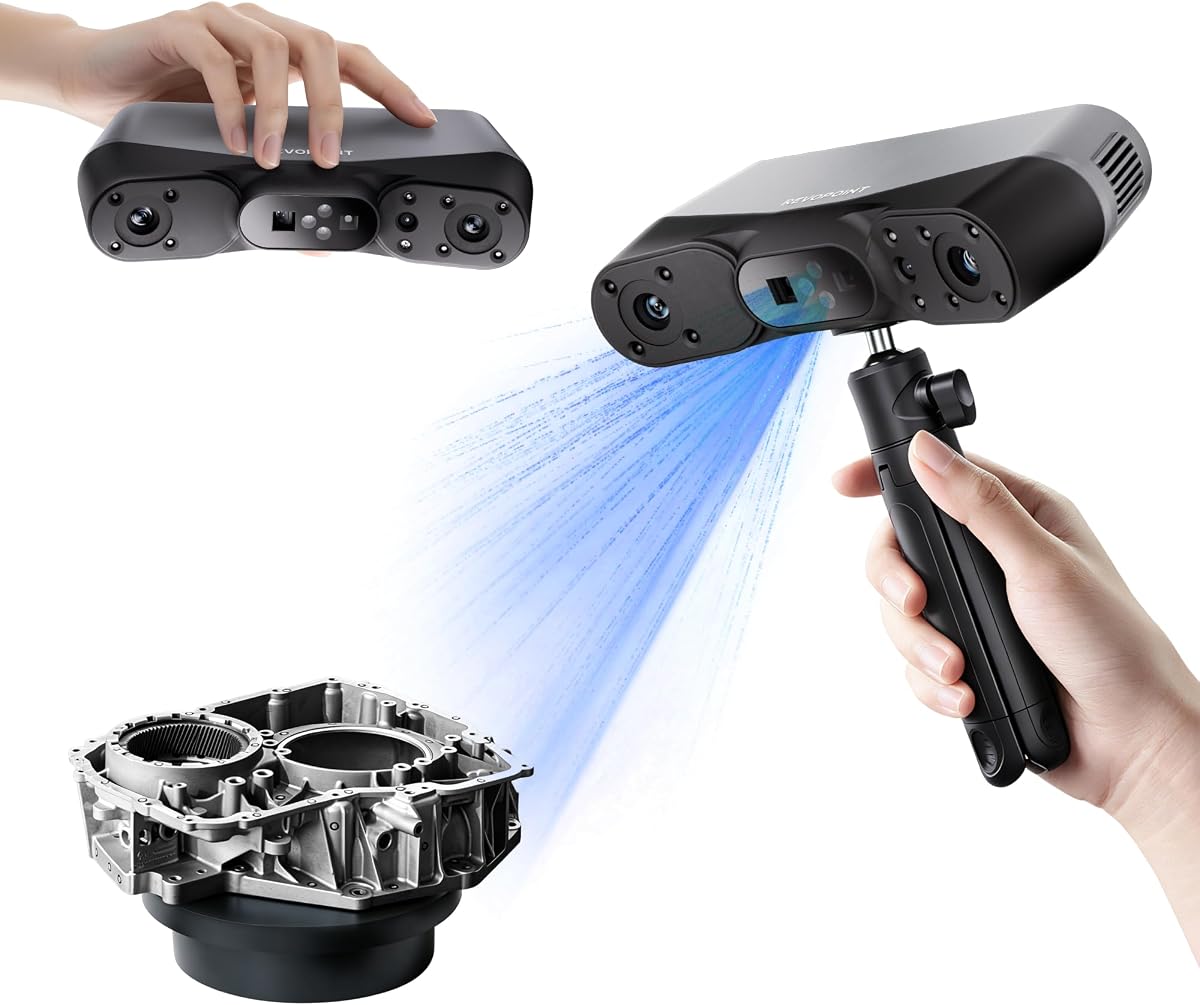
The Revopoint POP 4 offers exceptional accuracy and speed with advanced AI segmentation. It excels at capturing detailed objects quickly using its multi-line laser mode.
We may earn a commission when you buy through this link, at no additional cost to you.
Its ability to operate in bright outdoor conditions makes it versatile for field work. The integration of Gaussian Splatting creates photorealistic models for animation and VR.
Some users may find the professional software suite overwhelming at first. However, the powerful tools justify the learning curve for serious applications.
This scanner is a strong option for industrial and creative users requiring fast, reliable data capture in diverse environments.
Operates reliably up to 50,000 lux with filters, ensuring consistent results even in bright sunlight.
AI segmentation identifies targets automatically, streamlining the process of isolating objects in complex scenes.
We may earn a commission when you buy through this link, at no additional cost to you.
The INSPIRE 2 is designed for mobility with a lightweight aluminum body and strong outdoor scanning capabilities. Its dual modules allow flexibility between different scanning scenarios.
We may earn a commission when you buy through this link, at no additional cost to you.
The adjustable optical zoom is a standout feature for capturing details on mixed-geometry surfaces without moving the device closer. It captures high-resolution textures effectively.
While it handles outdoor light well up to 20,000 lux, it is not as robust as premium models in direct sun. Calibration ensures consistent precision across sessions.
Perfect for heritage preservation and design tasks, it balances portability with professional-grade color texture capture.
Infrared structured light and multi-line laser modes provide versatile coverage for various materials and environments.
Adjustable zoom magnifies the projected light to focus on specific details across different object sizes.
We may earn a commission when you buy through this link, at no additional cost to you.
The MetroY Ultra sets a new standard for industrial-grade accuracy with 0.01mm precision. It is built for rigorous applications like reverse engineering and inspection.
We may earn a commission when you buy through this link, at no additional cost to you.
Its five scanning modes cover everything from deep holes to large industrial parts. The ability to scan dark or glossy surfaces directly saves significant preparation time.
The price reflects its high-end build quality and performance. While heavy, the wireless freedom and long battery life support extended field work effectively.
For users demanding top-tier reliability and detail, this scanner delivers unmatched quality for complex industrial projects.
Designed to meet strict tolerance requirements for quality control and reverse engineering applications.
Advanced laser tech captures dark or shiny components directly, simplifying the setup process significantly.
We may earn a commission when you buy through this link, at no additional cost to you.
The MetroX Pro offers industrial precision with efficient blue laser technology. It handles complex industrial measurement needs with high data capture speeds.
We may earn a commission when you buy through this link, at no additional cost to you.
Its auto turntable and tracking modes simplify scanning of complex shapes. Color reproduction is accurate, useful for detailed product modeling.
Software requirements may limit portability compared to all-in-one units. However, the workflow tools are powerful for design and inspection teams.
Ideal for engineering shops needing reliable blue laser performance, it supports diverse applications with versatile alignment options.
Advanced blue lasers provide high-speed data capture and accurate results on feature-rich objects.
Automates scanning for complex objects with color accuracy, streamlining the process significantly.
We may earn a commission when you buy through this link, at no additional cost to you.
The Fox delivers impressive value with 0.07mm accuracy at an entry-level price. It is designed to make scanning accessible for beginners and hobbyists.
We may earn a commission when you buy through this link, at no additional cost to you.
Its AI visual tracking helps recover from mistakes quickly, reducing frustration during handheld scans. The software suite is straightforward and effective for basic needs.
While not for industrial precision, it captures sufficient detail for hobby projects and simple reverse engineering. It is a great starting point for new users.
For those on a tight budget, the Fox offers a reliable path into 3D scanning without requiring extensive technical knowledge.
Relocks onto objects in seconds, preventing the need to start over after moving too fast.
Integrates scanning and editing into one seamless process for efficient workflow management.
We may earn a commission when you buy through this link, at no additional cost to you.
The Otter Lite features a unique quad-camera design that captures objects from coins to cars. It offers eye-safe infrared suitable for human scanning.
We may earn a commission when you buy through this link, at no additional cost to you.
Its ability to handle dark and metallic surfaces without spray is a major advantage for diverse workflows. True-to-life textures enhance model realism for product displays.
While the scanning speed is moderate compared to high-end lasers, the coverage area makes it efficient for large parts. Alignment modes are flexible and robust.
Recommended for automotive and general manufacturing users needing large coverage with safety and accuracy balance.
Dual long and short focal lenses handle both fine details and large coverage areas efficiently.
Concentrated light energy allows direct scanning of dark and shiny surfaces without powder.
We may earn a commission when you buy through this link, at no additional cost to you.
The Ferret SE is designed for beginners with anti-shake tracking ensuring smooth scans. It captures intricate details effectively for hobby and prototyping use.
We may earn a commission when you buy through this link, at no additional cost to you.
Its flexible range handles medium to large objects well. The color camera adds vividness to the models, making them more useful for presentations.
While the accuracy is moderate compared to industrial units, it meets most standard needs. The ease of use reduces setup time significantly.
A solid choice for those starting with 3D scanning who want a forgiving device for casual projects.
New one-shot imaging enhances tracking efficiency and success rates even with rapid movements.
High-resolution camera captures original colors for lifelike 3D models and designs.
We may earn a commission when you buy through this link, at no additional cost to you.
The Ferret Pro offers wireless scanning freedom for Android and iPhone users. It maintains high accuracy with reliable tracking for handheld workflows.
We may earn a commission when you buy through this link, at no additional cost to you.
WiFi 6 speeds up data transfer significantly compared to older connections. This improves efficiency when handling large scan files or remote preview.
Mobile compatibility expands its use cases beyond desktop setups. However, it works best on non-reflective surfaces for optimal results.
Recommended for mobile professionals and tech enthusiasts needing a portable scanner with strong connectivity options.
Advanced WiFi 6 ensures stable and fast data transfer for high-precision scanning tasks.
Exports in OBJ, STL, and PLY formats for seamless integration with various workflows.
We may earn a commission when you buy through this link, at no additional cost to you.
The MIRACO Plus combines scanning and processing in a powerful portable unit. It supports photogrammetric metrology for precise large-scale measurements.
We may earn a commission when you buy through this link, at no additional cost to you.
Its 6-inch AMOLED screen allows real-time visualization without a computer. Processing hardware handles up to 10,000 frames efficiently on the device.
While expensive, the self-contained nature reduces dependency on external laptops. It simplifies complex workflows for field professionals.
Ideal for surveying and engineering teams needing standalone precision, it offers comprehensive data management in the field.
Integrated kit enables high-resolution capture of small details on large objects with length accuracy.
Powerful processor allows quick project transfer and export without needing an external PC.
We may earn a commission when you buy through this link, at no additional cost to you.
Selecting the right 3D scanner depends on your specific needs for accuracy, portability, and budget. Consider the following factors to make an informed decision.
Accuracy refers to how close the scan is to the real object. Look for scanners with at least 0.05mm accuracy for detailed work.
Choose higher precision models for industrial reverse engineering to ensure tight tolerances are met.
Faster frame rates like 100 FPS reduce the time needed for large scans. This improves workflow efficiency significantly.
If speed is critical, prioritize models with NVIDIA GPU acceleration or high FPS capabilities.
Some surfaces like dark or shiny metal require special tech like blue lasers. Others may need spray which adds prep time.
Look for scanners with infrared or laser modes that capture these difficult surfaces directly.
Wireless scanning with Wi-Fi 6 offers greater mobility during sessions. It eliminates cable clutter and allows flexible positioning.
Ensure your system supports the connection type for stable data transfer during scanning.
Weight matters if you need to move the scanner frequently. Models under 300g are easier to hold for long periods.
Consider battery life and grip design to prevent fatigue during extended field work.
Check if the software supports your operating system and file formats. Some tools are paid separately for advanced CAD functions.
Choose a scanner with robust free software if you want to avoid extra costs.
Sunlight can interfere with structured light systems. High lux tolerance allows scanning in bright conditions without error.
If you work outdoors, ensure the scanner supports filters or laser modes for outdoor stability.
Full-color capture is essential for digital archiving or marketing assets. RGB cameras capture surface details accurately.
Verify the camera resolution and texture sync quality to get realistic digital results.
To start, download the official software and calibrate the device using the provided board. This ensures accurate measurements and better tracking.
Keep your scanner clean by wiping the lenses gently. Avoid dropping it or exposing it to dust and moisture that can damage optics.
Store the device in its carrying case when not in use. Regularly update firmware to maintain performance and security features.
While many scanners work on standard laptops, high-end models benefit from a powerful GPU for processing. All-in-one units can process data on-device, reducing computer dependency.
Scanning times vary from minutes to hours depending on size and resolution. A simple part might take five minutes while a full room could take hours.
Some models with eye-safe infrared support full-body or face scanning. Ensure the device explicitly states safety for human scans before attempting.
Advanced lasers can scan dark and metallic surfaces without spray. However, some older models might still require powder to capture texture details.
Most export standard formats like STL, OBJ, PLY, or ASC. Check compatibility with your design software before purchasing a specific unit.
High-end scanners handle outdoor light better than basic ones. Look for high lux tolerance and laser modes if you plan to work outside.
Consumer scanners range from 0.1mm to 0.01mm accuracy. For critical measurements, choose industrial-grade models with verified volumetric accuracy.
Entry-level models with AI tracking and simple interfaces are ideal. They help you learn the basics without complex software or setup.
The Creality Pika leads as the top overall choice due to its balance of precision and portability. It serves a wide range of users from hobbyists to professionals.
When selecting a scanner, prioritize your primary use case such as outdoor work or small parts. Accuracy and connectivity are critical for long-term satisfaction.
Remember to check the latest prices and stock before purchasing. Technology evolves quickly so verifying current models ensures you get the best value.