
AOC 27" Gaming Monitor QHD 260Hz Overclocked IPS NVIDIA G-SYNC Q27G41ZE
4.6Editor score
240Hz refresh rate for speed
IPS panel with wide viewing angles
Adaptive-Sync support for smooth play
Finding a monitor that balances resolution and speed is crucial for competitive gaming. The 1440p gaming monitors at 240Hz category offers the sweet spot between visual clarity and ultra-fast refresh rates. These displays ensure you see every detail without sacrificing responsiveness in fast-paced titles.
We evaluated ten top contenders based on panel technology, response times, and connectivity options. Each model brings unique strengths, from OLED contrast to IPS color accuracy. Our comparison focuses on real-world performance to help you make an informed decision for your specific setup.
Every pick includes detailed specs, pros, and cons to highlight key differences. While prices fluctuate, these models represent the best value and performance available. Check current listings before buying to ensure you get the latest offers on these high-speed displays.
4.6Editor score

4.4Editor score

4.5Editor score
As an Amazon Associate we earn from qualifying purchases.
This side-by-side comparison highlights the key specifications and features of the top ten 1440p gaming monitors at 240Hz. Whether you prioritize color accuracy, response time, or budget-friendly options, this table provides a clear overview to help you decide quickly.


The AOC Q27G41ZE stands out as the most accessible option for players seeking 1440p gaming monitors at 240Hz. With a rating of 4.6 stars, it proves that speed does not have to break the bank. Its IPS panel ensures vibrant colors while the refresh rate keeps gameplay fluid.
We may earn a commission when you buy through this link, at no additional cost to you.
Key strengths include the 0.3ms MPRT response time and full Adaptive-Sync support for both AMD and NVIDIA GPUs. This eliminates screen tearing without requiring expensive hardware. The 2560×1440 resolution offers sharp detail ideal for competitive shooters where every pixel matters.
Trade-offs exist primarily in ergonomics, as it only supports tilt adjustments. There is also no USB hub for peripherals, which might clutter your desk. However, these omissions are acceptable given the low price point and core performance capabilities.
This monitor is perfect for budget-conscious gamers who refuse to compromise on speed. If you need reliable 240Hz performance without spending a fortune, this is the definitive choice for your battle station setup.
The 240Hz refresh rate ensures every movement is tracked smoothly, giving you a clear edge in fast-paced matches.
Whether you use AMD or NVIDIA, this monitor adapts to your frame rate to prevent tearing and stuttering during intense scenes.
We may earn a commission when you buy through this link, at no additional cost to you.
The Acer Nitro XV272U delivers a balanced experience for those needing full ergonomics alongside high refresh rates. With a 4.2-star rating, it is a reliable choice for general gaming. Its stand allows full height and pivot adjustments, fitting any desk setup comfortably.
We may earn a commission when you buy through this link, at no additional cost to you.
The 240Hz refresh rate via DisplayPort is the highlight for competitive play. FreeSync Premium ensures smooth visuals on AMD systems. Additionally, the inclusion of speakers adds convenience for users who do not use headphones during casual sessions.
Trade-offs include standard IPS contrast which is less deep than OLED. The average rating reflects minor inconsistencies in panel quality over time. Still, the feature set remains competitive for the price range it occupies in the market.
Ideal for users who prioritize desk ergonomics and multi-angle viewing. If you need a stand that pivots for portrait mode or height adjust, this model offers that flexibility at an affordable price point.
Height, tilt, pivot, and swivel adjustments help you find a comfortable viewing angle for long gaming sessions.
This technology synchronizes your monitor with your AMD GPU to reduce stutter and maintain consistent frame rates.
We may earn a commission when you buy through this link, at no additional cost to you.
The LG 27GR83Q-B is our Editor's Choice for its perfect balance of speed, color, and connectivity. With a 4.4-star rating, it satisfies both competitive players and content creators. The HDMI 2.1 port ensures future-proofing for consoles and PCs alike.
We may earn a commission when you buy through this link, at no additional cost to you.
Key strengths include the 95% DCI-P3 color coverage and HDR 400 support. This makes content look vivid and cinematic. The DTS Headphone:X feature enhances spatial audio, giving you a tactical edge by hearing footsteps clearly in game.
Trade-offs include a higher price than budget models and lack of USB-C. However, the performance consistency and robust feature set justify the cost. It is a premium all-rounder that handles both gaming and media consumption effortlessly.
This monitor is best for those who want a single display for gaming and work. If you value color fidelity alongside high-speed refresh rates, this model delivers the best total package available in 2026.
HDMI 2.1 allows for higher bandwidth, ensuring compatibility with next-gen consoles and high-performance GPUs.
DTS Headphone:X provides accurate spatialization, making in-game sounds more realistic and directional for competitive awareness.
We may earn a commission when you buy through this link, at no additional cost to you.
The Acer Predator X27U represents the pinnacle of speed and image quality with its QD-OLED technology. Rated at 4.5 stars, it delivers a gaming experience that feels alive. The OLED panel ensures true blacks and infinite contrast that LCDs cannot match.
We may earn a commission when you buy through this link, at no additional cost to you.
Its 0.03ms response time makes motion clarity unrivaled. In fast-paced shooters, ghosting is virtually eliminated. The ZeroFrame design eliminates bezels, creating an immersive visual field that helps players focus entirely on the action within the screen.
Trade-offs include a higher price and the need for care regarding burn-in. However, AMD FreeSync Premium and built-in retention features mitigate these risks. For enthusiasts seeking top-tier visuals, this monitor is unmatched in the current market.
This is the best choice for immersive single-player games and competitive titles alike. If you want the absolute best colors and response times, the Predator X27U is the premier pick for premium gamers.
OLED pixels turn off completely to produce perfect blacks, enhancing depth and realism in dark scenes and night maps.
The 0.03ms GtG time ensures pixel transitions are nearly instantaneous, removing blur during rapid camera movements.
We may earn a commission when you buy through this link, at no additional cost to you.
The KTC H27E6S offers a striking white design for gamers with matching setups. While rated N/A, its specs promise high performance with a 275Hz overclock and Fast IPS panel. This model brings speed and style together in a compact package.
We may earn a commission when you buy through this link, at no additional cost to you.
Key strengths include 123% sRGB coverage ensuring vibrant media playback. The dual speakers reduce desk clutter for casual use. Overclocking to 275Hz gives a performance edge over standard 240Hz models when GPU output supports it.
Trade-offs include limited stand ergonomics and uncertain long-term ratings. However, the three-year warranty adds confidence for buyers. It is a stylish option for those who want performance without the standard black utilitarian look.
This monitor suits users who value desk aesthetics and color vividness. If you want a white display that still delivers competitive speeds, this KTC model is a unique and compelling option for your setup.
Overclocking the panel to 275Hz provides extra frame headroom for smoother gameplay than standard 240Hz monitors.
With 123% sRGB, this monitor displays rich colors making games and media look more dynamic and engaging to the eye.
We may earn a commission when you buy through this link, at no additional cost to you.
The ASUS ROG XG27ACMG is designed for professionals and gamers who need a versatile display. With a 4.3-star rating, it balances speed and color fidelity. The USB-C port allows a single-cable setup for laptops, simplifying desk management significantly.
We may earn a commission when you buy through this link, at no additional cost to you.
Key strengths include ELMB SYNC technology that reduces blur without sacrificing variable refresh rate. The 270Hz overclock and Adobe CC offer provide value for creators. Color accuracy is high, making it suitable for design tasks alongside gaming.
Trade-offs include a complex on-screen display menu and premium pricing. However, the utility of USB-C and high refresh rate justifies the cost. It is a powerful tool for those needing a single monitor for work and play.
This monitor is best for hybrid users needing a work and gaming display. If you want professional-grade color and USB-C convenience with speed, this ROG model fits your needs perfectly.
USB-C with DP Alt mode allows a single cable to handle power and video input, reducing cable clutter on your desk.
ELMB SYNC enables motion blur reduction while maintaining variable refresh rates for clear and smooth visuals.
We may earn a commission when you buy through this link, at no additional cost to you.
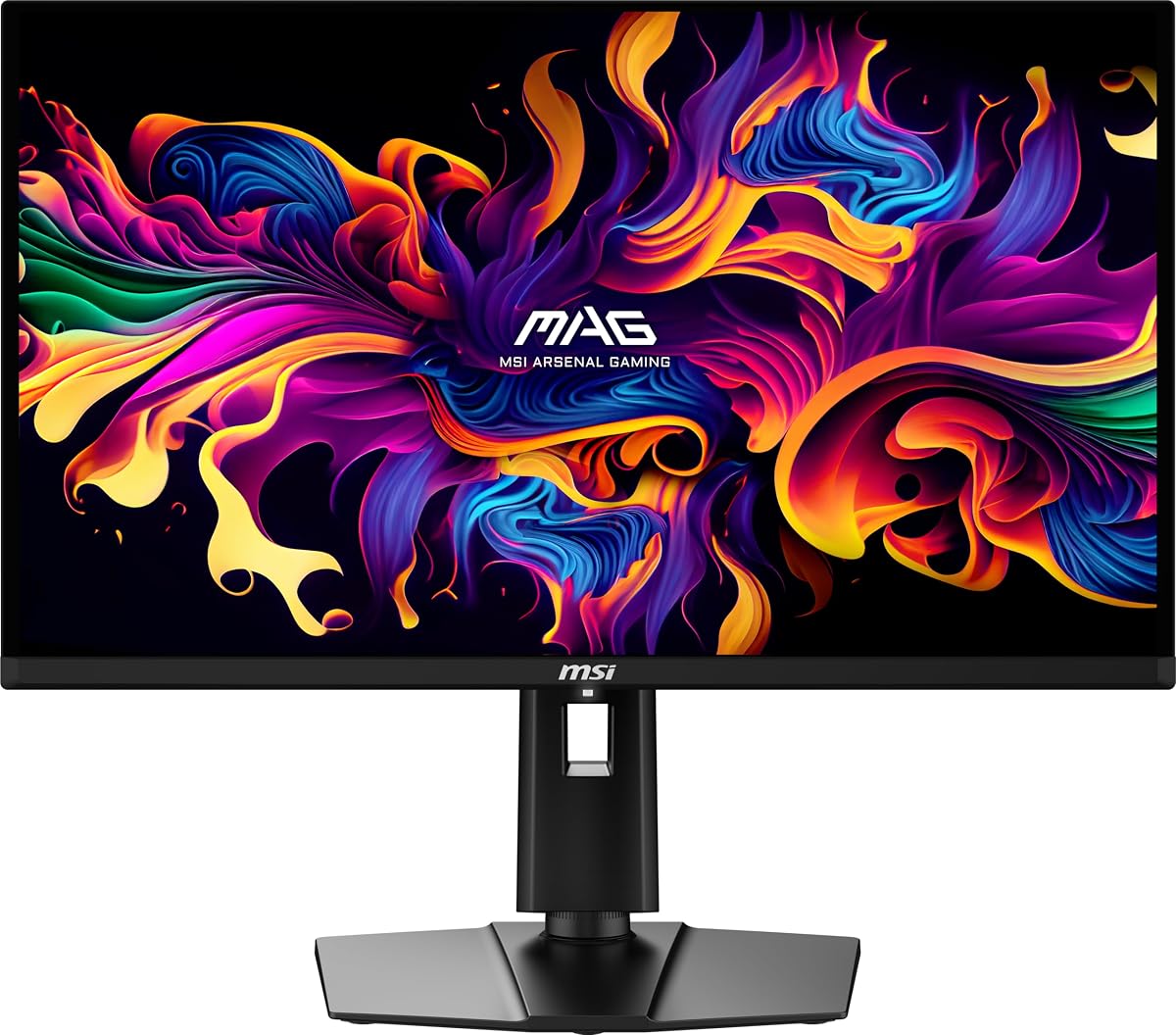
The MSI MAG 274QP uses QD-OLED technology to deliver elite performance with unique cooling. Rated at 4.6 stars, it stands out for its graphene heatsink design. This fanless approach ensures silent operation while maintaining panel health during heavy loads.
We may earn a commission when you buy through this link, at no additional cost to you.
Key strengths include HDMI 2.1 and OLED Care 2.0 for longevity. The 10-bit color and 240Hz rate make it ideal for high-end gaming. Its high ClearMR rating ensures sharp motion without ghosting in competitive titles.
Trade-offs include the risk of passive cooling in very hot environments. However, MSI's software features protect against burn-in effectively. It is a premium choice for those prioritizing silent, high-fidelity gaming experiences.
This monitor is best for enthusiasts wanting silent OLED performance. If you value hardware innovation alongside color accuracy, this MSI model provides a unique and high-quality solution for your gaming needs.
The graphene heatsink dissipates heat without fans, ensuring a completely silent experience during long gaming sessions.
OLED Care 2.0 software monitors usage and prevents burn-in, extending the display lifespan significantly.
We may earn a commission when you buy through this link, at no additional cost to you.
The Alienware AW2723DF is a premium choice for gamers who value design and features. With a 4.3-star rating, it offers excellent build quality and vibrant Nano Color visuals. The adjustable stand supports tilt, swivel, and pivot for maximum flexibility.
We may earn a commission when you buy through this link, at no additional cost to you.
Key strengths include AlienFX lighting and 280Hz overclock speed. G-Sync Compatible ensures smooth NVIDIA performance. The InfinityEdge screen maximizes visible area, making games feel immersive and expansive on the 27-inch panel.
Trade-offs include higher price and added power consumption from lighting. However, for branding fans, the aesthetic value is significant. It remains a top-tier option for those wanting a high-end display with unique customization.
This monitor is best for users who want style and performance. If you appreciate detailed build quality and brand lighting, this Alienware model delivers a premium experience worth the investment.
AlienFX lighting allows you to customize the monitor's look to match your setup and create a cohesive aesthetic.
Nano Color technology improves color purity, ensuring vivid and accurate visuals for an immersive gaming experience.
We may earn a commission when you buy through this link, at no additional cost to you.
The Acer Nitro KG271U combines gaming speed with color accuracy for hybrid workflows. Rated at 4.4 stars, it supports sRGB 99% making it great for designers. The Zero-Frame design maximizes screen space, giving a cleaner look for any environment.
We may earn a commission when you buy through this link, at no additional cost to you.
Key strengths include 240Hz refresh and 0.5ms GTG response. FreeSync Premium helps eliminate tearing efficiently. Its color performance is solid for the price, ensuring images are accurate for both work and gaming.
Trade-offs include the lack of stand height adjustment. While tiltable, it limits ergonomic customization. However, the balance of performance and color makes it a compelling option for visual professionals.
This monitor is best for creatives needing high refresh rates. If you edit photos or videos while gaming, this model offers the right mix of speed and color fidelity.
With sRGB 99% coverage, this monitor ensures your colors are accurate for both creative work and gaming visuals.
The thin bezel design creates a seamless look, maximizing screen real estate for a more focused gaming session.
We may earn a commission when you buy through this link, at no additional cost to you.
The MSI MAG 271QPX offers high-end OLED performance with practical cooling tech. With a 4.6-star rating, it is praised for its vivid visuals and speed. The graphene heatsink ensures silent, efficient cooling without active fans.
We may earn a commission when you buy through this link, at no additional cost to you.
Key strengths include True Black HDR 400 and 0.03ms response. This makes dark scenes look deep and motion crisp. The OLED Care software protects against burn-in, ensuring the panel remains vibrant for years of use.
Trade-offs include a high price and limited connectivity options like USB. However, for pure visual quality, it is unmatched. It is the ultimate choice for gamers who prioritize image fidelity over feature bloat.
This monitor is best for those wanting the best visuals. If you value deep blacks and fast response times above all else, this MSI OLED is the top choice for immersive gaming.
OLED technology ensures perfect blacks, making HDR content and night scenes look incredibly realistic and detailed.
A 0.03ms response time eliminates motion blur, ensuring clear tracking of fast objects in competitive games.
We may earn a commission when you buy through this link, at no additional cost to you.
Choosing the right 1440p gaming monitor at 240Hz requires balancing speed, image quality, and ergonomics. This guide breaks down the key factors to consider so you can find a display that fits your gaming habits and setup.
The 240Hz refresh rate ensures smooth motion, but response time matters for clarity. Look for 1ms GtG or lower to avoid ghosting. Faster panels help competitive players track targets accurately.
Prioritize models with low response times and high refresh rates for the best competitive edge.
IPS panels offer great color and viewing angles, while OLED delivers perfect blacks and contrast. QD-OLED combines quantum dots with OLED for vivid colors. Each has trade-offs in brightness and burn-in risk.
Choose IPS for brightness and longevity, or OLED for ultimate image quality and contrast.
For immersive gaming, look for 95%+ DCI-P3 coverage. This ensures vibrant, lifelike colors. Creators may prefer sRGB 99% for precision. Accurate colors make games look more dynamic and cinematic.
Check color gamut percentages to ensure visuals match your expectations for quality.
Ensure the monitor has HDMI 2.1 or DisplayPort 1.4 for 240Hz at 1440p. USB-C is useful for laptops. Verify your GPU supports the required bandwidth to unlock the full refresh rate.
Verify port types match your graphics card to avoid limited refresh rate performance.
Adaptive Sync (G-Sync or FreeSync) prevents screen tearing. G-Sync Compatible is ideal for NVIDIA; FreeSync Premium for AMD. Both ensure smooth visuals when frame rates fluctuate.
Select Adaptive Sync that matches your graphics card brand for the smoothest gaming experience.
A stand with height, tilt, pivot, and swivel helps you find a comfortable angle. Frameless designs improve immersion. Consider VESA mounting if you need a monitor arm.
Prioritize adjustable stands to reduce neck strain during long gaming sessions.
HDR 400 offers basic high dynamic range, while HDR 600 provides better brightness. OLED panels excel here with true black levels. Ensure HDR is useful for your content mix.
Look for HDR certification to enhance contrast and detail in supported games.
Budget models save money but may sacrifice features. High-end models cost more but offer OLED tech and better ergonomics. Decide what features matter most before spending.
Balance your budget with the features that truly impact your daily gaming experience.
Always connect using DisplayPort 1.4 for the highest refresh rates. HDMI ports might limit performance unless HDMI 2.1 is confirmed in specifications.
Adjust brightness and contrast for your room's lighting. Use dark modes or lower brightness at night to reduce eye strain.
Keep the screen clean with a soft cloth. Avoid spraying liquids directly on the panel and check for updates regularly.
Yes, it balances high resolution with speed. You gain sharper visuals than 1080p without sacrificing refresh rate. Most competitive gamers find this the ideal mix for tracking and reaction time.
Absolutely. Many models support color accuracy and ergonomic stands for productivity. They handle creative work well while delivering smooth gaming performance when needed.
Not as easily as before. Modern panels have pixel shift and refresh technologies. With care, they can last years without visible permanent damage.
You need a powerful mid-to-high range GPU. Cards like RTX 3080 or RX 6800 XT can push those frames. Lower-end GPUs may struggle to maintain peak speeds.
Use built-in presets first for accuracy. Then, use software like CalMAN or test patterns to adjust color and brightness. Proper calibration ensures true visuals.
Yes, use DisplayPort 1.4 or HDMI 2.1. Standard HDMI cables may not support the bandwidth required for full refresh rate performance.
Only if the monitor supports FreeSync. True G-Sync works with NVIDIA. For AMD, look for FreeSync Premium or Premium Pro certification.
27 inches is the standard sweet spot. It balances detail and immersion without requiring constant head movement. Larger sizes may make text look too large.
The 1440p gaming monitors at 240Hz offer a perfect blend of speed and clarity. Whether you choose OLED for contrast or IPS for reliability, every model on this list delivers competitive performance.
Prioritize response time and adaptive sync to ensure smooth gameplay. Consider ergonomics for long sessions and color accuracy if you also edit media.
Prices fluctuate often, so check current listings before buying. With these top picks, you can build a setup that meets both professional and casual gaming needs.