
GLOTRENDS M.2 NVMe to PCIe 4.0 X4 Adapter with Heatsink for NVMe SSD
4.6Editor score
Affordable price point
Includes low profile bracket
Effective thermal cooling
This guide compares the top M2 Pcie Adapter models for speed and compatibility to help you choose the right expansion card for your NVMe SSD upgrade needs.
Finding the right M2 Pcie Adapter can transform your desktop storage capabilities significantly. These cards allow you to install high-speed NVMe drives into standard PCIe slots for improved system performance and flexibility.
We evaluated ten top-rated adapters based on build quality, thermal management, and compatibility across different motherboard generations. Each product was assessed for ease of installation and support for various drive sizes to ensure reliable operation.
Each pick highlights specific strengths such as budget friendliness or advanced RAID support. Prices fluctuate frequently so check current listings before purchasing to ensure you get the best value for your specific hardware configuration needs.
4.6Editor score
4.6Editor score

4.4Editor score
The following table provides a side-by-side comparison of all ten selected adapters to help you quickly identify the model that best fits your specific storage expansion requirements and budget constraints.




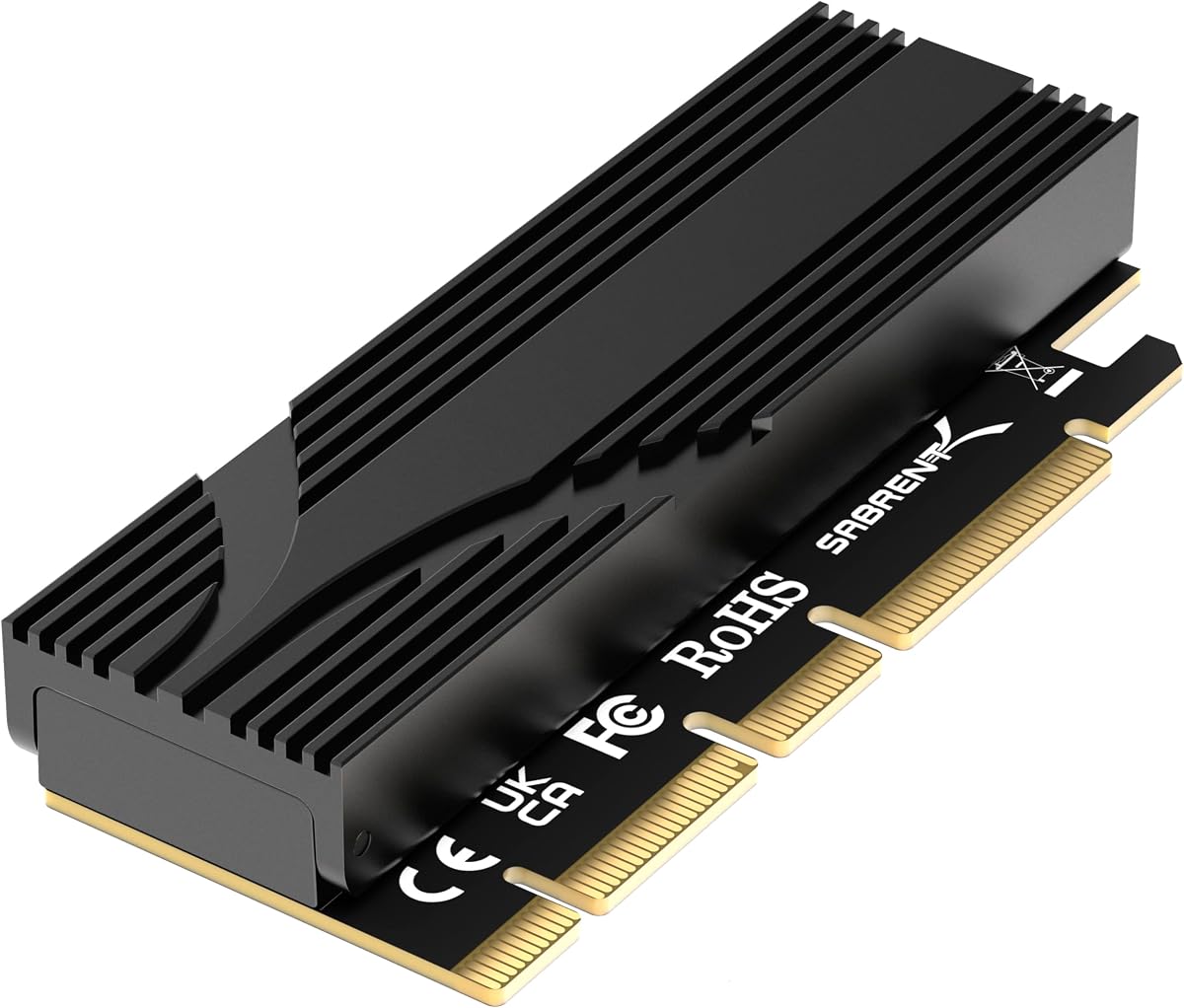
The SABRENT adapter stands out as a top performer for users seeking future-proof storage expansion. It supports PCIe 5.0 speeds when paired with a compatible host slot and delivers stable performance for high-throughput applications.
We may earn a commission when you buy through this link, at no additional cost to you.
Its tool-free installation design simplifies setup significantly while the aluminum heatsink ensures the drive stays cool under heavy load. The x16 physical connector provides robust stability and supports NVMe SSDs in multiple standard sizes effortlessly.
While it does not support SATA M.2 drives users should verify their motherboard capabilities before purchasing. These trade-offs are acceptable given the high performance and ease of use offered by this adapter in modern systems.
Buyers needing maximum throughput and reliability will find this adapter ideal for workstation upgrades. It is highly recommended for those prioritizing speed and ease of installation without compromising on thermal management.
This adapter fully utilizes Gen5 bandwidth when the motherboard slot supports it ensuring your investment remains relevant as technology advances.
Install and remove your SSD without tools thanks to the innovative locking mechanism that saves time and prevents screw damage.
We may earn a commission when you buy through this link, at no additional cost to you.
This adapter offers exceptional value for budget conscious users needing reliable PCIe expansion. It delivers solid performance for Gen4 and Gen3 SSDs while providing effective cooling to maintain drive stability during extended use.
We may earn a commission when you buy through this link, at no additional cost to you.
The inclusion of both regular and low profile brackets makes it suitable for diverse case sizes. It supports large capacity SSDs and works across multiple operating systems ensuring broad compatibility for most desktop setups.
Users with older Intel CPUs may find limited Gen4 support which is a notable constraint. However for storage expansion without boot requirements this limitation is minor compared to the cost savings offered.
Ideal for users seeking an affordable and reliable solution for extra storage this adapter is a smart pick. It balances cost and functionality well making it a top choice for general users.
Installation flexibility is enhanced with included brackets that fit both standard and low profile cases effortlessly.
The included heatsink effectively reduces temperatures ensuring consistent SSD performance during heavy workloads.
We may earn a commission when you buy through this link, at no additional cost to you.
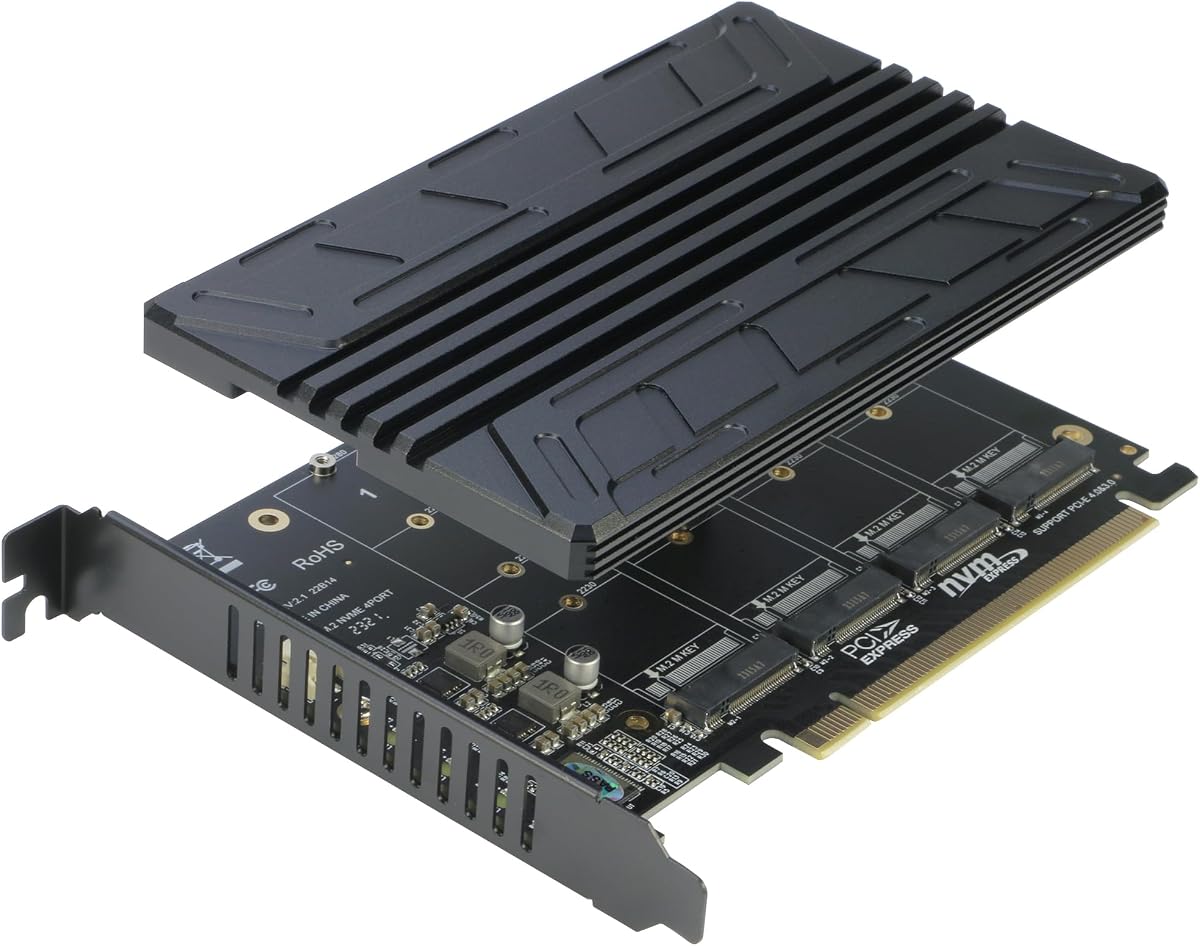
This premium adapter delivers exceptional capacity for users needing multiple high-speed NVMe drives. It supports Intel VROC and AMD Threadripper RAID configurations making it ideal for professional workstations and servers.
We may earn a commission when you buy through this link, at no additional cost to you.
The integrated blower style fan ensures all drives stay cool even under heavy sustained loads. Its robust construction and support for four drives provide unmatched expandability for demanding storage environments.
The higher price and motherboard requirements may be prohibitive for casual users. However the professional features and performance justify the investment for those needing maximum storage density and speed.
Best suited for power users and professionals this adapter provides a comprehensive solution for multi-drive setups. It is highly recommended for RAID configurations and high performance computing tasks.
VROC compatibility allows building powerful RAID arrays for speed and redundancy in enterprise settings.
The integrated fan prevents thermal throttling ensuring all four drives operate at peak performance.
We may earn a commission when you buy through this link, at no additional cost to you.
StarTech delivers a reliable adapter known for solid construction and broad compatibility. It supports both AHCI and NVMe drives making it versatile for various SSD types across multiple generations of hardware.
We may earn a commission when you buy through this link, at no additional cost to you.
The inclusion of both full and low profile brackets ensures it fits most systems easily. Its robust build and two year warranty provide peace of mind for users seeking dependable long-term performance.
The limitation to PCIe 3.0 may be a drawback for users needing maximum speed. However for general storage expansion this adapter offers proven stability and easy setup for most users.
Recommended for users prioritizing reliability and support this adapter is a strong choice. It is ideal for workstation upgrades where consistent performance is critical for daily operations.
Compatible with both AHCI and NVMe protocols ensuring flexibility for different drive technologies.
A two year warranty and dedicated support team provide confidence in long-term product durability.
We may earn a commission when you buy through this link, at no additional cost to you.
This adapter offers unique flexibility by supporting both NVMe and SATA M.2 drives on a single card. It is ideal for users needing to maximize storage options without consuming multiple PCIe slots in their system.
We may earn a commission when you buy through this link, at no additional cost to you.
The heat sinks and LED indicators provide clear feedback on drive activity and thermal status. This setup simplifies managing mixed drive types and ensures reliable operation across different storage formats.
SATA drives require cable connections which adds minor complexity to installation. This trade-off is acceptable given the convenience of supporting both drive types on one card for versatile storage solutions.
Best for users needing flexible storage expansion this adapter simplifies managing mixed drive types. It is recommended for those looking to add both NVMe and SATA storage in one go.
Simultaneously support NVMe and SATA drives to maximize your storage configuration options efficiently.
LED indicators provide immediate feedback on drive activity helping you monitor performance easily.
We may earn a commission when you buy through this link, at no additional cost to you.
This adapter delivers solid value with comprehensive packaging that includes all necessary accessories. It supports both Gen4 and Gen3 SSDs while ensuring efficient thermal performance with included thermal pads and heatsink.
We may earn a commission when you buy through this link, at no additional cost to you.
The inclusion of brackets and screws simplifies installation significantly for users. It supports multiple operating systems and offers reliable performance for typical desktop storage expansion tasks.
While it lacks active cooling it effectively manages heat for most standard workloads. This is acceptable for users seeking a no-frills solution that covers all installation basics without extra cost.
Recommended for users wanting a complete ready-to-use package this adapter is excellent. It is ideal for general upgrades where simplicity and value are key priorities.
Everything needed to install is included in the box making setup hassle-free for everyone.
Included thermal pads ensure optimal heat transfer for stable SSD performance during use.
We may earn a commission when you buy through this link, at no additional cost to you.
This adapter offers an affordable path to multi-drive NVMe expansion for compatible systems. It supports four drives with individual status LEDs and includes heatsinks to maintain stable operating temperatures under load.
We may earn a commission when you buy through this link, at no additional cost to you.
The requirement for motherboard bifurcation limits compatibility but ensures full speed per drive. It is a practical solution for users with server or workstation boards that support PCIe splitting configurations.
Hardware RAID is not supported which may require software alternatives for redundancy. This is a reasonable trade-off given the competitive pricing and capacity offered for high-density storage needs.
Best for server enthusiasts and budget conscious multi-drive users this adapter is useful. It is recommended for those who need multiple NVMe slots without the high cost of premium cards.
Add up to four NVMe drives to your system for massive storage in a single slot.
Each drive has its own LED to quickly identify activity and status at a glance.
We may earn a commission when you buy through this link, at no additional cost to you.
This adapter is designed for users needing a compact and reliable solution. It includes a low profile bracket and aluminum heatsink ensuring compatibility with smaller cases while maintaining thermal efficiency.
We may earn a commission when you buy through this link, at no additional cost to you.
The use of solid state capacitors helps ensure stable voltage regulation for drive longevity. Installation is straightforward with plug and play support making it easy to integrate into existing systems.
Booting from the adapter requires BIOS support which may limit some older systems. This is a minor limitation for users primarily using it for storage expansion rather than as a boot drive.
Recommended for small form factor builds this adapter is excellent for space constrained systems. It is ideal for users needing a reliable compact storage expansion option.
The low profile design ensures it fits into smaller cases without space issues.
Solid state capacitors provide stable power delivery to protect your NVMe drive.
We may earn a commission when you buy through this link, at no additional cost to you.
This adapter provides a solid balance of performance and value for Gen4 users. It includes a copper enhanced heatsink to maintain drive temperatures within safe limits during operation and storage tasks.
We may earn a commission when you buy through this link, at no additional cost to you.
It supports multiple drive sizes including common 2280 and 2242 options making it versatile. The design ensures full Gen4 speeds on compatible slots offering high throughput for modern drives.
It only supports M-key NVMe drives which is standard but limits SATA options. This is acceptable for most users focused on high-speed NVMe storage expansion for their systems.
Ideal for users seeking reliable Gen4 expansion this adapter performs well. It is recommended for general storage upgrades requiring speed and effective thermal management.
The heatsink ensures the drive remains cool for consistent performance and longevity.
Accommodates common 2280 and 2242 drive sizes for maximum flexibility.
We may earn a commission when you buy through this link, at no additional cost to you.
This adapter offers a unique solution for users who want to preserve their primary X16 slot for graphics. It utilizes the X1 slot to provide additional NVMe storage without occupying critical GPU space.
We may earn a commission when you buy through this link, at no additional cost to you.
It includes both regular and low profile brackets ensuring compatibility with various systems. It supports large capacity SSDs and works across multiple operating systems making it a versatile addition.
The bandwidth is limited compared to X4 options which may not suit high-throughput needs. However this is acceptable for secondary storage where speed is not the top priority.
Best for users needing extra storage while keeping GPU space free this adapter is practical. It is ideal for gaming rigs where preserving the X16 slot is essential.
Turn an unused X1 slot into valuable NVMe storage without compromising your GPU.
Perfect for storing games and files while keeping your primary slot free for graphics.
We may earn a commission when you buy through this link, at no additional cost to you.
Selecting the right adapter requires considering several hardware and feature factors to ensure compatibility and performance for your specific use case.
Ensure the adapter supports the PCIe generation of your motherboard slot. A Gen5 adapter in a Gen3 slot will run at Gen3 speeds limiting throughput potential.
Choose an adapter matching your system generation for optimal performance and future proofing.
Check if the adapter supports NVMe or SATA drives. Some adapters are limited to NVMe M-key drives while others support SATA B+M-key drives.
Verify your drive type before purchasing to avoid compatibility issues with SATA-only adapters.
Consider which PCIe slots are available. A x16 adapter may fit x8 or x4 slots but check physical clearance and motherboard limitations.
Ensure your motherboard has the appropriate slot and clearance for the adapter size you choose.
NVMe drives generate heat under load. Adapters with aluminum heatsinks or active fans help prevent thermal throttling for consistent performance.
Prioritize adapters with effective cooling solutions for sustained heavy workloads.
Most adapters support standard sizes like 2280 and 2242. Ensure the adapter accommodates your specific drive length to avoid fitting issues.
Check drive dimensions and adapter specifications to confirm physical compatibility.
If you want to boot from the adapter your motherboard BIOS must support PCIe boot from NVMe. Some older systems may only recognize it as storage.
Verify BIOS capabilities if you plan to use the adapter as your system drive.
Multi-drive adapters often require PCIe bifurcation to split lanes across slots. Check your motherboard supports this feature before buying multi-drive cards.
Ensure your motherboard supports bifurcation to use multiple NVMe drives on one card.
Some adapters offer tool-free designs or include all necessary screws and brackets. This simplifies setup and reduces installation time significantly.
Look for adapters with complete installation kits for a hassle-free setup experience.
Install the adapter into an available PCIe slot on your motherboard and secure it with the bracket screws. Insert your NVMe drive into the slot and lock it in place according to the adapter design.
Ensure your BIOS settings allow for PCIe boot if you plan to use the drive as a system drive. Initialize and format the drive within your operating system before storing data.
Regularly check drive temperatures during heavy use to ensure cooling is effective. Keep your case vents clear to maintain airflow around the adapter and prevent overheating.
Most adapters are designed specifically for NVMe M-key drives and do not support SATA. Always verify the adapter specifications before purchasing to ensure compatibility with your drive type.
Boot support depends on your motherboard BIOS capabilities. Newer boards generally support PCIe boot but older systems may only recognize the drive as additional storage.
Yes multi-drive adapters typically require PCIe bifurcation to split lanes across drives. Check your motherboard supports this feature in the BIOS settings.
Yes it will work but it will run at Gen4 speeds. The adapter is backward compatible but you need a Gen5 slot to utilize full Gen5 bandwidth.
Most modern operating systems have native NVMe support so drivers are usually not needed. Windows 7 may require additional drivers for NVMe drives.
Most adapters support common sizes like 2280, 2260, 2242, and 2230. Always check the specific adapter documentation for supported dimensions.
Active cooling with fans helps prevent throttling under heavy load but adds noise. Passive cooling is quieter and sufficient for most standard usage scenarios.
Some dual-slot adapters support one SATA and one NVMe drive simultaneously. However most single-slot adapters are limited to NVMe only configurations.
The SABRENT Gen5 adapter stands out as the top choice for performance and ease of use offering a premium experience. Budget buyers will appreciate the GLOTRENDS and ELUTENG models for their value and solid reliability.
Prioritize thermal management and compatibility when selecting an adapter for your specific system needs. Check your motherboard specifications and BIOS support to ensure seamless integration and performance.
Prices and availability change frequently so verify current listings before purchasing to secure the best deal. This guide helps you make an informed decision for reliable storage expansion.