Surface Pro 2026 Docking Station
4.2Editor score
Thunderbolt 4 Support
Compact Aluminum Design
100W Charging
This guide compares the best docking station for Surface Pro 11 options by features ports video output and power delivery to help you choose.
Finding the right docking station for Surface Pro 11 is essential for maximizing productivity. A quality hub transforms your tablet into a full workstation with multiple displays and fast data transfer.
We analyzed top models based on port selection video performance and compatibility. Our list covers diverse needs from budget friendly hubs to premium solutions with Thunderbolt support.
Each pick highlights key strengths and ideal use cases for professionals. Prices and availability change frequently so verify current details before purchasing your next accessory today.
4.2Editor score
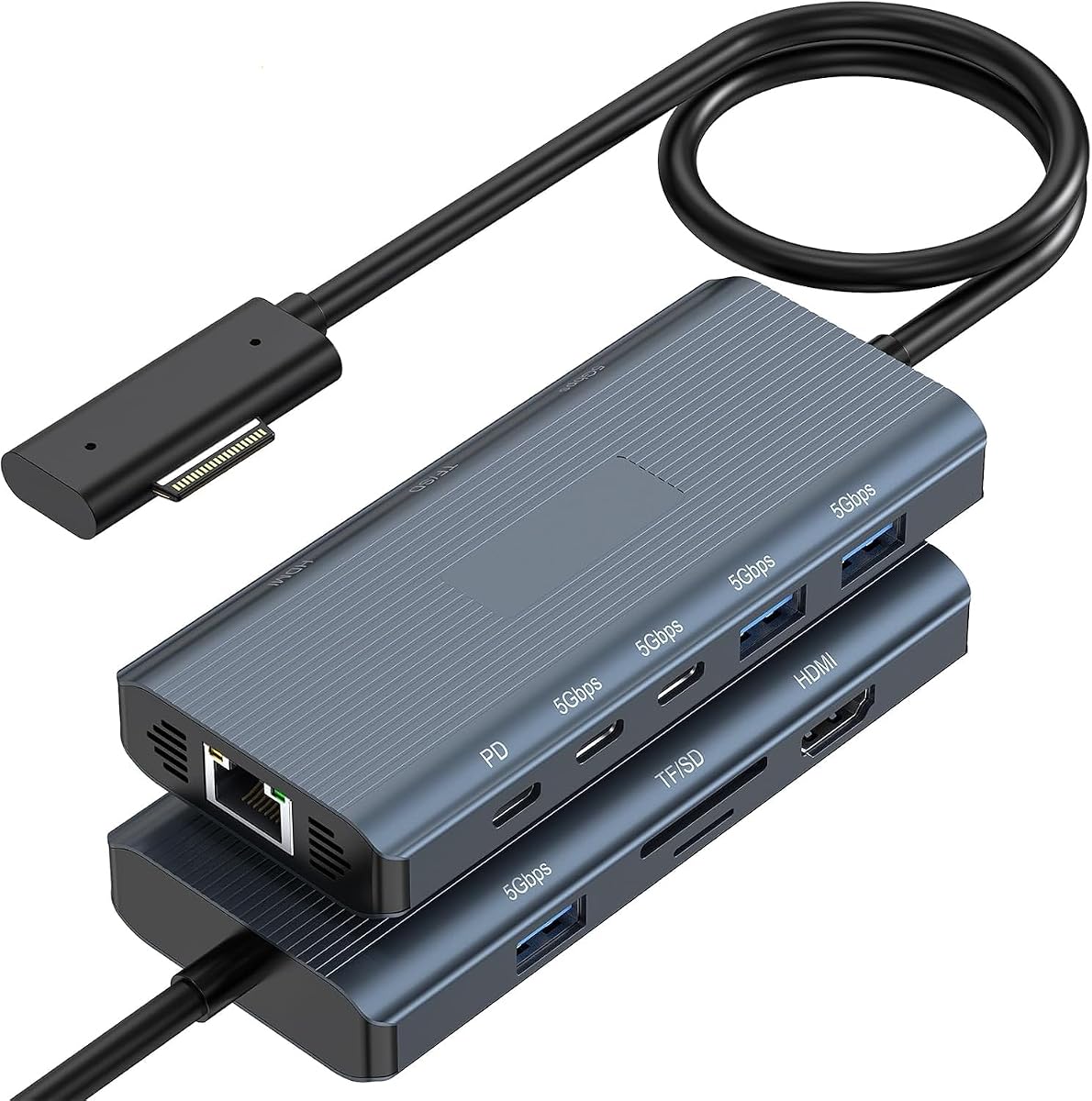
4.8Editor score

4.3Editor score
This side by side comparison highlights key specifications across all ten top rated docking stations for the Surface Pro 11 to help you find the perfect fit for your workflow needs.



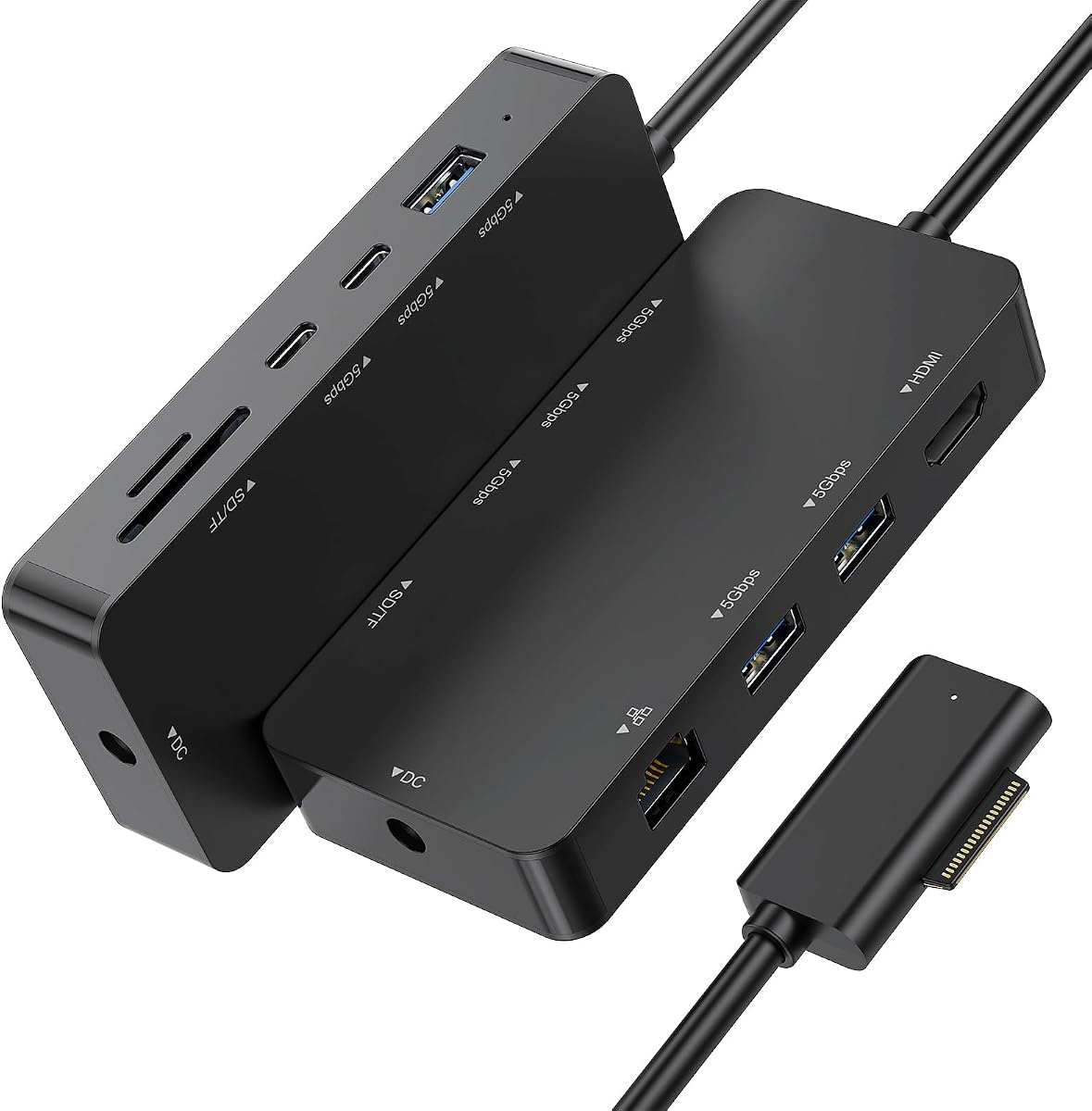
The 11-in-1 Surface Pro Docking Station ranks as our top choice for its exceptional balance of features and performance. With a high rating of 4.8 stars users praise its ability to deliver crisp 4K visuals at 60Hz which is rare at this price point.
We may earn a commission when you buy through this link, at no additional cost to you.
This hub excels in professional settings where speed and reliability are paramount. The inclusion of 1000Mbps Gigabit Ethernet ensures stable network performance for large file transfers while the 100W PD input keeps your device charged even under heavy load.
While it requires an external power supply this is standard for high performance docks to ensure stable operation. The magnetic connector design makes setup intuitive and quick so you spend less time fumbling with cables during work sessions.
If you need a reliable daily driver that handles video editing multitasking and fast data transfers this model is the clear winner. It transforms your Surface Pro 11 into a robust desktop replacement without sacrificing portability when needed.
The 4K@60Hz HDMI output provides smooth visuals essential for video editing and graphic design work that requires color accuracy.
Multiple USB 3.0 and USB-C ports allow simultaneous connections to drives and peripherals without bottlenecks.
We may earn a commission when you buy through this link, at no additional cost to you.
This 12-in-1 docking station stands out for its ability to drive three external displays simultaneously using dual HDMI and a VGA port. It is an ideal solution for traders or analysts who need maximum screen real estate on their desk.
We may earn a commission when you buy through this link, at no additional cost to you.
The inclusion of a dedicated power adapter ensures stable performance when running multiple monitors. While the Ethernet speed is capped at 100Mbps it remains reliable for standard office tasks like email and web browsing.
The design includes useful extras like a headphone jack and SD card slots which reduce the need for dongles. However the weight of the unit means it is better suited for fixed desk setups than travel.
Choose this dock if your primary workflow involves monitoring multiple streams or complex data spreadsheets. The triple display capability significantly boosts productivity for those who cannot rely on a single extended screen.
Supports Extend or Mirror Mode across three monitors to maximize workspace efficiency for detailed multitasking.
The VGA port allows connection to older monitors without requiring additional adapters or converters.
We may earn a commission when you buy through this link, at no additional cost to you.
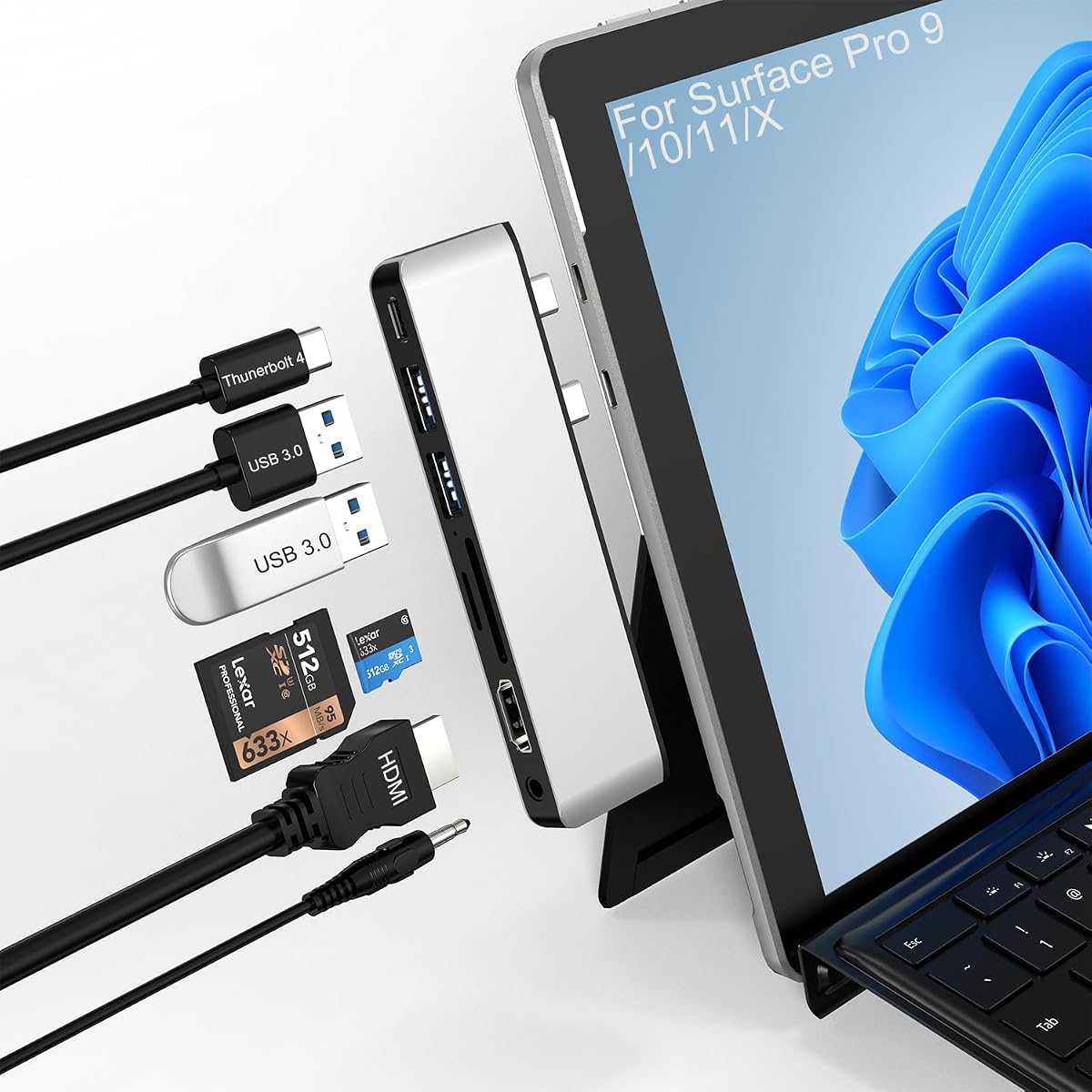
For users prioritizing portability and speed this compact hub delivers impressive performance at a budget friendly price. The Thunderbolt 4 port supports up to 40Gbps data transfer which is ideal for high speed SSDs and fast video workflows.
We may earn a commission when you buy through this link, at no additional cost to you.
Despite its small size it supports 100W Power Delivery ensuring your Surface Pro 11 charges fully while connected. The aluminum case helps dissipate heat effectively which maintains consistent performance during long work sessions without overheating.
The lack of an Ethernet port might be a drawback for users requiring wired internet but Wi-Fi 6 on the Surface Pro often compensates. The focus on USB-C versatility makes it excellent for modern accessories and peripherals.
If you travel often or work from different desks this lightweight hub is the smart choice. It provides essential connectivity without the bulk of larger docking stations making it easy to carry in a laptop bag.
Leverages Thunderbolt 4 technology for ultra-fast data transfers compatible with high performance external storage.
Aluminum construction ensures durability and helps maintain cool operating temperatures under load.
We may earn a commission when you buy through this link, at no additional cost to you.
This dock excels in delivering high resolution visuals across multiple screens which is vital for creative professionals. The dual HDMI ports support 4K resolution allowing editors to view timelines and reference images clearly simultaneously.
We may earn a commission when you buy through this link, at no additional cost to you.
The included 72W power adapter provides consistent energy to keep your laptop charged while driving displays. The 5Gbps USB ports ensure that large video files transfer quickly between your laptop and external hard drives.
While the Ethernet speed is limited to 100Mbps it is sufficient for most office needs. The robust build quality and reliable connection stability make it a favorite among those who need consistent performance throughout the work day.
Choose this model if you need a reliable dual monitor setup that balances power and display quality. It effectively removes bottlenecks in creative workflows by ensuring stable power and high speed data access.
Supports 3840×2160@30Hz on HDMI ports for crisp details necessary for professional editing work.
5Gbps USB 3.0 ports allow quick transfers of large design files and video assets.
We may earn a commission when you buy through this link, at no additional cost to you.
Designed for hybrid work and classroom presentations this dock supports multiple screens with ease. The combination of HDMI and VGA outputs ensures compatibility with both modern projectors and older classroom equipment.
We may earn a commission when you buy through this link, at no additional cost to you.
The 72W power supply provides enough energy to run the dock and charge the device simultaneously. This eliminates the need for multiple cables on a teachers desk or meeting room table.
Audio output is essential for video calls and training sessions making the headphone jack a critical feature. The plug and play nature means setup is quick allowing teachers to focus on content rather than technical issues.
This dock is perfect for educators or presenters who need to display content to a larger audience. It bridges the gap between modern Surface devices and legacy AV equipment found in many institutions.
Supports both HDMI and VGA to ensure connection to a wide range of display types.
Audio jack enables direct connection to external speakers or headsets for clear sound.
We may earn a commission when you buy through this link, at no additional cost to you.
This docking station brings desktop class performance to the Surface Pro 11 with premium features like dual 60Hz displays. It supports MST enabling seamless multitasking across three screens without flickering or latency issues.
We may earn a commission when you buy through this link, at no additional cost to you.
The Gigabit Ethernet port ensures the fastest possible network speeds which is crucial for cloud storage and large file uploads. The dedicated 100W DC adapter provides stable power for heavy computational tasks.
While it is a larger investment the reliability and speed justify the cost for power users. The aluminum body and robust build quality indicate a long lifespan for professional daily use.
Invest in this dock if you require the best possible performance for professional workflows. It handles multiple high resolution displays and heavy data loads with ease without compromising stability.
1000Mbps Gigabit Ethernet offers significantly faster speeds than standard Fast Ethernet ports.
60Hz refresh rates ensure smooth motion ideal for video editing and dynamic content.
We may earn a commission when you buy through this link, at no additional cost to you.
This compact hub provides essential connectivity for standard office tasks without unnecessary complexity. The 1000Mbps Ethernet port ensures fast and stable internet which is vital for video conferencing and large downloads.
We may earn a commission when you buy through this link, at no additional cost to you.
The 65W Power Delivery keeps your Surface charged while using the dock which simplifies desk setups significantly. It works flawlessly with common peripherals like keyboards mice and external drives via USB-A.
While the HDMI output is limited to 30Hz it is still sharp enough for static work like spreadsheets and coding. The 10-in-1 design keeps cables organized and reduces clutter on your workspace.
Select this dock if you need a simple reliable connection for daily office work. It offers a perfect balance of features without the bulk or cost of more complex models.
1000Mbps Ethernet ensures smooth video calls and fast file transfers without Wi-Fi interference.
Multiple USB ports reduce the need for separate adapters saving valuable desk space.
We may earn a commission when you buy through this link, at no additional cost to you.
This 12-in-1 dock offers an efficient solution for users needing multiple screens in a small footprint. It supports dual HDMI and VGA outputs making it easy to connect to existing office monitors or projectors.
We may earn a commission when you buy through this link, at no additional cost to you.
The power input handles charging efficiently which means you do not need to plug in your original charger. The USB-C and USB-A ports provide enough connectivity for most standard peripherals used in office environments.
The build quality ensures stable connections which prevents screen flickering during extended use. It also includes an audio jack which is useful for headsets during calls without unplugging other devices.
This is a great choice for smaller workspaces where every inch of desk space counts. It delivers necessary multi-monitor functionality without the excessive bulk of traditional large docking stations.
Supports up to three external displays for expanded workspace on smaller desks.
72W power input ensures your device stays charged while driving multiple monitors.
We may earn a commission when you buy through this link, at no additional cost to you.
This dock is engineered for high power demands offering 120W of charging capacity which is rare in portable docks. It supports dual 4K outputs via HDMI and DP ensuring excellent visuals for professional workflows.
We may earn a commission when you buy through this link, at no additional cost to you.
The inclusion of Thunderbolt 4 and Gigabit Ethernet ensures top tier data and network speeds. This makes it ideal for transferring large design files or editing video while simultaneously streaming 4K content.
The robust power adapter ensures that even with multiple high power devices connected the system remains stable. The magnetic connector design aligns perfectly with Surface devices for a secure connection.
Choose this dock if you need maximum charging speed and display options in one hub. It is built to handle intense professional use cases without compromising on performance or stability.
120W power supply charges devices rapidly while running multiple high performance monitors.
Combines HDMI DisplayPort and Thunderbolt for maximum compatibility with various displays.
We may earn a commission when you buy through this link, at no additional cost to you.
This versatile docking station offers a high refresh rate HDMI output at 60Hz which ensures smooth video playback and general use. The magnetic Surface Connect cable makes attaching and detaching easy during meetings or travel.
We may earn a commission when you buy through this link, at no additional cost to you.
The Gigabit Ethernet port provides stable internet connections essential for remote work. The power adapter keeps your device charged and ready for all day use without needing to swap chargers.
It includes SD and TF card slots for direct access to photos and videos which is convenient for photographers. The solid build quality and responsive warranty service provide peace of mind for long term use.
Pick this model if you value a reliable 60Hz display connection and easy docking. It is a solid choice for general productivity needs and offers good value for its feature set.
4K@60Hz HDMI support ensures fluid motion for video playback and everyday tasks.
Magnetic cable attachment allows for quick and secure connection without hassle.
We may earn a commission when you buy through this link, at no additional cost to you.
Selecting the right docking station requires understanding your specific needs regarding video output power and connectivity.
Look for docks that support 4K resolution to ensure clear visuals on external monitors. Higher refresh rates like 60Hz are essential for smooth motion if you watch videos or edit video content.
Prioritize HDMI or DisplayPort outputs that match your monitor capabilities for the best viewing experience.
Ensure the dock provides sufficient wattage to keep your Surface Pro 11 charged during heavy usage. A power input of 65W or higher is recommended for maintaining battery life while connected to multiple peripherals.
Check if the dock includes a dedicated power adapter to avoid relying on the original charger.
If you rely on a wired connection check if the Ethernet port supports Gigabit speeds of 1000Mbps. Standard 100Mbps ports may slow down large file transfers and cloud backups significantly.
Gigabit Ethernet ensures the fastest possible internet speeds for a stable wired network.
Choose a dock with a mix of USB-A and USB-C ports to connect all your existing accessories. Look for USB 3.0 or higher standards to ensure files transfer at fast speeds without lag.
Multiple ports allow you to connect a drive keyboard and mouse simultaneously without extra adapters.
If you need multiple screens verify that the dock supports triple display mode using combinations like HDMI and VGA. Some models require turning off the laptop screen to enable three external monitors.
Confirm the dock supports your desired monitor setup before purchasing to avoid compatibility issues.
Metal or aluminum docks dissipate heat better than plastic ones ensuring stable performance under load. Compact designs are preferable for travel while larger units are better for permanent desktop setups.
A durable build ensures the dock withstands daily plugging and unplugging without wear and tear.
A dedicated headphone jack allows you to connect audio directly for calls without using the Surface port. This is useful for using high quality headsets or speakers without draining the device battery.
Ensure the audio port supports both input and output for voice chat applications.
Compare the price against the features offered to ensure you get value for money. Look for warranties of at least 24 months to protect your investment against defects or failures.
Reputable brands often offer better customer support and reliability over time.
Connect the power adapter to the docking station first to ensure it receives stable electricity before attaching your device. This prevents potential connection errors that might occur if the dock is unpowered during setup.
Plug in your peripherals like monitors keyboards and drives before connecting the Surface Pro 11 to the magnetic port. This order ensures all devices are recognized automatically by the system once the connection is established.
Keep the docking station in a well ventilated area to avoid overheating during long work sessions. Wipe the surface with a dry cloth regularly to remove dust and debris that could block the ports.
Most Surface Pro docking stations are designed to be plug and play so no manual driver installation is needed. The operating system automatically detects the ports and displays once connected. If you face issues check for system updates on your Surface device.
Many of the listed docks are compatible with older models like Surface Pro 7 8 and 9 as well as Surface Laptop. Always check the specific compatibility list on the product page to ensure your device is supported before purchasing.
The dock connects via a physical port so the device must be in laptop mode or on a stand to use it effectively. You cannot detach the Surface Pro completely while it is connected to the docking station.
Gigabit Ethernet ports found on premium docks provide stable low latency connections suitable for online gaming. Standard 100Mbps ports may cause lag so choose a dock with 1000Mbps support for gaming.
Some docks support triple display setups using a combination of HDMI and VGA ports. Others support dual 4K monitors depending on the model. Check the product specs to confirm the maximum number of supported external screens.
Yes most docks support charging while connected to multiple USB peripherals. Ensure the power adapter included is high enough wattage to handle the charging load plus any high power devices.
Selecting the right docking station can transform your Surface Pro 11 into a powerful desktop workstation. Whether you prioritize fast data transfer multiple displays or reliable charging there is a model that fits your needs.
Consider your specific workflow when making a decision. Creative professionals may prefer higher refresh rates and faster Ethernet while office workers might prioritize USB port count and simplicity.
Prices for these accessories fluctuate based on sales and availability so verify current details on the product pages before purchasing. Invest in a reliable dock that ensures stability and productivity for your daily tasks.