
Rioddas External CD DVD Drive for Laptop
4.3Editor score
High speed USB 3.0 transfer
Integrated cable design
Physical eject button for safety
This guide compares the top 10 external DVD drives for Windows 11, evaluating performance, compatibility, and portability to help you choose the best optical
Finding a reliable external DVD drive for Windows 11 is essential for users who still rely on optical media for software installation, media playback, or data backups. Modern laptops often omit internal drives, making external options crucial for compatibility.
We evaluated ten top-rated models based on speed, build quality, portability, and system compatibility. Our analysis focuses on real-world performance, ease of use, and value for money across different user needs and budgets.
Each pick highlights key features, pros, cons, and ideal use cases to streamline your decision. Note that product availability and pricing fluctuate regularly, so verify current details before purchasing to ensure you get the best deal available.
4.3Editor score

4.2Editor score

4.4Editor score
The following comparison table outlines the key specifications and features of all ten selected external DVD drives, allowing you to quickly assess which model aligns best with your specific computing needs and portability requirements.






The Amicool External DVD Drive stands out as a top contender for Windows 11 users seeking a versatile optical solution. With a strong rating and widespread adoption, it delivers reliable performance for reading, writing, and burning discs across multiple platforms.
We may earn a commission when you buy through this link, at no additional cost to you.
Its dual USB 3.0 and Type-C interfaces ensure seamless connectivity with modern laptops and desktops. The drive supports high-speed data transmission up to 5Gbps, minimizing lag during media playback or file transfers. Intelligent error correction enhances stability, reducing read errors even with older discs.
While generally plug and play, some users may need to connect directly to a motherboard USB port for optimal power, especially on desktops or low-power laptops. This minor inconvenience is outweighed by the convenience of its integrated cable design and slim form factor.
For professionals, students, or home users needing occasional disc access without investing in bulky hardware, the Amicool drive offers exceptional value. Its compatibility with Windows, macOS, and Linux makes it a future-proof choice for diverse computing environments.
The dual interface design allows you to connect to older USB-A ports or newer Type-C ports without adapters, ensuring broad compatibility across devices.
Advanced error correction and anti-shock technology maintain smooth operation even when the drive is in motion, making it suitable for mobile use.
We may earn a commission when you buy through this link, at no additional cost to you.
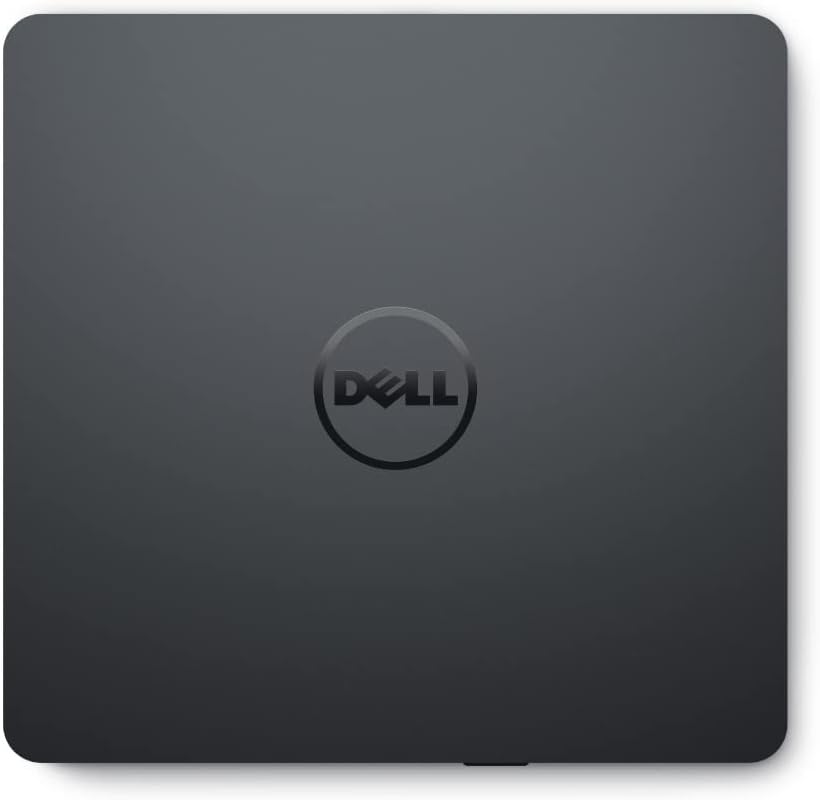
The Dell External USB Slim DVD RW Drive is designed for users prioritizing portability and simplicity. Its 14mm profile and 200g weight make it easy to carry in any laptop bag, ensuring you have optical access wherever you go.
We may earn a commission when you buy through this link, at no additional cost to you.
Dell bundles the drive with CyberLink Media Suite, allowing immediate playback and burning without additional software installation. This pre-loaded suite streamlines the setup process, making it ideal for less tech-savvy users who want instant functionality.
However, the drive uses USB 2.0, which limits data transfer speeds compared to modern USB 3.0 options. For most disc reading tasks, this remains acceptable, but large file burns may take longer than on faster models.
This drive is particularly well-suited for Dell laptop owners seeking a branded accessory that matches their device's aesthetic and reliability standards. It balances functionality with portability effectively for everyday use.
The included CyberLink Media Suite enables immediate media playback and disc burning right out of the box, reducing setup time significantly.
Its low profile and lightweight build ensure it fits easily into slim laptop sleeves without adding bulk to your daily carry setup.
We may earn a commission when you buy through this link, at no additional cost to you.
HP's External DVDRW Drive offers a straightforward solution for users requiring basic optical functionality. Designed to complement HP hardware, it maintains a consistent look and feel across your workspace, adding to a cohesive setup.
We may earn a commission when you buy through this link, at no additional cost to you.
The drive operates on standard USB power without needing an external adapter, ensuring easy setup across desktops and laptops. It supports read and write functions for DVDs and CDs, fulfilling essential needs for media playback and data backups.
While it lacks advanced features like Type-C connectivity or high-speed USB 3.0, it provides dependable performance at a competitive price point. This makes it suitable for users who prioritize brand consistency and simplicity over cutting-edge specs.
HP owners looking to replace or add optical capabilities to their systems will find this drive a seamless addition. Its reliability and ease of use make it a solid choice for general productivity and media tasks.
Designed to match HP hardware aesthetics, it creates a unified look across your workspace while maintaining functional reliability.
The plug and play design ensures quick setup without driver installation, allowing immediate access to optical media capabilities.
We may earn a commission when you buy through this link, at no additional cost to you.
The Rioddas External CD DVD Drive delivers excellent value for budget-conscious users needing reliable optical access. With USB 3.0 support and high-speed transfers, it offers performance that rivals more expensive models without the premium price tag.
We may earn a commission when you buy through this link, at no additional cost to you.
A standout feature is the physical eject button, which ensures you can safely remove discs even if the system fails to recognize the drive. This prevents media from getting stuck, addressing a common frustration with external optical hardware.
The embedded cable design keeps your USB connector secure and organized, reducing the risk of losing cables during travel. While it lacks compatibility with ChromeOS and non-computer devices, it covers most standard desktop and laptop needs effectively.
For students, home users, or small businesses seeking cost-effective optical solutions, this drive strikes an ideal balance between features and affordability. Its reliable performance and thoughtful design make it a top budget choice.
The physical eject button guarantees you can remove discs even during system freezes, preventing media damage or loss.
Integrated cable design eliminates clutter and ensures the connector is always ready for use without searching for loose cables.
We may earn a commission when you buy through this link, at no additional cost to you.
This 5-in-1 External CD DVD Drive Hub combines optical functionality with card reading and USB expansion, offering a versatile tool for diverse computing tasks. It serves as a central hub for media, storage, and peripheral connectivity.
We may earn a commission when you buy through this link, at no additional cost to you.
The inclusion of SD and TF card slots allows direct transfer of photos and videos from cameras or phones, bypassing the need for additional card readers. Combined with USB ports for peripherals, it consolidates multiple functions into one compact device.
However, optimal performance may require connecting to a powered USB port or using the included power cable, especially when multiple devices are connected simultaneously. This adds a slight complexity but ensures stable operation under heavy loads.
For users managing various media formats and needing extra USB ports alongside optical access, this hub provides unmatched versatility. Its all-in-one design reduces cable clutter and enhances workstation efficiency significantly.
Integrated SD and TF card slots enable direct media transfer from cameras and phones, streamlining workflow for photographers and content creators.
Built-in USB ports allow connection of additional peripherals like keyboards or mice, expanding your laptop's connectivity options.
We may earn a commission when you buy through this link, at no additional cost to you.
ORIGBELIE's External CD DVD Drive emphasizes portability with a slim 13mm profile and lightweight build. This design makes it exceptionally easy to carry in slim laptop bags, ensuring optical access without adding bulk to your daily carry.
We may earn a commission when you buy through this link, at no additional cost to you.
Equipped with USB 3.0 and Type-C connectivity, it supports high-speed data transmission for efficient media handling. The anti-skid bottom ensures stable placement during operation, reducing vibration and potential read errors on uneven surfaces.
While the drive offers excellent portability and performance, the warranty period is relatively short compared to competitors. This suggests a trade-off where initial cost savings are prioritized over long-term service assurance.
For travelers and mobile professionals who prioritize slim form factors and reliable performance, this drive is a compelling choice. Its thoughtful design features make it ideal for frequent on-the-go use.
At just 13mm thick, the drive fits easily into slim sleeves, maintaining a minimal footprint for frequent travelers.
The anti-skid bottom ensures the drive remains stationary during use, preventing read errors caused by movement.
We may earn a commission when you buy through this link, at no additional cost to you.
ROOFULL's External CD DVD Drive combines performance with premium service, offering a two-year warranty and a durable protective case. With over 1.65 million units sold, it stands as a trusted choice for optical needs across various user groups.
We may earn a commission when you buy through this link, at no additional cost to you.
The included carrying case provides robust protection against dust, scratches, and drops, extending the device's lifespan during travel. This attention to accessories adds value, ensuring the drive remains functional for years of regular use.
While macOS users should note that tray eject buttons may not function due to OS restrictions, the drive otherwise offers seamless plug and play operation. Software-based disc ejection works reliably, maintaining overall usability.
For those seeking a reliable, long-term solution with strong after-sales support, this drive is an excellent investment. Its balance of durability, performance, and warranty coverage makes it a standout premium option.
The included protective case shields the drive from physical damage, ensuring it remains operational through years of travel.
With over 1.65 million units sold, this drive has proven reliability and user satisfaction across a wide customer base.
We may earn a commission when you buy through this link, at no additional cost to you.
The ASUS ZenDrive stands out for its M-Disc support, enabling archival-quality data storage that can last decades. This feature is invaluable for users prioritizing long-term preservation of photos, documents, or critical data.
We may earn a commission when you buy through this link, at no additional cost to you.
In addition to M-Disc, the drive includes Disc Encryption II for password-protected files, adding a layer of security to sensitive information. This combination of archival and security features sets it apart from standard optical drives.
Though limited to USB 2.0 speeds, the inclusion of a Type-C cable ensures compatibility with modern devices. For users needing secure, long-term storage solutions, this trade-off is often acceptable for the added functionality.
For professionals, archivists, or security-conscious users, the ZenDrive offers unique capabilities not found in other budget models. Its specialized features make it a top choice for data preservation and protection tasks.
M-Disc support ensures critical data can be preserved for decades without degradation, ideal for long-term backups.
Integrated Disc Encryption allows password-protected storage, protecting sensitive files from unauthorized access.
We may earn a commission when you buy through this link, at no additional cost to you.
This Portable External USB DVD Drive emphasizes high-speed burn technology and stable data transmission via a pure copper knitted net cable. These features reduce resistance and shielding issues, ensuring consistent performance during large data transfers.
We may earn a commission when you buy through this link, at no additional cost to you.
It offers impressive rewrite speeds for various DVD formats, including 6x for DVD-RAM and 8x for DVD+RW, making it efficient for frequent disc creation. The embedded cable design maintains portability while protecting internal connections.
Although priced higher than many competitors, the performance benefits justify the cost for users requiring frequent burning capabilities. The drive's compatibility across all major operating systems ensures broad usability for diverse environments.
For professionals needing reliable, fast disc burning without compromising on connection stability, this drive is a top-tier choice. Its advanced engineering supports demanding use cases effectively.
Unique intelligent burning tech optimizes data writing, ensuring high-speed creation without sacrificing disc quality.
Pure copper knitted net cable minimizes resistance, ensuring reliable and fast data transfer during operation.
We may earn a commission when you buy through this link, at no additional cost to you.
The Dell Slim DW316 holds the highest user rating among the selected options, reflecting exceptional reliability and satisfaction. It is specifically designed to support Inspiron, OptiPlex, Vostro, and XPS models, ensuring seamless integration with Dell hardware.
We may earn a commission when you buy through this link, at no additional cost to you.
Unlike many external drives, this model supports DVD-RAM formats, expanding compatibility with specialized media types. This feature is crucial for users working with archival or proprietary discs that standard RW drives cannot handle.
While it uses USB 2.0, which limits transfer speeds, its reliability and format support compensate for this limitation in specialized contexts. Users seeking maximum compatibility with Dell systems will find this drive invaluable.
For Dell enthusiasts or businesses managing legacy systems requiring DVD-RAM, this drive is the optimal choice. Its high satisfaction rating ensures peace of mind for critical optical tasks.
Support for DVD-RAM formats ensures compatibility with specialized media, offering broader utility than standard optical drives.
Designed for specific Inspiron and XPS models, it ensures perfect fit and compatibility with Dell ecosystems.
We may earn a commission when you buy through this link, at no additional cost to you.
Choosing the right external DVD drive requires balancing speed, portability, compatibility, and budget. This section outlines key factors to consider for making an informed purchase.
USB 3.0 and Type-C interfaces offer faster data transfers, essential for high-resolution media playback and rapid disc burning. USB 2.0 drives remain functional for basic tasks but may lag with large files.
Prioritize drives with USB 3.0 or Type-C support for optimal performance on modern Windows 11 systems.
Most drives are bus-powered, drawing energy directly from the USB port. However, low-power ports on thin laptops may necessitate a powered USB hub or included power cable for stable operation.
Check if the drive includes power options or recommend connecting to high-power motherboard ports for desktop reliability.
Ensure the drive supports your operating system and device type. While most drives work with Windows, macOS, and Linux, some exclude ChromeOS or non-computer devices like tablets or consoles.
Verify system compatibility before purchasing to avoid unexpected functionality issues on your specific hardware.
Slim, lightweight designs with integrated cables are ideal for travelers. Look for drives under 200g and under 15mm thick to fit easily into laptop bags without adding bulk.
Integrated cables prevent loss and simplify packing, ensuring your drive is always ready for use.
A longer warranty period indicates manufacturer confidence in product durability. Opt for drives with at least one year of coverage to protect against early hardware failures.
Strong customer support ensures you receive timely assistance if connectivity or playback issues arise.
Extra features like card readers, USB hubs, or protective cases enhance value. These can reduce cable clutter and expand functionality beyond basic optical reading.
Assess if these extras align with your workflow needs before committing to more complex models.
Build quality impacts longevity, especially for portable drives. Look for anti-shock technology, sturdy shells, and reinforced connectors to withstand regular travel and daily use.
Durable construction minimizes the risk of internal damage from movement or accidental drops.
Plug and play functionality is standard, but some drives include pre-loaded media suites or burning software. This reduces setup time and provides immediate access to disc operations.
Check included software to ensure compatibility with your preferred applications or operating system.
Connect the drive directly to a high-power USB port on your computer for optimal stability. Avoid using hubs or extension cables that may cause insufficient power and lead to detection issues.
Use disc ejection software if physical buttons fail, especially on macOS systems where tray buttons may not function. Always eject discs properly before unplugging the drive to prevent data corruption.
Keep the drive in its protective case when not in use to shield against dust and scratches. Regularly clean the lens using a soft, dry cloth to maintain reading accuracy over time.
Most modern external DVD drives are plug and play and do not require manual driver installation on Windows 11. The system automatically detects the device upon connection. However, specific burning or media software may require separate installation for full functionality.
Yes, external DVD drives with USB 3.0 or Type-C compatibility work with MacBook laptops. Ensure you use a compatible adapter if necessary, and note that some tray ejection functions may require software-based solutions.
Recognition issues often stem from insufficient power or faulty USB ports. Try connecting directly to a motherboard port, using the provided power cable, or restarting your computer. Checking Device Manager can also help identify driver conflicts.
No, standard external DVD drives cannot read or write Blu-ray discs. You would need a dedicated Blu-ray external drive, which typically costs more and requires specific software support for playback.
Windows 11 includes built-in burning tools via File Explorer. Insert a blank disc, right-click the file you want to burn, and select Send To. Alternatively, install dedicated software like Nero or ImgBurn for advanced burning options.
Many models feature slim, anti-shock designs suitable for travel. To ensure durability, always store the drive in its protective case when not in use and avoid forcing discs into the tray during transport.
DVD-R discs are write-once, meaning data cannot be erased or rewritten. DVD+RW discs are rewritable, allowing you to overwrite data multiple times, making them ideal for temporary backups or test burns.
Most external DVD drives require a computer OS to function and are not compatible with smartphones or tablets. Some Android devices with USB OTG support may work, but functionality is limited compared to full systems.
The Amicool External DVD Drive stands out as the top overall choice for its versatility, connectivity options, and reliable performance across platforms. It balances speed, portability, and value effectively for most users.
When selecting a drive, prioritize USB 3.0 or Type-C compatibility and reliable power delivery to ensure smooth operation. Consider additional features like protective cases or card readers if they align with your workflow needs.
Prices and availability fluctuate frequently, so review current listings before purchasing to secure the best deal. Ensuring your selected model meets your specific OS and hardware requirements will maximize satisfaction and longevity.