
E1000 Heat Shrink Label Maker
4.4Editor score
Includes heat shrink tapes
QWERTY keyboard typing
USB C or battery power
Discover the top label maker for network cables comparing durability, speed, and compliance for professionals managing complex data center and IT infrastructure
Proper cable identification is essential for any IT professional managing complex networks. A reliable label maker for network cables ensures safety, compliance, and easy maintenance across data centers and office environments.
We evaluated ten top-rated devices based on print quality, durability, and industry standards. Our list covers handheld models suitable for technicians needing portable solutions for precise wire management.
Each pick highlights unique features like battery life and tape compatibility. Prices fluctuate frequently so verify current offers before purchasing your next labeling tool for professional use.
4.4Editor score

4.6Editor score

4.8Editor score
This side-by-side comparison highlights key specifications for each device. Use this table to quickly identify which model fits your specific network labeling requirements.


The Makeid P31S stands out as a top choice for professionals needing reliable industrial labeling. It features thermal transfer technology that produces durable labels capable of lasting up to ten years in harsh environments.
We may earn a commission when you buy through this link, at no additional cost to you.
This device supports over thirty label sizes including heat shrink tubing and vinyl wraps. The 300 DPI print head ensures sharp text and barcodes essential for complex network identification tasks.
While it offers advanced features, the battery life is impressive with a 2600 mAh rechargeable unit. It can standby for up to ninety days ensuring you are ready when needed.
IT professionals managing data centers will appreciate the ANSI and TIA compliance. This ensures your labels meet industry standards for electrical and datacom infrastructure safety and organization.
The 300 DPI resolution delivers crisp text that remains readable even after years of exposure to industrial conditions.
Compatible with heat shrink, vinyl, and self-laminating wraps to cover diverse cabling needs.
We may earn a commission when you buy through this link, at no additional cost to you.
The E1000 offers an affordable solution for cable labeling without sacrificing essential features. It comes with two packs of heat shrink tapes which are critical for wire identification in electrical panels.
We may earn a commission when you buy through this link, at no additional cost to you.
Featuring a familiar QWERTY keyboard this device allows for fast typing speeds. You can enter text quickly to keep up with high volume labeling tasks during network installations.
One of its standout features is the ability to print multiple labels at once. This reduces waste significantly by allowing you to optimize tape usage for every job.
Budget conscious teams will find this unit appealing due to its low cost and versatility. It supports both battery and USB power making it easy to use in various field scenarios.
The inclusion of heat shrink tubes adds immediate value and readiness for electrical labeling tasks.
Smart printing settings reduce material waste helping you save money over time.
We may earn a commission when you buy through this link, at no additional cost to you.
The DYMO 5200 is a powerhouse designed for serious industrial applications. It allows for five lines of text which is perfect for complex asset tags and network schedules.
We may earn a commission when you buy through this link, at no additional cost to you.
Its hard carry case ensures protection during transport to job sites. This durability is essential for professionals moving between data centers and remote wiring locations.
The hot keys feature automates spacing and formatting which saves time. You can focus on accuracy rather than manual layout adjustments during labeling sessions.
For organizations prioritizing reliability and brand reputation this model is a top contender. The large display and comprehensive symbol library make it easy to create clear labels.
Built to withstand harsh environments ensuring consistent performance on tough jobsites.
Hot keys simplify complex label creation reducing human error during setup.
We may earn a commission when you buy through this link, at no additional cost to you.
The Brother P-touch PTH111 simplifies electrical identification with dedicated one-touch keys. These shortcuts allow you to quickly generate cable wraps and flags without navigating complex menus.
We may earn a commission when you buy through this link, at no additional cost to you.
Its graphical LCD screen lets you preview labels before printing. This feature reduces errors and ensures your text is accurate before you cut the tape.
Designed for portability this unit is lightweight and includes a wrist strap. You can carry it comfortably while working on racks or in tight server cabinets.
Technicians who need a straightforward tool for everyday labeling tasks will appreciate this model. It balances ease of use with the durability required for workshop environments.
Dedicated keys for common tasks like cable wraps speed up daily operations.
Preview functionality allows you to check text accuracy before printing.
We may earn a commission when you buy through this link, at no additional cost to you.
The Brady M210 represents a commitment to quality and reliability in handheld labeling. It is designed for professionals who need a durable tool that performs consistently on the jobsite.
We may earn a commission when you buy through this link, at no additional cost to you.
Its housing is built to withstand drops and impacts common in industrial settings. This robustness ensures the device lasts longer even when handled roughly in field conditions.
The label output is crisp and professional which is vital for clear identification. You can rely on the text remaining legible over time in various environments.
While it may lack some advanced features of newer models it excels in core functionality. Teams needing a straightforward robust device for standard labeling should consider this option.
Brady is known for industrial durability ensuring the device functions in tough settings.
Focuses on essential features to provide a dependable labeling solution.
We may earn a commission when you buy through this link, at no additional cost to you.
The Epson LW-PX700 is an industrial grade tool designed for comprehensive labeling needs. It supports a wide variety of tapes including heat shrink and self-laminating wraps for flexibility.
We may earn a commission when you buy through this link, at no additional cost to you.
A large clear print preview screen allows you to see exactly what the label will look like. This visual confirmation helps prevent mistakes and saves time during setup.
One of its best features is the unmatched lifetime warranty. If the device fails during use at the office or data center you can get a replacement without hassle.
Professionals who value long-term support will find this machine particularly attractive. The auto rewind feature also adds convenience by preparing the tape for the next print automatically.
Epson provides a lifetime warranty ensuring long-term protection for your investment.
Preview screens help verify text before cutting to reduce waste and errors.
We may earn a commission when you buy through this link, at no additional cost to you.
The Brady M211 Kit introduces wireless convenience to network labeling tasks. It pairs with your phone using Bluetooth to create labels via a dedicated mobile app.
We may earn a commission when you buy through this link, at no additional cost to you.
This setup allows for hands free creation using an attachable magnet. You can secure the printer to a rack while you type and print labels efficiently.
The unit is resistant to military grade shocks and drops ensuring durability. It comes with a hard case to protect the printer and accessories during transport.
IT teams managing mobile assets will appreciate the flexibility of this kit. While pricey it offers a unique workflow that can streamline labeling in dynamic environments.
Use your phone to design and send labels directly to the printer.
Military standard resistance ensures the device survives drops and heavy impacts.
We may earn a commission when you buy through this link, at no additional cost to you.
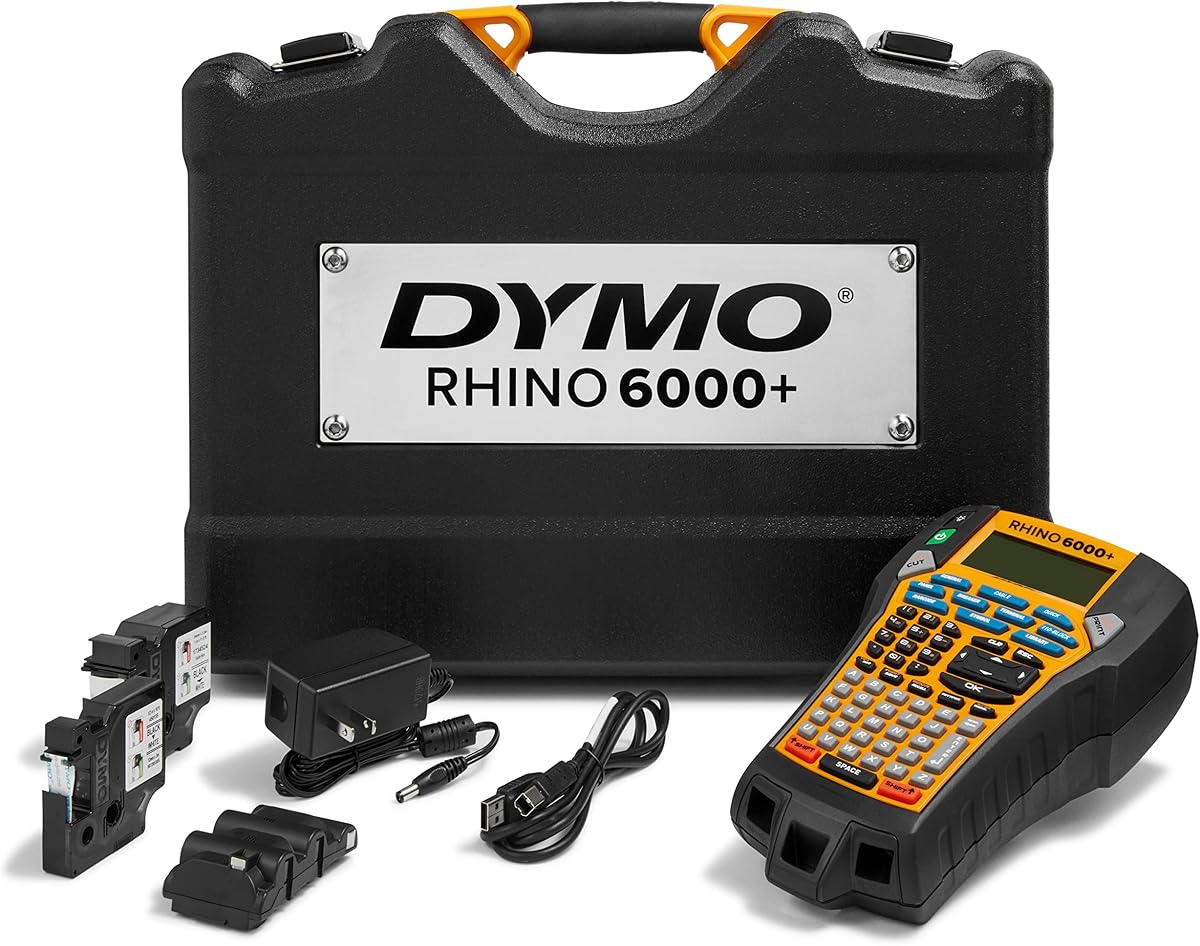
The DYMO Rhino 6000 connects directly to a PC for advanced label creation. This allows you to use powerful software to design complex layouts before printing.
We may earn a commission when you buy through this link, at no additional cost to you.
You can import bulk data which is incredibly useful for large network projects. This feature automates the creation of hundreds of unique labels quickly and accurately.
It meets key industry standards for electrical and datacom labeling ensuring compliance. The rechargeable battery offers extended use without needing constant battery changes.
Data center managers dealing with massive amounts of equipment will find this device useful. The hard case included keeps all components organized and protected for field work.
Import large datasets to automate label creation for extensive networks.
Connect to a computer to use advanced design software for professional layouts.
We may earn a commission when you buy through this link, at no additional cost to you.
The Epson LW-PX400 is designed for versatile industrial labeling tasks. It supports a wide range of tapes allowing you to adapt to different surface needs easily.
We may earn a commission when you buy through this link, at no additional cost to you.
Its auto rewind feature saves time by preparing the tape for the next job. This convenience reduces frustration during high volume labeling sessions on busy sites.
The clear display screen ensures you can read your text easily in various lighting. This is crucial when working in dimly lit server rooms or basements.
Technicians needing a reliable tool for general industrial labeling will appreciate its balance of features. It offers durability and functionality without becoming overly complex to operate.
Supports multiple tape types to meet diverse labeling requirements effectively.
Auto rewind reduces manual effort improving overall workflow speed.
We may earn a commission when you buy through this link, at no additional cost to you.
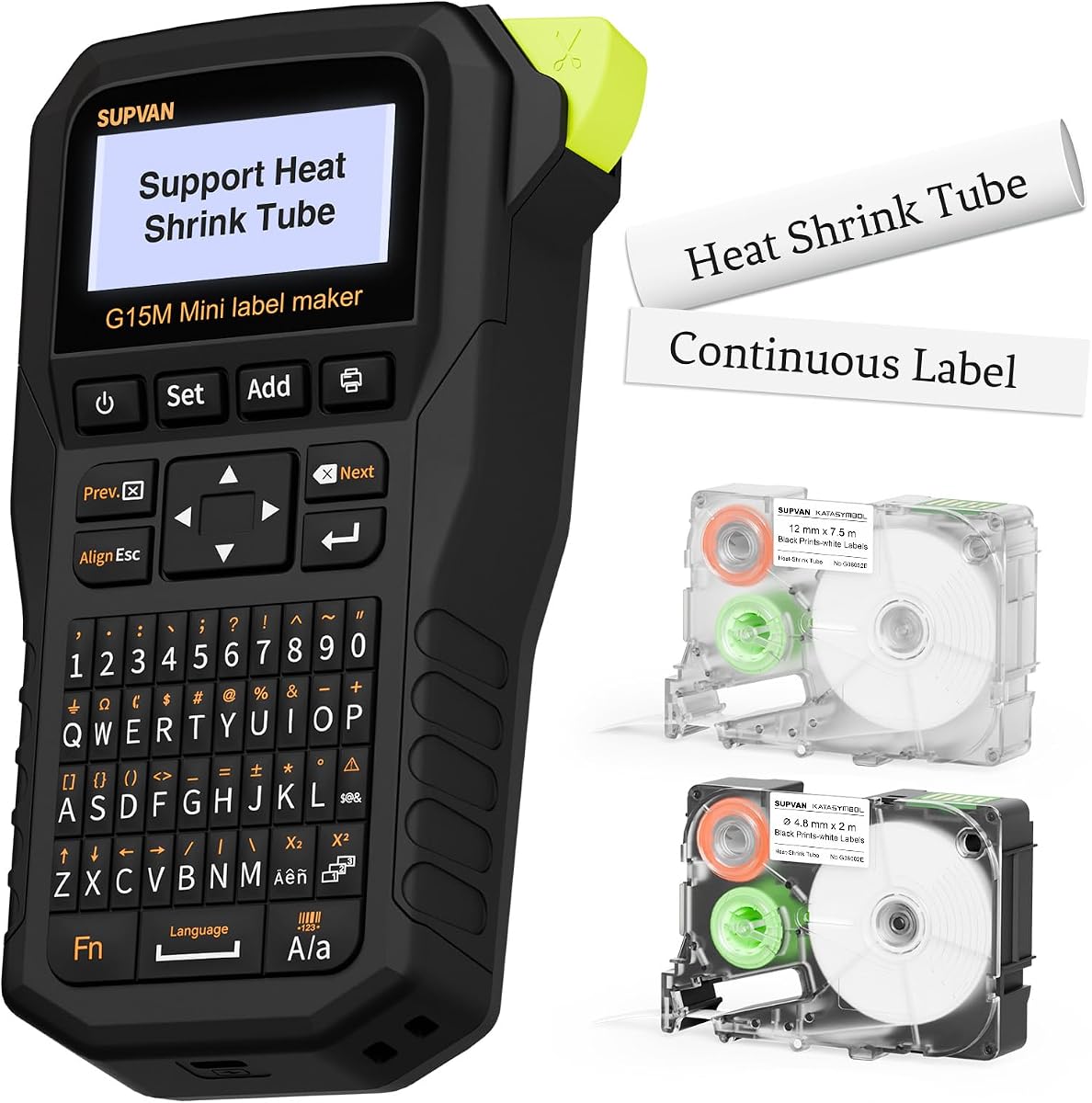
The SUPVAN G15M is a compact solution for portable labeling needs. Its small size makes it easy to carry in a pocket or tool bag during inspections.
We may earn a commission when you buy through this link, at no additional cost to you.
It supports heat shrink tubes which are vital for wire safety in electrical contexts. The thermal transfer technology ensures labels remain durable against UV and heat exposure.
Minimal margin printing saves material by reducing the unused space on the tape. This efficiency helps lower operational costs for projects requiring many labels.
Ideal for home or small office users this device offers essential features without bulk. It provides a budget friendly entry point into professional quality label creation.
Compact design fits easily in pockets for immediate labeling on site.
Minimal margins reduce tape waste saving money on supplies.
We may earn a commission when you buy through this link, at no additional cost to you.
Choosing the right label maker for network cables requires considering several key factors. This guide explains what to look for to ensure you select a device that meets your specific needs.
High resolution print heads like 300 DPI ensure text and barcodes remain legible. This is critical for identifying complex network infrastructure where clarity prevents connection errors.
Look for thermal transfer technology which offers superior durability compared to standard thermal printing.
Different environments require different tape types. Heat shrink tubing is essential for electrical wires while vinyl is better for general equipment tags.
Ensure the model supports the specific tape widths and materials you plan to use regularly.
Professional network labeling often must meet ANSI and TIA standards. Devices that are compliant help ensure safety and standardization across data centers.
Check if the software supports industry specific templates for electrical and datacom applications.
Technicians often work in locations without easy power access. Rechargeable batteries or long life alkaline options are vital for extended field work.
Consider the weight and size of the device to ensure it is comfortable to carry all day.
A clear display screen allows you to preview labels before printing. This reduces errors and wasted tape during the labeling process.
Interfaces with dedicated hot keys can speed up common tasks like cable wrapping significantly.
Industrial environments can be harsh with potential for drops or exposure to dust. Devices with rugged construction and protective cases are better investments for field use.
Check for shock resistance ratings to ensure the device survives accidental impacts.
Models that connect to PCs allow for bulk data import and complex layouts. This is useful for large projects where individual entry is inefficient.
Bluetooth connectivity offers modern flexibility for designing labels directly from mobile devices.
Prices vary significantly from basic handhelds to industrial units. Determine your budget and weigh it against the features you need.
Warranty coverage is important for professional tools. Some manufacturers offer lifetime warranties which provide long-term value.
Start by selecting the appropriate tape width for your cable diameter. Insert the tape cartridge correctly to avoid jams during printing. Test a sample label to ensure alignment and text clarity before proceeding.
Keep the device clean by wiping it with a soft dry cloth regularly. Avoid exposing the machine to extreme temperatures or moisture which can damage internal components. Store it in a dry place when not in use.
For devices with rechargeable batteries charge them fully before your first use. Replace batteries immediately when they run low to prevent interruption during critical labeling tasks. Regular maintenance ensures consistent performance over years of use.
For outdoor cables use heat shrink tubing or UV resistant vinyl tapes. These materials withstand sunlight exposure and varying weather conditions without fading. Ensure the adhesive is rated for exterior applications to prevent peeling.
Most handheld models operate independently with built-in keyboards. However some advanced industrial units connect to PCs for complex designs or bulk data import. Check the specific connectivity features before purchasing.
Industrial labels made with thermal transfer technology can last up to ten years. They are designed to resist oil water and extreme temperatures. Proper application ensures they remain legible in harsh environments.
Yes many models support printing Code 39 and Code 128 barcodes. This feature is essential for asset tracking in data centers. Ensure the device has sufficient resolution for scanning.
Direct thermal prints by heating the tape directly while thermal transfer uses a ribbon. Thermal transfer produces more durable labels that do not fade in direct light. Choose thermal transfer for long-term industrial use.
Yes standards like ANSI and TIA/EIA-606-A guide proper labeling practices. These ensure safety and standardization across electrical and datacom systems. Using compliant devices helps meet regulatory requirements.
We reviewed ten top devices ranging from budget friendly handhelds to industrial grade solutions. The Makeid P31S offers the best balance of features for professionals while the E1000 provides excellent value for smaller budgets.
Prioritize durability and compliance if you work in large data centers. For home or small office setups a compact unit with heat shrink support may be more than enough.
Remember that prices change frequently so check current listings before finalizing your purchase. Investing in a quality label maker ensures your network infrastructure remains organized and safe for years.