
Hosmart UltraSpeak Intercoms Wireless
4.1Editor score
Full duplex wireless communication
Auto answer mode included
Clear sound quality guaranteed
This guide compares the top wireless intercom systems for businesses and offices, evaluating range, clarity, and features to help you choose the best solution
Modern workplaces need reliable communication tools that connect teams instantly without cluttering desks with phones or devices. Wireless intercom systems offer a seamless way to broadcast messages or hold private conversations across large spaces efficiently.
We evaluated ten leading models based on range, audio quality, ease of setup, and specific features like auto-answer and group calling. Each product was selected for its ability to handle demanding business environments while remaining user-friendly for all staff members.
Each pick highlights key strengths and potential limitations to help you find the right fit for your office layout and workflow needs. Remember that prices and availability can change, so check current listings before making your final purchasing decision.
4.1Editor score

4.4Editor score

3.8Editor score
The following table provides a side-by-side comparison of all ten selected intercom systems, highlighting their core specifications and unique selling points to assist in quick decision-making.


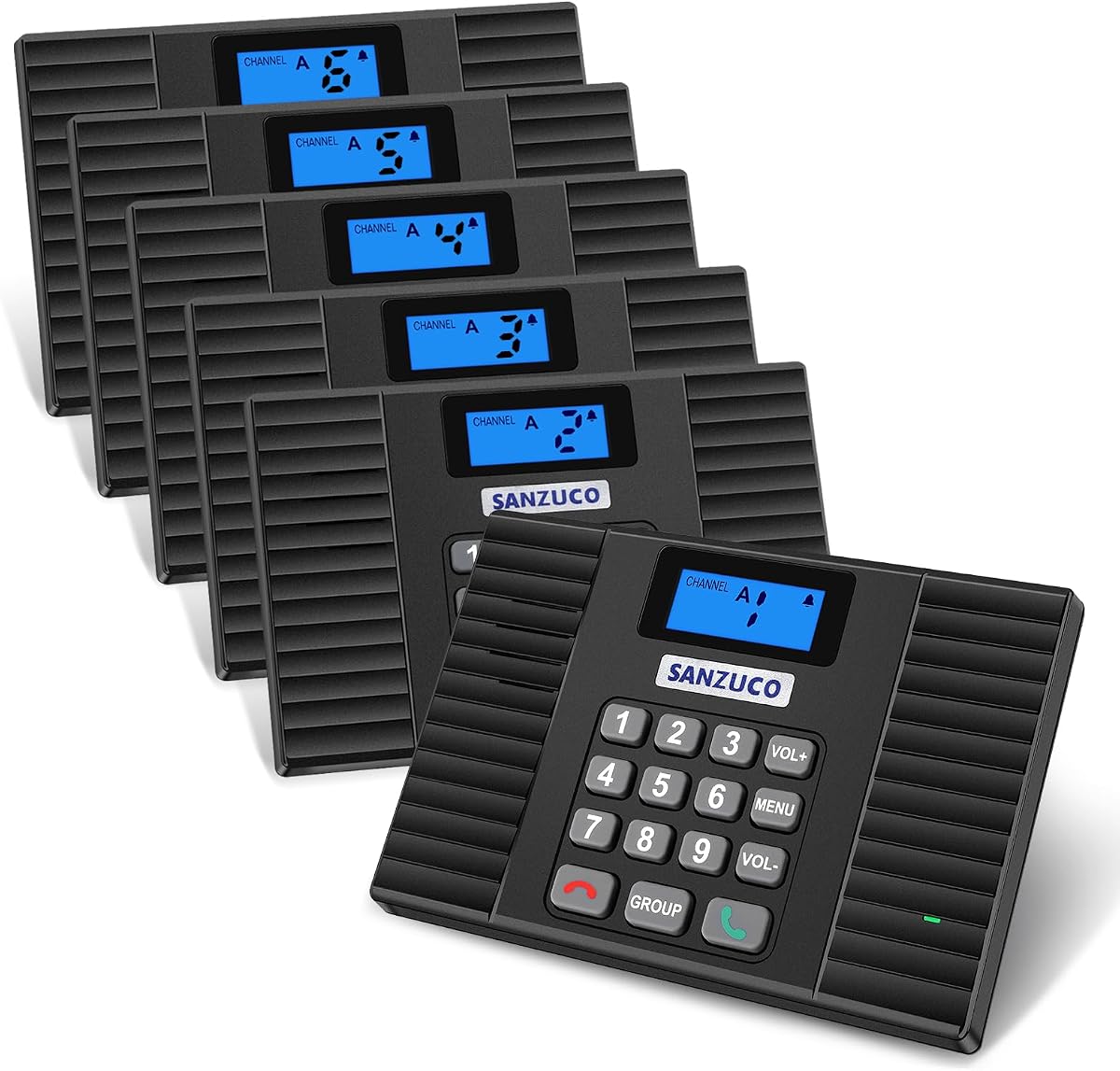

The Hosmart UltraSpeak is a reliable entry-level intercom system designed for seamless communication in offices or homes. It boasts a 4.1-star rating from users who appreciate its simplicity and clear audio transmission capabilities across various rooms.
We may earn a commission when you buy through this link, at no additional cost to you.
Its standout feature is the full-duplex technology which allows simultaneous talking and listening without holding any buttons. This makes conversations feel natural and efficient for busy staff members. The auto-answer function ensures calls are never missed during high-volume periods.
While the range is decent for indoor use, it requires constant power connection rather than battery operation which limits mobility. However, for fixed stations like reception desks or kitchen hubs, this constraint is often negligible for most business setups.
Buyers seeking an affordable yet effective solution for quick internal messaging will find this system highly practical. It delivers consistent performance where cost matters more than advanced mobility features.
The full-duplex design enables natural conversations where both parties speak freely without interrupting each other.
No complex pairing or network configuration is needed, making it ready to use immediately after plugging in.
We may earn a commission when you buy through this link, at no additional cost to you.
This intercom system stands out for its expansive range and comprehensive feature set which caters to larger office environments. With a 4.4-star rating, it is praised for maintaining signal integrity over significant distances without significant degradation or static.
We may earn a commission when you buy through this link, at no additional cost to you.
The inclusion of two independent private channels allows departments to communicate separately while maintaining overall system connectivity. Features like silent mode and replay function add versatility for different operational scenarios. The rubber footpads ensure stable placement on any surface.
The price reflects these advanced capabilities but might be overkill for very small businesses. Users needing basic calling might find the extra features unnecessary. However, the flexibility it offers justifies the investment for growing teams.
It is an ideal choice for organizations that need robust communication tools that scale with their expansion plans. The reliability ensures that critical messages get through consistently across floors.
The impressive range ensures clear communication even between distant corners of large office buildings or warehouses.
Dedicated channels allow teams to hold private conversations without disrupting others on the main frequency.
We may earn a commission when you buy through this link, at no additional cost to you.
The 60D model offers high capacity for organizations needing many interconnected units across multiple departments. With 18 channels and 9 stations per channel, it supports complex layouts where privacy is essential. Users value its ability to maintain clarity through thick walls.
We may earn a commission when you buy through this link, at no additional cost to you.
Group calling functionality allows for immediate announcements to everyone on the system simultaneously which saves time during emergencies. The mute mode helps manage background noise effectively during critical calls. Volume adjustments provide control for different environment noise levels.
Some users found the channel configuration slightly complex during initial setup. The rating reflects this learning curve but performance is solid once configured properly. It serves well for warehouses or multi-floor facilities requiring extensive coverage.
Investing in this model is wise if you anticipate needing a large network of communication points. Its scalability ensures you do not need to replace the system as your business grows significantly.
Supporting up to 18 units per channel allows for extensive networks that grow with your operational needs.
Broadcast messages to all units instantly, ensuring rapid dissemination of important news to all staff.
We may earn a commission when you buy through this link, at no additional cost to you.
This upgraded model brings significant range improvements which benefits large properties or expansive office complexes. The 4.2-star rating indicates satisfaction with its stability and clarity. Technical innovations include safe frequency transmission that avoids interference with other devices.
We may earn a commission when you buy through this link, at no additional cost to you.
Conference call functionality is rare in consumer intercoms and adds value for business users. The detailed manual ensures that setup is straightforward even for non-technical staff. The system maintains performance even when plugged into power banks outdoors.
Users should be mindful of its power requirements when deploying units outside without constant access to outlets. The reliance on power banks is a minor inconvenience for mobile field staff. However, for fixed office setups, it is negligible.
This is a strong choice for businesses needing long-distance communication without compromising on sound quality. The anti-interference features ensure that messages are not lost due to nearby electronic noise.
With a 5300-foot range, units can be placed in distant storage areas or outdoor work zones effectively.
Safe frequency transmission protects your communication lines from disruptions caused by other electronics.
We may earn a commission when you buy through this link, at no additional cost to you.
Offering nine units out of the box, this system is ready for immediate use in medium-sized offices. The 4.1-star rating suggests consistent satisfaction with its hands-free operation. Natural conversations are supported by full-duplex technology that eliminates push-to-talk delays.
We may earn a commission when you buy through this link, at no additional cost to you.
The expandable nature allows you to add more units if your team grows. The 3200-foot range covers most commercial floor plans effectively. Volume levels let you adjust for noisy environments or quiet areas.
The auto-answer feature is convenient but requires careful setting to avoid interruptions. While powerful, it might require some time to configure properly for first-time users. Once set up however, it runs smoothly.
This system is excellent for businesses needing a complete multi-point communication network without extensive wiring. Its reliability makes it a practical choice for daily internal coordination tasks.
With nine units included, you can immediately connect multiple departments or floors in your office.
Expand the network later as needed since each channel supports up to 18 units total.
We may earn a commission when you buy through this link, at no additional cost to you.
This Hosmart model offers a solid balance of range and clarity which appeals to office environments. With a 4.4-star rating, users value its straightforward operation and effective auto-answer function. The system supports nine distinct channels for organizing different conversations.
We may earn a commission when you buy through this link, at no additional cost to you.
The 3000-foot range ensures connectivity across large floors or parking areas. Sound quality is consistently described as clear which minimizes misunderstandings during busy shifts. The plug-in design keeps units powered without battery swaps.
The limited station count may be restrictive for very large teams. However for many small to medium businesses, four stations are sufficient for core teams. The convenience of no battery maintenance offsets this limitation.
It is an ideal selection for offices prioritizing voice clarity and simplicity. The high rating reflects reliable performance that businesses can depend on daily.
Crystal clear voice ensures that messages are understood correctly even in noisy office environments.
Designed to be user-friendly so any staff member can operate it without extensive training.
We may earn a commission when you buy through this link, at no additional cost to you.
Wuloo models are known for extensive range which makes this option top tier for large campuses. The 4.2-star rating highlights satisfaction with its display screen and channel versatility. A 100 digital code system ensures secure private conversations between specific teams.
We may earn a commission when you buy through this link, at no additional cost to you.
The digital display screen adds a layer of convenience allowing easy channel selection without memorizing codes. The power bank support enables field use without access to wall outlets. Enhanced anti-interference tech keeps calls crisp even with many active devices nearby.
The display screen drains more power than standard models which limits battery life outdoors. Additionally the units are slightly heavier due to added components. These factors are trade-offs for enhanced usability and range.
If your office spans a massive area requiring mobile communication, this system is unmatched. It bridges the gap between stationary office tools and portable field devices.
The built-in display simplifies channel selection by showing current settings clearly to every user.
With nearly a mile range, units can communicate effectively between separated buildings or parking lots.
We may earn a commission when you buy through this link, at no additional cost to you.
This system emphasizes ease of setup which helps businesses get online quickly. The 3.5-star rating reflects a mixed reception but noise canceling technology remains a strong point. Independent channels allow separate team conversations without interference.
We may earn a commission when you buy through this link, at no additional cost to you.
The auto-answer feature is customizable which lets teams disable it for privacy during meetings. Group broadcast mode helps with quick reminders like lunch breaks or shift changes. Video tutorials provide extra support for those who prefer visual guides.
The range is shorter than competitors which may limit usage in very large warehouses. Users should verify their office dimensions match these specs before buying. Performance is reliable within its rated range though.
For businesses prioritizing quick setup and ease of use over massive range, this is a solid pick. The audio quality ensures messages remain intelligible despite ambient noise.
Plug in and talk instantly with minimal setup time required for busy teams.
Noise-canceling technology filters background sounds to ensure your voice is heard clearly.
We may earn a commission when you buy through this link, at no additional cost to you.
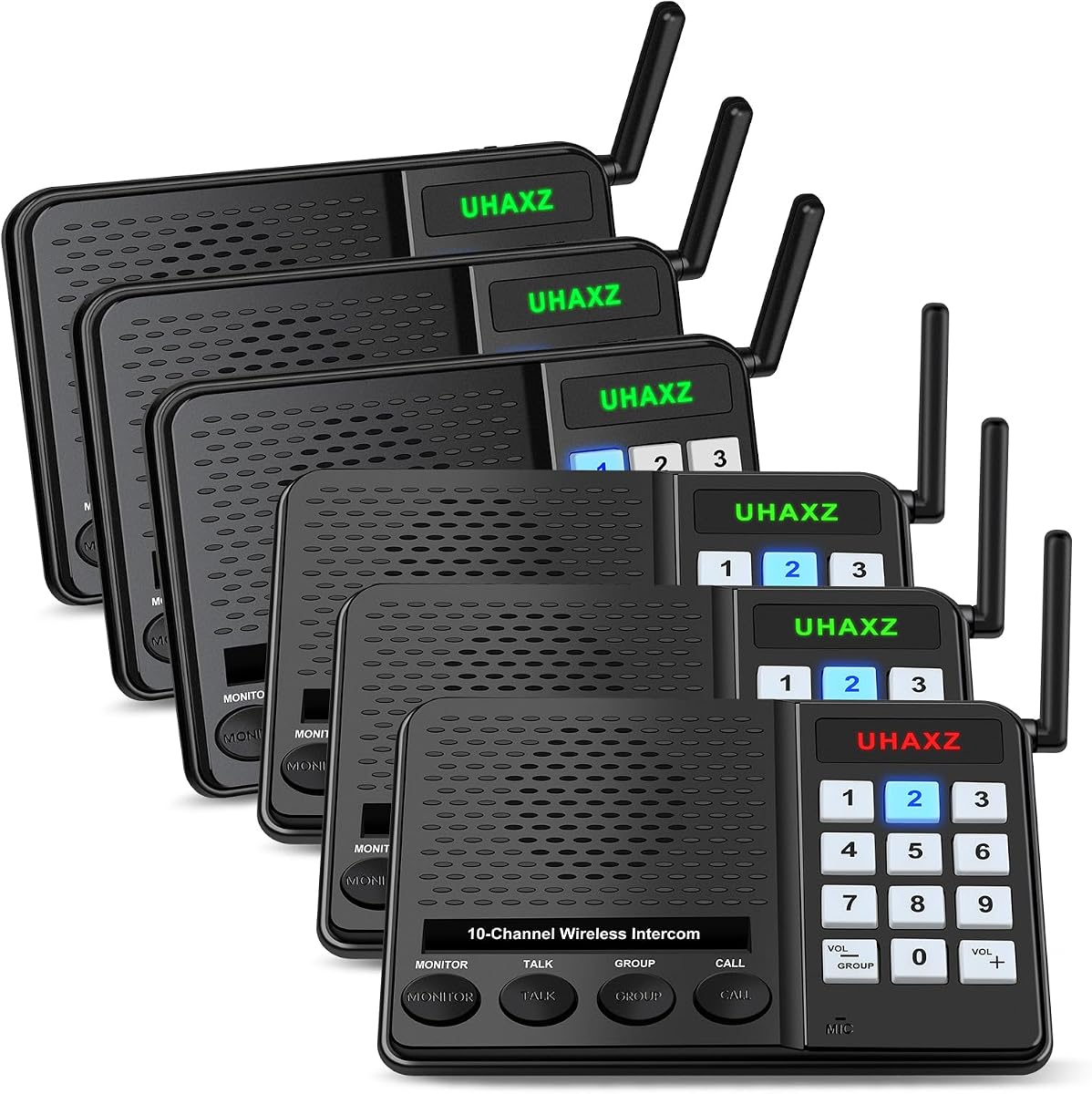
This UHAXZ system offers strong signal penetration which is essential for buildings with thick walls. The 4.0-star rating suggests dependable performance for daily use. Voice-activated standby mode reduces the need to press buttons constantly during shifts.
We may earn a commission when you buy through this link, at no additional cost to you.
Three independent privacy codes prevent signal overlap with neighbors or other floors. The intuitive design ensures that staff can learn to use it quickly. Volume levels allow for adjustment based on specific room noise levels.
While basic, it covers all fundamental needs without complexity. It lacks visual indicators which some users might miss but the design remains robust. It serves well for standard office layouts.
For those seeking reliable internal communication without expensive add-ons, this model fits the bill. It provides consistent service where simple functionality is preferred.
Strong signal penetration ensures calls get through even through concrete walls and multiple floors.
Simple button design ensures that anyone can operate the device without reading a manual.
We may earn a commission when you buy through this link, at no additional cost to you.
Another strong Wuloo option, this system offers nearly a mile of range for extensive properties. The 4.2-star rating indicates strong user satisfaction with its durability and signal clarity. Three digital codes allow for secure departmental communication within the system.
We may earn a commission when you buy through this link, at no additional cost to you.
The compatibility with power banks makes it versatile for field teams needing to move around. Enhanced anti-interference features ensure that the range is consistent even when other electronics are active. Manuals provide step-by-step guidance for easy setup.
With only ten channels, some larger organizations might find it restrictive. However, for most standard businesses, this capacity is sufficient for clear separation. The portable aspect makes it stand out from fixed units.
This is an excellent choice for businesses that need a hybrid of fixed office units and mobile field teams. It balances high-end specs with practical usability for daily operations.
The combination of long range and digital codes ensures secure and far-reaching communication.
Power bank compatibility means you can take the units anywhere without being tied to wall outlets.
We may earn a commission when you buy through this link, at no additional cost to you.
Selecting the right intercom system involves assessing range needs, capacity, and specific features that align with your office workflow.
Range is the most critical factor as it determines how far apart your units can be while maintaining a clear connection. For small offices, 1,000 feet might be sufficient, but larger warehouses may need over 5,000 feet to cover all corners. Always measure your physical space and add a buffer for walls or obstacles that might weaken signals.
Choose a system with a range exceeding your maximum distance to ensure reliability in complex environments.
Different departments often need private channels to communicate without disturbing others. A system with multiple channels allows teams like sales and logistics to stay connected internally. Look for models that support at least two independent channels to separate workflows effectively.
Ensure the system supports enough channels for every distinct team in your business.
Full duplex technology allows two people to talk and listen simultaneously like a phone call. Half duplex requires holding a button to talk which interrupts the flow of conversation. Full duplex is superior for dynamic environments where quick coordination is essential.
Prioritize full duplex systems to enable natural and uninterrupted conversations.
Most intercoms are plug-in, but some support power banks for outdoor mobility. If your staff moves between buildings or outdoor sites, battery capability is vital. Check if the unit supports standard USB power banks to maintain connectivity in remote spots.
Opt for power bank support if your workspace includes outdoor or non-electric zones.
Clear audio is essential for understanding instructions without repetition. Look for high-fidelity processing or noise-canceling technology that filters background sounds. This ensures messages are heard clearly in noisy areas like warehouses or kitchens.
Select systems with noise reduction features to maintain communication clarity in busy areas.
Businesses often need tools that require minimal training for all staff. A plug-and-play system without complex pairing is preferred for efficiency. Check if the product includes detailed manuals or videos that simplify the initial configuration process.
Choose user-friendly models with clear instructions to minimize setup time for your team.
Your team might grow, so selecting a system that can add units is smart. Check if each channel supports expansion beyond the initial pack. Scalable systems protect your investment by adapting to future business needs.
Ensure the system allows adding more units as your business expands over time.
In shared spaces, accidental interference from neighbors can disrupt work. Digital codes or privacy settings prevent external signals from intruding on your frequency. This feature ensures that only your units can connect to each other securely.
Verify the system has digital codes to keep communications private from outside interference.
Start by placing units in areas where staff spend the most time, ensuring there are no large metal obstructions that could block signals. Plug them into outlets or charge them fully if using battery modes before powering on the main switch.
Configure your channels by assigning specific numbers to different teams. If your system allows group calls, test the broadcast feature to ensure messages reach all units simultaneously. Use the volume knobs to adjust the tone to match the ambient noise of your office.
Regular maintenance involves wiping down the devices with a dry cloth to keep speakers free of dust. Check battery levels frequently if you rely on portability and store units in a dry place when not in use. Review the manual for firmware updates that might improve range or clarity.
Yes, these wireless intercom systems operate independently on radio frequencies without needing Wi-Fi or internet. This ensures they work reliably even if your network goes down or in areas with poor connectivity. It makes them ideal for secure environments where external connections are discouraged.
Most models in this guide offer ranges between 1,000 and 5,000 feet in open areas. Indoor range may be reduced by walls and obstacles, so always check specific product specs. Look for high-fidelity options to ensure your specific building layout.
To set up multiple channels, simply turn on the units and select the desired channel number using the keypad. Ensure all units for that specific team are on the same code or number. This separation prevents accidental cross-talk between different departments.
Many models support outdoor use but you may need a power bank since most rely on wall outlets. Check weather resistance ratings before using them in rain or dust. Some systems are rated for outdoor work but may not be waterproof.
These intercoms require minimal maintenance beyond keeping them clean and checking battery levels. Dust off the speakers regularly to ensure audio quality remains high. For battery-powered units, recharge them every few weeks to ensure readiness.
Yes, many systems support adding more units if you need extra coverage. Check the maximum capacity per channel before expanding to avoid signal issues. This ensures you can grow your network as your business needs change over time.
Most consumer intercoms operate on unlicensed frequencies that do not require a government license. However, regulations may vary by country so verify local rules before purchasing. Most models in this guide are compliant for business use in the US.
The group call feature allows one unit to broadcast a message to all connected units simultaneously. To use it, press the group button and speak as you would on a private call. This is useful for urgent announcements or shift change updates.
Choosing the right intercom system can transform how your team communicates by providing instant, reliable voice channels across your workspace. Whether you prioritize range, clarity, or simplicity, the options reviewed here offer reliable solutions for modern business needs.
Focus on factors like channel capacity and noise reduction to ensure your system supports your daily operations effectively. The best model is the one that fits your specific building layout and budget without compromising on essential features.
Remember to verify current pricing and availability before purchasing as deals often change on retail platforms. By selecting a system tailored to your needs, you can ensure seamless communication that boosts overall team efficiency.