
VEVOR 60W CO2 Laser Engraver
5.0Editor score
Large 24 by 16 inch work area
Compatible with LightBurn software
Air assist for clean cuts
Choosing the right 60W laser engraver can transform your creative projects into professional results. These machines offer powerful cutting capabilities for wood, acrylic, and even some metals depending on the technology used. Understanding the differences between diode, CO2, and fiber options is essential for making an informed decision.
We have analyzed ten top-rated models based on safety features, engraving speed, software compatibility, and user reviews. Each product brings unique strengths such as enclosed designs, camera assistance, or specialized laser sources. Our comparison helps you find the perfect balance of performance and ease of use for your workspace needs.
Every selection includes detailed specifications and real-world performance insights to guide your purchase. Prices and availability may vary so please check the latest listings before ordering. This comprehensive overview ensures you invest in a machine that meets your specific crafting or business requirements efficiently.
5.0Editor score

4.8Editor score

4.2Editor score
As an Amazon Associate we earn from qualifying purchases.
Explore the detailed specifications of each model to understand their unique capabilities and limitations for your specific engraving projects.




The Creality Falcon2 Pro stands out as a top-tier 60W laser engraver designed for serious creators. It features a robust enclosed system that ensures safety while delivering professional-grade results on various materials. Its dual laser setup offers unmatched flexibility for both heavy cutting and fine engraving tasks.
We may earn a commission when you buy through this link, at no additional cost to you.
This machine excels with its 60W power output combined with a 1.6W laser for precision work. The built-in HD camera streamlines the workflow by allowing accurate positioning without manual measurement. Compatible with LightBurn it integrates smoothly into professional design environments for batch production.
While the price reflects its premium features the durability and safety certifications justify the investment. Users should note that setup requires a dedicated space due to its enclosed structure. The exhaust management system ensures a clean working environment which is vital for long runs.
Ideal for small businesses and workshops the Falcon2 Pro provides the reliability needed for consistent output. Its ability to handle wood acrylic leather and even some metals makes it a versatile addition to any production setup.
The fully enclosed Class 1 design minimizes laser exposure and improves smoke containment for safer operations.
Integrated camera and air assist systems reduce setup time and improve engraving consistency across batches.
We may earn a commission when you buy through this link, at no additional cost to you.
The desktop version of the Falcon2 Pro is engineered for rapid batch production needs. With an output of 240000mW it handles thick materials with impressive speed. The intelligent two adjustable beams allow users to optimize performance for different tasks efficiently.
We may earn a commission when you buy through this link, at no additional cost to you.
Users appreciate the quick installation process that gets the machine running within ten minutes. The built-in camera simplifies positioning reducing errors during production runs. Safety features like flame detectors and limit switches add a layer of protection for continuous use.
However some users report that the safety protocols can interrupt workflows if not configured correctly. It requires careful attention to detail during setup to ensure all protective measures function as intended. Regular maintenance of the exhaust system is also crucial for longevity.
This model is best suited for traders who need high throughput without sacrificing safety. Its balance of power and enclosure design makes it a strong contender for professional desktop applications requiring consistent results.
High engraving speeds and automatic positioning significantly reduce processing time for large order volumes.
Multiple sensors and a transparent design ensure user safety while maintaining visibility during operations.
We may earn a commission when you buy through this link, at no additional cost to you.
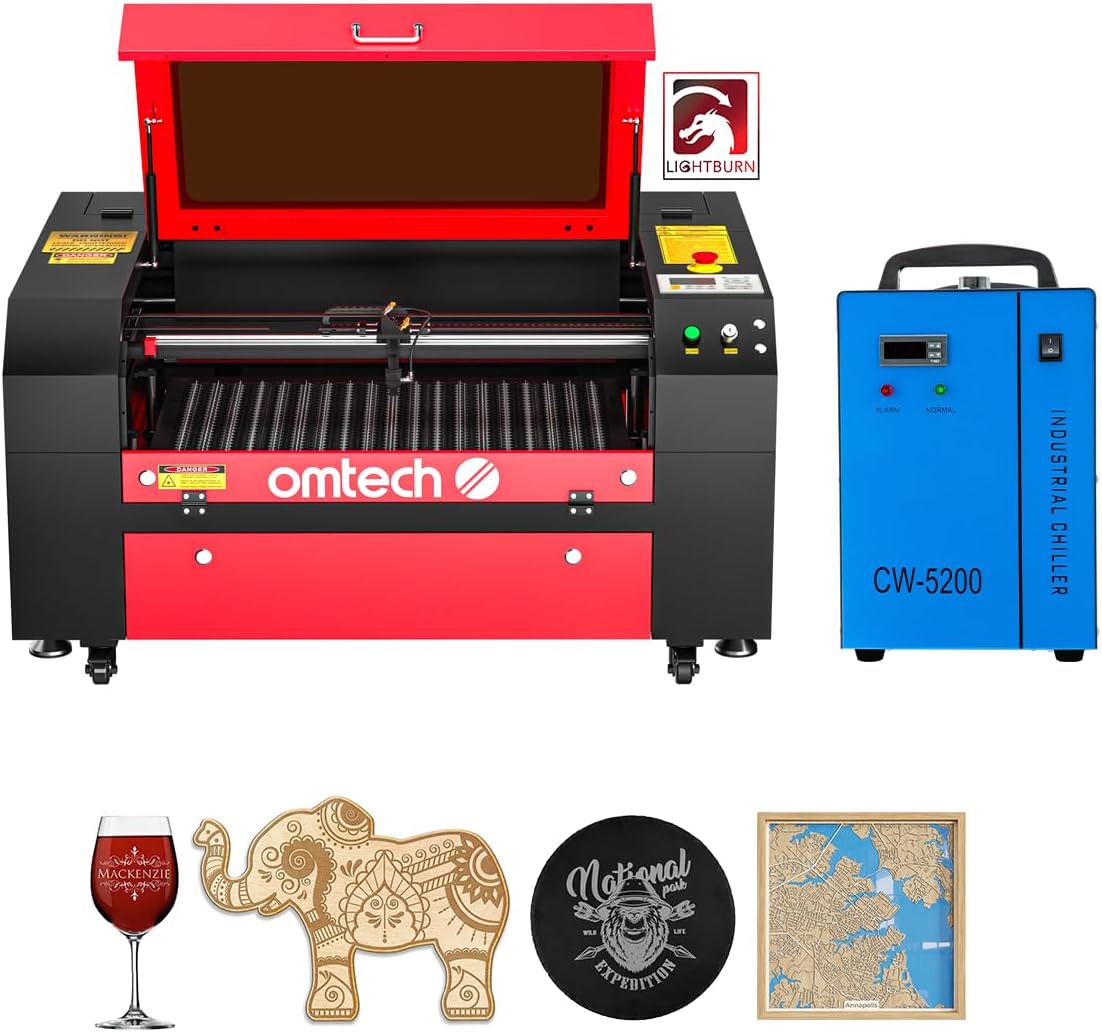
The OMTech Maker brings traditional CO2 laser power to a versatile desktop setup. It comes bundled with a water chiller and LightBurn software ensuring you can start working immediately. The autofocus feature simplifies the process by automatically finding the right focal distance.
We may earn a commission when you buy through this link, at no additional cost to you.
Its large 20 by 28 inch work area accommodates substantial projects like signs or large decor items. The pass-through doors make handling longer materials straightforward without needing to remove the bed. Air assist keeps lenses clean for consistent performance over time.
While excellent for non-metals users should note this unit does not cut stainless steel or aluminum. The machine is heavier than typical diode models requiring a sturdy table to support its weight. Regular tube maintenance is necessary to maintain peak output levels.
For hobbyists and small businesses focusing on wood and acrylic this unit offers reliable performance. The combination of size and ease of use makes it a practical choice for those transitioning into laser engraving.
The generous bed size and pass-through design allow for a wide variety of project dimensions and materials.
Included accessories like chiller and software remove barriers to entry for new laser enthusiasts.
We may earn a commission when you buy through this link, at no additional cost to you.
This desktop model prioritizes safety with its Class 1 fire-resistant enclosure. It features a dual laser bundle that saves time by cutting through materials faster than standard single-laser units. The built-in camera visualizes operations which helps in aligning designs accurately.
We may earn a commission when you buy through this link, at no additional cost to you.
The pre-assembled nature allows for quick setup which is beneficial for users eager to start projects. Compatibility with major software like LightBurn ensures flexible workflow integration. Support services including warranties and technical help provide peace of mind for buyers.
The workspace is smaller compared to open-frame machines which may limit larger projects. The camera system requires a connection to a computer which might disrupt a wireless workflow. Regular cleaning of the exhaust is necessary to maintain air quality.
Best for home studios this unit balances safety and performance in a compact footprint. It is an excellent choice for those who prioritize secure operation alongside versatile material processing capabilities.
The fire-resistant enclosure with auto-stop functions prevents accidents when the unit is accessed during operation.
High resolution camera allows users to see the engraving process clearly improving confidence in results.
We may earn a commission when you buy through this link, at no additional cost to you.
The F2 Ultra is an industrial-grade machine offering both MOPA fiber and diode lasers in one unit. This combination allows it to cut metal and engrave vibrant colors on stainless steel which is rare for desktop models. AI cameras ensure precise positioning down to 0.2mm.
We may earn a commission when you buy through this link, at no additional cost to you.
Speed is a standout feature with operation up to 15000mm/s reducing 3D embossing time significantly. The expandable workspace supports conveyor systems for automated batch processing which is ideal for scaling production. It handles diverse materials from rubber to thick wood effortlessly.
The cost reflects its advanced capabilities making it less accessible for casual users. Operation requires knowledge of fiber laser settings which can be a steep learning curve. The unit is heavy and requires a robust workstation to operate safely.
Best for professional studios needing metal marking and high throughput the F2 Ultra is unmatched. Its ability to produce consistent color marks on metals sets a new standard for desktop engraving technology.
The 60W MOPA source enables color engraving and deep etching on metals not possible with standard diodes.
AI detection suggests settings and auto-focuses reducing manual intervention and user error.
We may earn a commission when you buy through this link, at no additional cost to you.
Monport offers a specialized fiber engraver designed for high-precision metal marking tasks. The galvanometer system uses silicon material reflectors for high speed and accuracy. It includes free software and is compatible with LightBurn for flexible design options.
We may earn a commission when you buy through this link, at no additional cost to you.
The compact size makes it easy to integrate into existing workbenches or small shops. With a 100000 hour lifespan the fiber laser source ensures long-term durability with minimal maintenance. It can handle deep engraving and light cutting on thin metal sheets effectively.
The work area is restricted to 5.9 by 5.9 inches which limits larger projects. It is not suitable for non-metal materials like wood or acrylic without specific attachments. Users should verify material compatibility before purchase to avoid limitations.
Ideal for jewelry makers and industrial taggers this unit excels at detailed metal engraving. Its focus on precision and longevity makes it a strong choice for businesses specializing in metal marking services.
Customized F-theta mirrors ensure consistent accuracy across the entire working area for intricate designs.
The fiber source rated for 100000 hours offers a low total cost of ownership over time.
We may earn a commission when you buy through this link, at no additional cost to you.
VEVOR delivers a spacious 24 by 16 inch work area for CO2 engraving at an accessible price. It supports fast speeds up to 600mm/s making it efficient for large decorative items. The machine is compatible with multiple design software including LightBurn and CorelDRAW.
We may earn a commission when you buy through this link, at no additional cost to you.
Its pass-through design allows for processing longer materials that exceed the bed dimensions. A pull-out waste tray simplifies cleanup which helps maintain a tidy workspace. The air assist system effectively clears smoke to keep lenses clear.
Manual focusing requires some precision but is straightforward with the provided scales. Safety features are standard rather than enclosed which may require additional precautions for some users. It is best used in well-ventilated areas to manage fumes.
This model is a solid budget choice for those needing a large workspace for non-metallic materials. Its ease of use and software compatibility make it attractive for beginners entering the hobby.
The pass-through doors enable handling of long items like batons or signage without disassembly.
Integrated waste trays and air assist keep the workspace clean and optics protected during use.
We may earn a commission when you buy through this link, at no additional cost to you.
This OMTech model features an autolift workbed that adjusts with the touch of a button. It combines power with a bundle that includes a water chiller and LightBurn for immediate setup. The 28 by 20 inch bed supports a wide range of professional projects.
We may earn a commission when you buy through this link, at no additional cost to you.
High-performance tube life means consistent output for hundreds of hours without needing replacement. The pass-through doors allow large items to be fed through easily which expands project possibilities. Air assist helps protect optics from dust during operation.
The size and weight of the unit require a dedicated and stable workspace. Setup involves connecting the chiller and ensuring water levels are monitored. Manual adjustments are minimal but initial calibration is important for best results.
Best for small commercial users this machine offers the convenience of motorized features at a competitive price. It is well suited for shops requiring reliable production capability for non-metal materials like wood and acrylic.
The autolift system saves time adjusting focus manually for different material thicknesses.
Included chiller and software ensure the machine is ready for extended use out of the box.
We may earn a commission when you buy through this link, at no additional cost to you.
The X1 Lite is built for speed with 20000 mm/s squared acceleration for rapid cutting. It features a large bed and accurate preview software that minimizes waste. The auto-focus system locks onto material instantly allowing for quick setup between jobs.
We may earn a commission when you buy through this link, at no additional cost to you.
Aliencell Space simulates results with high accuracy which reduces guesswork before processing. The machine supports LightBurn and comes with technical support for troubleshooting. Safety is prioritized with flame sensors and fire-resistant materials for peace of mind.
Operating at high speeds may introduce vibration which should be managed on a stable table. The software preview is powerful but may take time to master for full efficiency. Safety sensors are critical and should not be bypassed.
Ideal for users needing speed and precision this unit delivers professional results efficiently. The combination of speed and safety features makes it a reliable choice for batch production environments.
20kHz frequency ensures smooth gradients even at maximum acceleration for detailed work.
Simulated preview software ensures the final output matches expectations before cutting begins.
We may earn a commission when you buy through this link, at no additional cost to you.
Cloudray provides a fiber engraver capable of 100 plus color markings on metals. It uses a JPT MOPA source for speed and precision in deep engraving tasks. The manual lift column supports larger items due to an adjustable height block for flexibility.
We may earn a commission when you buy through this link, at no additional cost to you.
The machine is portable and lightweight making it easy to move between workstations or sites. It includes necessary accessories like lenses and goggles to start working immediately. High resolution accuracy allows for intricate designs on rings and small metal objects.
It is designed strictly for metal applications which may limit versatility for general engraving. The smaller working area restricts use to jewelry or small parts rather than large sheets. Proper safety precautions are essential when working with fiber lasers.
Best for specialized metal engraving tasks this unit delivers high-quality results on stainless steel and brass. Its portability and color capabilities make it a unique tool for artisans needing detailed metal marking.
The MOPA source allows for precise control of pulse frequency to create vibrant color markings.
Its lightweight design enables users to transport the machine for on-site engraving services.
We may earn a commission when you buy through this link, at no additional cost to you.
Selecting the right machine involves evaluating laser type safety features and workspace requirements to match your projects.
Diode lasers are generally more affordable and suitable for wood and acrylic but may struggle with metals. CO2 lasers offer broader material compatibility including non-metals like glass and leather. Fiber lasers are specialized for metal marking and engraving with high precision and durability.
Choose the laser type based on your primary materials to ensure efficient processing without unnecessary costs.
Enclosed Class 1 designs protect users from laser exposure and smoke inhalation automatically. Look for features like flame detectors emergency stop buttons and interlock switches that prevent accidental operation. Safety certifications ensure the machine meets industry standards for protection.
Prioritize safety features especially if you plan to use the machine frequently or in shared workspaces.
Most engravers work with LightBurn which offers powerful design and control capabilities. Some machines come with proprietary software that may be more intuitive but less flexible. Ensure the software supports the file formats you need for your projects.
Check software compatibility early to avoid workflow interruptions during setup and daily use.
The size of the engraving bed determines the maximum dimensions of your projects. Larger beds accommodate bigger items but may require more space in your workshop. Consider pass-through options if you frequently work with long materials.
Select a work area that balances your project needs with available space in your workspace.
Higher wattage and speed settings reduce processing time but may impact cost. Fast engraving speeds are vital for batch production while power affects the ability to cut thicker materials. Look for adjustable power settings to handle different material thicknesses.
Ensure the speed and power levels align with your production demands to maximize efficiency.
Built-in cameras simplify positioning by allowing you to preview designs on the material surface. Intelligent focus systems save time by automatically adjusting focal distances. This is especially useful for repeating engraving jobs or irregular shapes.
A camera system can significantly enhance precision and ease of use during operations.
Fiber lasers generally require less maintenance due to their longevity and lack of mirrors. CO2 and diode systems may need regular cleaning of lenses and mirrors to maintain performance. Dust management systems help keep the workspace clean and optics clear.
Consider how much time you can dedicate to maintenance when selecting a laser system.
Prices vary widely based on features and build quality so set a clear budget range. A strong warranty and responsive customer support are essential for long-term peace of mind. Check for included accessories that may add value to the purchase.
Balance initial costs with expected lifespan and support to get the best return on investment.
Always prepare your workspace by ensuring proper ventilation and clearing flammable items from the immediate area. Secure the material firmly on the bed using clamps or adhesive tape to prevent movement during engraving which can ruin precision.
Run a test on a scrap piece of the same material to verify settings like speed and power. This step helps avoid costly mistakes on final projects by confirming the laser intensity and focal distance are correct.
Maintain the machine by regularly cleaning the lenses and mirrors to ensure consistent beam quality. Keep the water chiller filled and check the exhaust fan for dust buildup to prevent overheating and prolong the lifespan of components.
Standard diode 60W engravers typically cannot cut stainless steel but can mark coated metals. Fiber 60W engravers like the Monport or Cloudray are designed specifically for metal engraving and cutting thin sheets. For heavy metal cutting specialized industrial equipment is usually required.
Most CO2 and high-end diode models come with a bundle that includes LightBurn but check the listing for confirmation. Some brands provide their own free software that is compatible with LightBurn if you prefer. Always verify what software is included before purchasing.
Class 1 enclosures are highly recommended as they minimize exposure risks and smoke inhalation. If you buy an open-frame model you must wear safety glasses and ensure the room has strong ventilation. Enclosed models simplify safety compliance for home and studio use.
A 60W diode or CO2 unit can effectively cut wood acrylic leather and some coated metals. It can engrave glass and stone but may not cut through thick hard materials. Fiber models focus primarily on metals like aluminum brass and steel.
For regular use clean the lenses at least once a week to maintain peak performance. Use a soft cloth and lens cleaner specifically designed for optical surfaces to avoid scratches. Dust buildup can reduce beam quality and cause inconsistent engraving.
CO2 lasers almost always require a water chiller to cool the tube during extended operation. Diode and fiber lasers often use air cooling so a chiller may not be needed. Check your machine's manual to determine its cooling requirements.
Yes many of these models are designed for small business batch production and professional workflows. Ensure you comply with local regulations regarding emissions and safety certifications. The enclosed models are often better suited for indoor commercial environments.
We explored ten exceptional 60W laser engraver models that cater to different needs from hobbyists to professionals. The Creality Falcon2 Pro offers a balanced mix of safety and power while the OMTech units provide reliable CO2 performance for large projects.
Consider your primary materials and workspace constraints before making a final decision. Fiber lasers offer unmatched metal capabilities but come at a premium price while diode and CO2 units provide versatility for organic materials.
Remember that prices and availability can change so check the latest details on Amazon before ordering. Choosing the right tool will empower you to create high-quality engraved items with confidence and efficiency.