
SSK Portable SSD 1TB External Solid State Hard Drive
4.5Editor score
Affordable price point
1050MB/s read performance
Lightweight aluminum case
This guide compares the top 10 External SSD for MacBook Air options based on speed, durability, compatibility, and value for creative professionals.
Finding the right external storage is crucial for MacBook Air users who need reliable performance without sacrificing portability. A good drive should offer fast transfer speeds, robust build quality, and seamless compatibility with macOS systems for everyday workflows.
We evaluated ten leading external SSDs focusing on real-world performance metrics, durability ratings, and feature sets that matter most to Mac users. Our comparison considers read-write speeds, physical design, encryption options, and overall value to help you make an informed decision.
Each pick highlights specific strengths whether you need budget-friendly storage or premium speed for video editing. Note that product availability and pricing can change frequently so verify current details before purchasing to ensure you get the best deal available today.
4.5Editor score

4.7Editor score

4.6Editor score
This side-by-side comparison highlights key specifications across all ten reviewed drives to help you quickly identify the best fit for your specific storage needs and budget constraints.


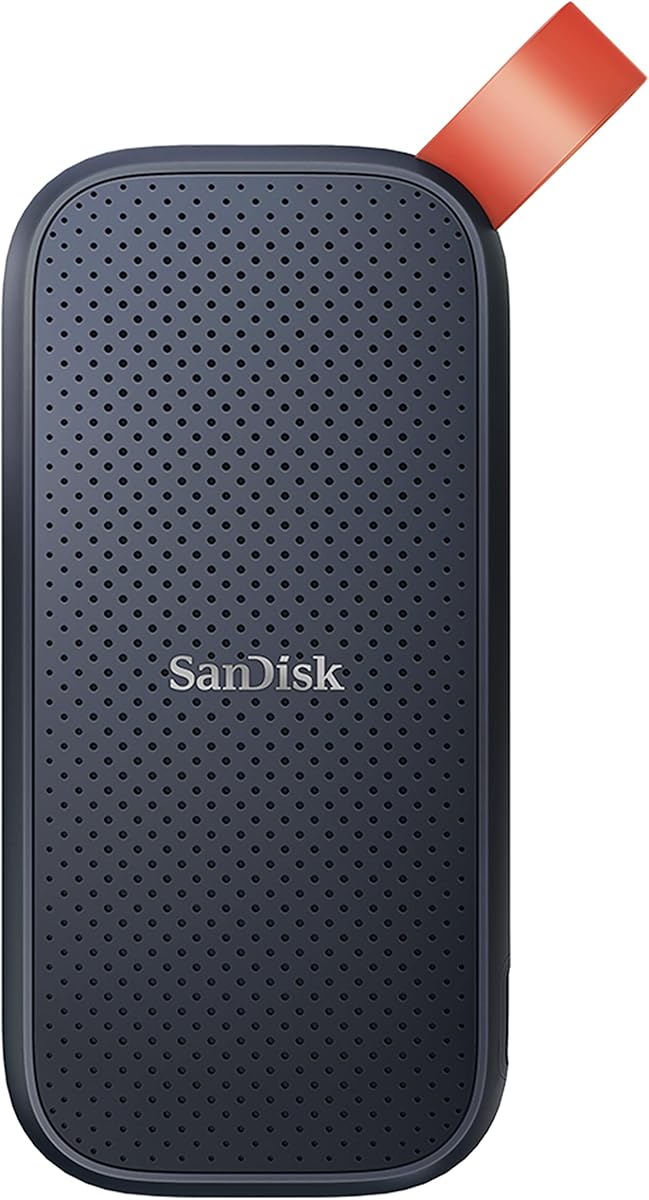




The Samsung T7 Portable SSD stands out as the top choice for MacBook Air users seeking a balance of performance and durability. With a stellar 4.7 rating, it delivers exceptional read and write speeds that handle large creative files efficiently.
We may earn a commission when you buy through this link, at no additional cost to you.
Its PCIe NVMe technology ensures fast data transfers up to 1050MB/s making it ideal for video editing and photo management. The solid aluminum unibody construction provides robust protection against drops and everyday wear while maintaining a sleek aesthetic.
While the price point is higher than budget options, the reliability and performance justify the investment for professionals. The included Magician software allows for easy firmware updates and drive health monitoring ensuring long-term usability.
If you need a dependable external drive that works seamlessly with macOS and offers top-tier speed the Samsung T7 is the recommended choice. It delivers consistent performance for demanding workflows without compromising on portability.
The T7 handles 4K video recording and file transfers with ease thanks to its high-speed interface and optimized firmware.
Built to withstand drops up to 6 feet the T7 ensures your data stays safe during travel or field work.
We may earn a commission when you buy through this link, at no additional cost to you.
The SSK Portable SSD offers an impressive value proposition for MacBook Air users needing reliable storage without breaking the bank. With a 4.5 rating it provides blazing-fast read speeds up to 1050MB/s suitable for most daily tasks.
We may earn a commission when you buy through this link, at no additional cost to you.
Its lightweight aluminum case weighs just 36.6 grams making it easy to carry in a pocket or bag. The inclusion of both USB-C and USB-A cables ensures compatibility with a wide range of devices beyond just Mac.
While the brand may not be as well-known as Samsung or SanDisk the performance metrics are competitive. The SLC caching helps maintain steady speeds during large file transfers preventing slowdowns when handling big datasets.
For budget-conscious buyers who still want high performance the SSK Portable SSD is a smart pick. It balances cost and capability effectively making it an excellent option for students and casual creatives.
You get premium speed specs at a mid-range price point which is rare in the external SSD market.
At just 36.6 grams this drive is one of the lightest options available for travelers.
We may earn a commission when you buy through this link, at no additional cost to you.
The Samsung T9 Portable SSD represents the pinnacle of portable storage performance for those who need maximum speed. Boasting read and write speeds up to 2000MB/s it handles the most demanding professional workflows with ease.
We may earn a commission when you buy through this link, at no additional cost to you.
Its Dynamic Thermal Guard technology keeps the drive cool during extended use preventing throttling and maintaining consistent performance. The included Magician software ensures your firmware stays up to date for optimal reliability and security.
While the price reflects its premium tier status the speed benefits are significant for video editors and data-heavy users. It supports high-resolution video recording directly from mobile devices making it versatile for multi-device workflows.
If budget is secondary to performance the Samsung T9 is the ultimate choice. It delivers top-tier speeds and robust build quality that professional creatives can rely on for critical projects.
With 2000MB/s speeds you can transfer large 4K video files in seconds instead of minutes.
Advanced heat control ensures sustained performance even during long editing sessions.
We may earn a commission when you buy through this link, at no additional cost to you.
The Sandisk 2TB Extreme Portable SSD is designed for users who prioritize durability and storage capacity. With a 4.6 rating it offers a massive 2TB of space ideal for storing large libraries of media and documents.
We may earn a commission when you buy through this link, at no additional cost to you.
Its IP65 rating means it can withstand water and dust exposure while 3-meter drop protection ensures it survives accidental falls. The included password protection with 256-bit AES encryption keeps sensitive data secure from unauthorized access.
The carabiner loop allows you to secure the drive to a backpack or belt loop for added convenience and safety. This feature is particularly useful for field professionals who need to keep their drive accessible but protected.
For those needing rugged reliability and high capacity this drive is an excellent option. It handles harsh environments well making it perfect for outdoor shoots or travel where other drives might fail.
Built to survive water drops and dust the Extreme series is made for tough conditions.
Hardware encryption ensures your private files remain safe even if the drive is lost.
We may earn a commission when you buy through this link, at no additional cost to you.
The Lexar ES3 1TB Portable SSD stands out for its ultra-slim profile and lightweight build. With a 4.4 rating it offers a convenient storage solution that fits easily in pockets without adding bulk to your setup.
We may earn a commission when you buy through this link, at no additional cost to you.
At just 10.5mm thick and 42g it is incredibly portable for daily use. The USB 3.2 Gen 2 interface ensures fast file transfers up to 1050MB/s keeping your workflow smooth and efficient.
Lexar includes DataShield software for 256-bit AES encryption providing an extra layer of security for your files. This makes it a good choice for users who need to store confidential information securely.
If portability is your main concern this drive delivers excellent value. It balances speed and slim design making it a great companion for business travelers or students.
Its slim profile allows it to slip into any pocket without creating bulk.
Included software protects your data with industry-standard encryption standards.
We may earn a commission when you buy through this link, at no additional cost to you.
The Sandisk 1TB Portable SSD offers a reliable and affordable entry point for basic storage needs. With a 4.5 rating it provides solid performance for everyday file storage and backup tasks.
We may earn a commission when you buy through this link, at no additional cost to you.
While its read speeds top out at 800MB/s it is still fast enough for general use. The rubber hook allows you to attach the drive to a backpack or belt loop for convenience during travel.
As an older model it may not have the latest speed features but it remains a trusted choice for stability. Sandisk reputation ensures quality and reliability for users who do not need extreme performance.
For those on a strict budget who still want a reputable brand this drive is a sensible option. It handles basic storage needs well without unnecessary bells and whistles.
Focuses on core storage features without complex software or extras.
Backed by Sandisk decades of experience in storage solutions.
We may earn a commission when you buy through this link, at no additional cost to you.
The Lexar 2TB ES3 External SSD provides a generous amount of storage for users needing extensive space. With a 4.5 rating it delivers fast transfer speeds and reliable performance for large datasets.
We may earn a commission when you buy through this link, at no additional cost to you.
Built-in double layer graphite sheets help conduct heat away from the drive keeping it cool during long sessions. This thermal management is key for maintaining speed and longevity during heavy use.
Drop resistance up to 2 meters ensures durability for everyday use. The 2-in-1 USB-C USB-A cable offers versatility allowing connection to both older and newer devices easily.
If you need substantial storage space without compromising on speed this drive is ideal. It balances capacity and performance well making it a strong contender for content creators.
Graphite sheets ensure the drive stays cool and performs consistently.
2TB of space allows for storing large video projects and backups.
We may earn a commission when you buy through this link, at no additional cost to you.
The Lexar 1TB Go Portable SSD with Hub offers unique versatility for creative professionals needing multiple ports. With a 4.5 rating it combines storage with a four-port USB hub for expanded connectivity.
We may earn a commission when you buy through this link, at no additional cost to you.
Its wireless plug-and-play connector reduces cable clutter while the hub allows you to connect multiple peripherals simultaneously. This makes it perfect for on-site shoots where ports are limited.
It supports Apple ProRes footage recording and storage ensuring seamless workflow for video editors. The ultracompact design ensures it remains portable despite the added hub functionality.
If you need a multi-function storage solution this drive is a game-changer. It simplifies your setup by combining storage and connectivity in one portable unit.
Built-in hub allows connecting multiple devices without extra dongles.
Optimized for capturing and storing high-quality ProRes video.
We may earn a commission when you buy through this link, at no additional cost to you.
The Sandisk 1TB Extreme PRO Portable SSD delivers exceptional read speeds suitable for high-performance tasks. With a 4.5 rating it provides 2000MB/s read speeds making it one of the fastest options available.
We may earn a commission when you buy through this link, at no additional cost to you.
Its forged aluminum chassis acts as a heatsink to sustain high speeds during intense use. The IP65 water and dust resistance along with 3-meter drop protection ensures it survives tough conditions.
The included carabiner loop helps keep the drive secure and accessible. Password protection with hardware encryption adds a layer of security for sensitive files.
For users needing top-tier speed in a rugged package this drive is a strong choice. It balances performance and durability effectively for professional workloads.
Read speeds allow rapid data transfers saving valuable editing time.
Built to handle tough conditions with water and drop protection.
We may earn a commission when you buy through this link, at no additional cost to you.
The Sandisk 2TB Extreme Portable External SSD is a solid choice for those needing massive storage capacity. With an impressive 4.8 rating it offers reliable performance and durability for everyday users.
We may earn a commission when you buy through this link, at no additional cost to you.
Its shock-resistant solid state core ensures durability against drops and vibrations. The IP55 water and dust resistance adds an extra layer of protection for the drive during use.
While speeds are lower compared to newer models it remains sufficient for basic file storage and backup tasks. The 3-year limited manufacturer warranty provides peace of mind for long-term use.
If you need 2TB of reliable storage this drive is a smart investment. It offers high durability and capacity for users who prioritize space over speed.
Shock resistance and water protection ensure the drive lasts longer.
Includes a 3-year limited warranty for added security.
We may earn a commission when you buy through this link, at no additional cost to you.
Choosing the right external SSD for MacBook Air requires understanding key features that impact performance and usability. We break down the most important factors to help you select a drive that meets your specific needs.
Look for USB 3.2 Gen 2 or higher interfaces which support speeds up to 1050MB/s or more. Faster speeds are essential for editing 4K video or transferring large datasets quickly without delays.
Prioritize drives with high read/write speeds to ensure your workflow remains smooth and efficient.
Assess your storage needs based on file types you handle. Creative professionals may need 2TB or more while casual users might suffice with 1TB.
Choose a capacity that accommodates your current files and future growth to avoid frequent upgrades.
If you travel often look for drives with IP65 water and dust resistance and drop protection. These features protect your data from environmental hazards and accidental falls.
A rugged build ensures longevity and peace of mind during on-the-go usage.
For MacBook Air users portability is key. Choose compact lightweight drives that fit in your pocket or bag without adding bulk.
Smaller dimensions enhance convenience and ease of transport during daily commutes.
Ensure the SSD supports macOS out of the box. USB-C connectivity is standard for Macs but some drives may require adapters.
Compatibility with your operating system prevents unnecessary setup issues and ensures seamless integration.
For sensitive data look for drives with hardware encryption and password protection. These features safeguard your files against unauthorized access.
Security is critical for professionals handling confidential client or business information.
Drives that run hot may throttle performance during long sessions. Look for aluminum cases or thermal guard technology to maintain speed under load.
Effective cooling ensures consistent performance during extended use without slowdowns.
Balance cost with features that matter most to you. Higher prices often correlate with better speeds and durability but budget options can suffice for basic tasks.
Invest in a drive that offers the best value for your specific use case.
Connect your SSD to your MacBook Air using the included USB-C cable or an adapter. Ensure your Mac recognizes the drive on the desktop or in Finder for immediate access.
Regularly update your SSD firmware via manufacturer software to maintain performance and security. Keeping your drive up to date prevents compatibility issues and optimizes longevity.
Store your drive in a cool dry place and avoid exposing it to extreme temperatures. Proper care extends the life of your storage device and keeps your data safe.
Ideally choose a drive with USB 3.2 Gen 2 support offering read speeds of at least 1000MB/s. Faster speeds improve workflow efficiency especially for video editing or large file transfers.
Most modern external SSDs are plug-and-play with macOS. However some brands include optional software for firmware updates or encryption that may require installation.
Many SSDs feature IP ratings and drop protection making them highly durable. Look for IP65 ratings and 2 to 3 meter drop protection for optimal travel security.
Creative professionals typically benefit from 2TB or higher capacity to store large media libraries. 1TB may suffice for lighter workflows or backups of existing data.
MacBook Air uses USB-C ports so ensure the SSD comes with a USB-C cable or purchase one separately. This ensures full speed compatibility with your device.
Yes external SSDs are compatible with Time Machine on macOS. Ensure you format the drive correctly for macOS to enable seamless backup functionality.
External SSDs have no moving parts so they operate silently. This makes them ideal for quiet environments compared to traditional hard disk drives.
Most reputable brands offer limited warranties ranging from 3 to 5 years. Check the manufacturer details for specific terms on replacement and coverage.
We reviewed ten top external SSDs tailored for MacBook Air users ranging from budget options to premium high-performance models. Each drive offers unique strengths suitable for different needs and workflows.
Prioritize speed and durability if you handle creative tasks but consider budget and capacity for general storage. Matching the drive to your specific usage ensures satisfaction and value.
Remember that product prices and availability can change frequently. Check current listings and promotions before purchasing to ensure you get the best deal available today.