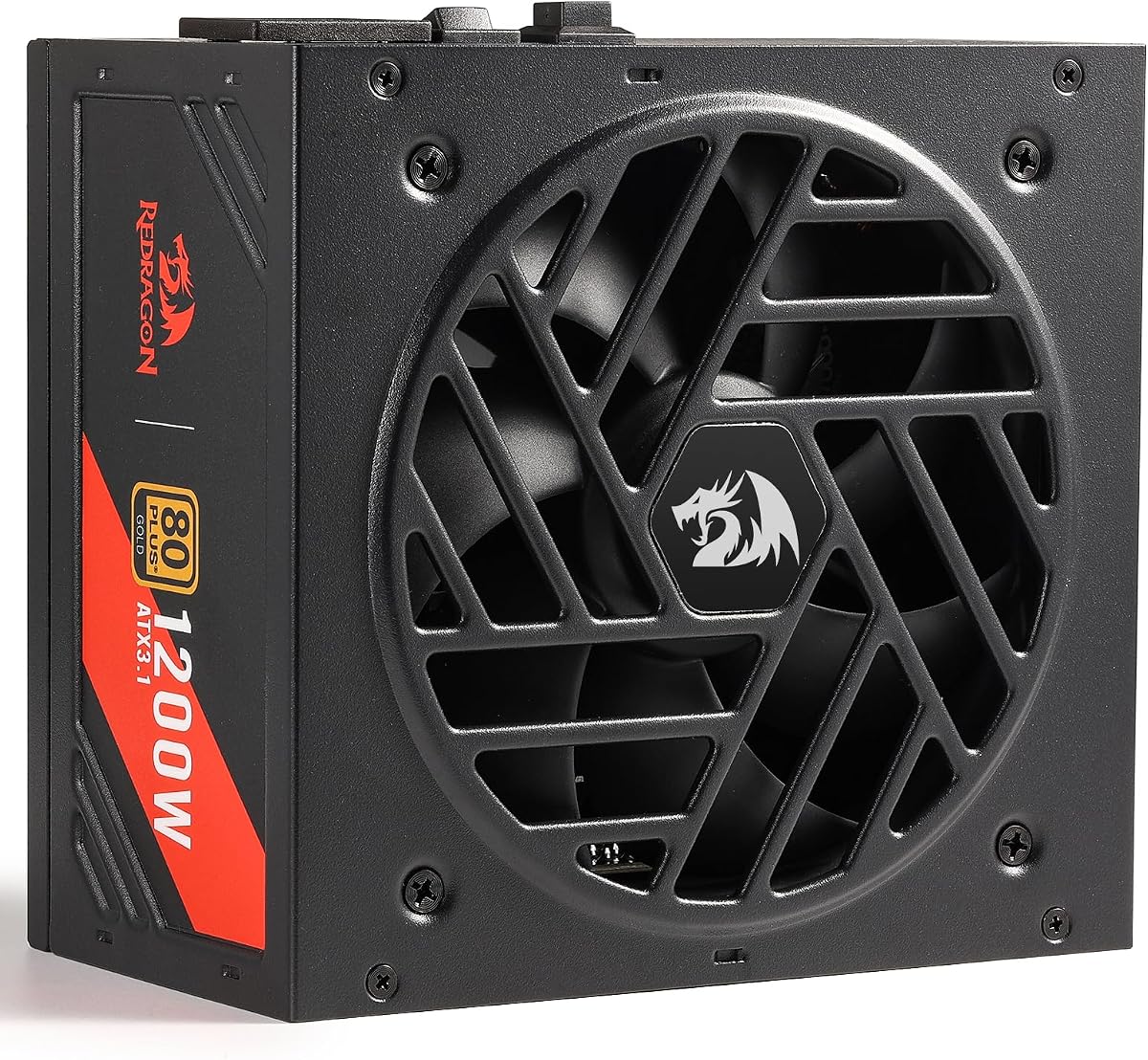
Redragon RGMS-1200W PRO
5.0Editor score
80 Plus Gold Certified
Compact 150mm Size
Zero RPM Fan Mode
Japanese Capacitors
This guide compares the top 1200W power supplies for high-end gaming PCs, evaluating efficiency, compatibility, and reliability to help you choose the right
Building a high-performance PC requires a robust power supply to handle demanding components. The 1200W category offers ample headroom for top-tier GPUs and processors, ensuring stable operation under heavy loads and future-proofing your investment against upcoming hardware demands.
We evaluated ten leading models based on efficiency ratings, modular cabling, noise levels, and compatibility with modern standards like ATX 3.1. Each unit was assessed for build quality, protection features, and overall value to provide a comprehensive overview of the current market options.
Each pick highlights key strengths and ideal use cases to help you match a power supply to your specific system needs. Please note that prices fluctuate frequently due to market conditions and promotions, so verify current costs before making your final purchase decision.
5.0Editor score

4.4Editor score
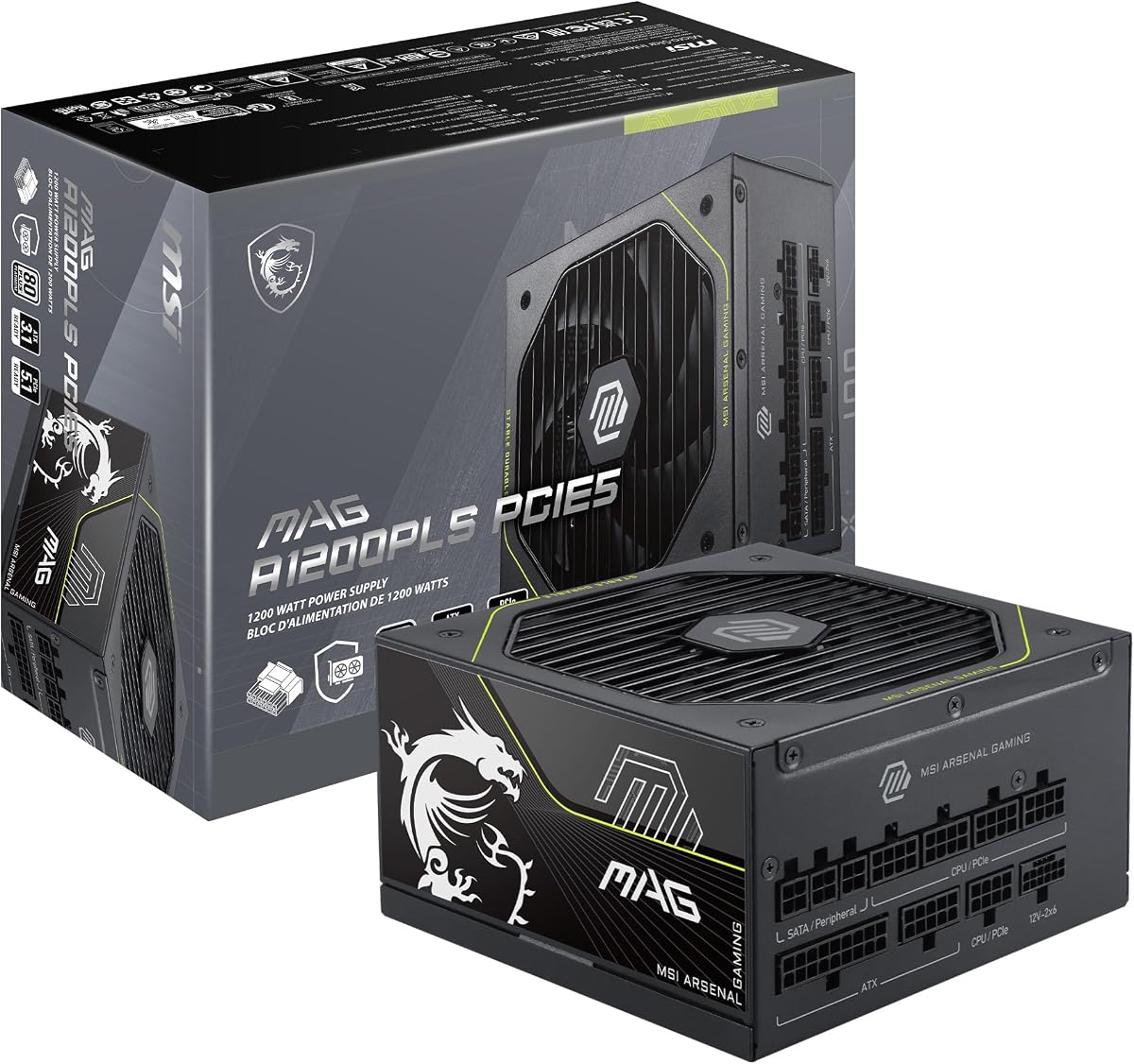
5.0Editor score
The following table provides a side-by-side comparison of all ten units examined in this guide. It highlights key specifications such as efficiency certification, connector types, and warranty terms to facilitate quick decision-making.




The CORSAIR HX1200i stands out as a top-tier option for enthusiasts needing reliable power for next-generation hardware. With a strong 4.4 rating, this unit combines high efficiency with advanced control features that appeal to serious builders.
We may earn a commission when you buy through this link, at no additional cost to you.
Its compliance with the ATX 3.1 standard ensures it can handle the transient spikes common in modern GPUs. The fully modular design simplifies cable management, while the iCUE software allows for granular control over fan curves and power rails.
While the unit is priced higher than many competitors, the investment pays off in reliability and flexibility. Some users might find the physical size requires a spacious case, but the airflow benefits usually justify this trade-off.
This power supply is ideal for users building high-end gaming rigs or workstations where stability is paramount. If you value silence and software integration alongside raw power, the HX1200i is a highly recommended choice.
Certification for ATX 3.1 means the unit is designed to handle the power spikes typical of new PCIe 5.1 graphics cards without shutting down unexpectedly.
The companion software provides unique access to monitor real-time power draw and adjust fan behavior, offering a level of insight rarely found in other units.
We may earn a commission when you buy through this link, at no additional cost to you.
The MSI MAG A1200PLS PCIE5 has earned a perfect 5.0 rating by addressing specific pain points for owners of high-end GPUs. Its inclusion of a native 12V-2×6 connector eliminates the need for adapters, enhancing safety and reliability.
We may earn a commission when you buy through this link, at no additional cost to you.
Beyond connectivity, the unit features a proprietary GPU Safeguard mechanism that alerts users to abnormal current situations in real-time. This proactive approach to hardware protection is a significant step forward for system stability and longevity.
While it performs exceptionally well under load, some users may notice fan noise increasing during peak usage. However, the compact size allows for better airflow in smaller cases, offsetting this minor drawback for many builders.
If you are planning to use the latest generation of graphics cards, this PSU offers the peace of mind you need. The combination of native cabling and unique safety features makes it a top contender for premium builds.
Using a native 12V-2×6 connector ensures a secure connection that reduces the risk of melting or overheating associated with adapter dongles.
The GPU Safeguard feature monitors current flow continuously, providing early warnings that allow you to prevent potential hardware damage before it occurs.
We may earn a commission when you buy through this link, at no additional cost to you.
The Redragon RGMS-1200W PRO delivers impressive performance at a fraction of the cost of leading competitors, earning a perfect 5.0 rating. It supports the latest ATX 3.1 and PCIe 5.1 standards, making it surprisingly modern for its price.
We may earn a commission when you buy through this link, at no additional cost to you.
Its compact 150mm design is a major selling point for those using mid-tower cases with tight clearances. The smart ECO fan mode ensures silent operation during idle, which is ideal for everyday usage scenarios like web browsing or office work.
Build quality is robust for the price, utilizing Japanese capacitors to ensure longevity. However, the cable quality might not be as premium as higher-end units, though flat cables still help with neatness and airflow management.
For budget-conscious builders who do not want to compromise on performance standards, this unit is a fantastic choice. It offers the necessary power and features without the premium markup often associated with big brand names.
A shorter chassis length increases compatibility with a wider range of PC cases and leaves more room for extensive cable management.
The fan only spins when temperatures reach 60 degrees Celsius, ensuring near silence during low-load operations and reducing dust intake.
We may earn a commission when you buy through this link, at no additional cost to you.
The ASUS TUF Gaming 1200W Gold is built to withstand harsh conditions, reflected in its 4.6 rating. It features military-grade components and a protective PCB coating that resists dust and moisture, ensuring long-term reliability in any environment.
We may earn a commission when you buy through this link, at no additional cost to you.
Its axial-tech fan design and dual ball bearings contribute to quiet and lasting performance. The unit is compatible with ATX 3.1 standards, meaning it can handle the power requirements of modern high-end graphics cards effectively.
While it lacks software monitoring capabilities found in other models, its passive reliability is a strong point. The weight is notable, indicating substantial internal components, which might be a minor inconvenience for installation but speaks to robustness.
This power supply is best suited for users who prioritize longevity and physical durability over digital features. If you need a unit that can handle heat and dust without failing, the TUF series delivers on its promise.
Components pass rigorous testing to meet military standards, ensuring the PSU can withstand thermal stress and vibration better than typical consumer units.
A specialized coating on the circuit board prevents corrosion and short circuits caused by humidity or dust accumulation over time.
We may earn a commission when you buy through this link, at no additional cost to you.
The Thermaltake Toughpower PT 1200W offers a unique approach to connectivity with two native PCIe 5.1 cables, catering to users with dual GPU setups or extreme power needs. Its 3.6 rating suggests a mixed reception, but its features are compelling.
We may earn a commission when you buy through this link, at no additional cost to you.
The Matcha H++ connectors provide a visual cue to ensure proper seating, which reduces the risk of accidental disconnects. The etched flat cables make routing easier, contributing to a cleaner build aesthetic inside the PC case.
While it holds a lower rating than some competitors, it provides a high level of features for its price. However, users may find the overall build quality and noise levels lack the refinement found in premium options on the market.
This unit is a solid option for builders who need multiple native cables without breaking the bank. It is a practical choice for those who value physical connectivity solutions over software features or extreme silence.
The dual-colored connector design allows you to see at a glance if the cable is fully inserted, preventing connection errors.
Including two native 12V-2×6 cables means you do not need to use adapters, improving safety and convenience for complex setups.
We may earn a commission when you buy through this link, at no additional cost to you.
The MONTECH Century II 1200W brings high-end features to a more accessible price point, reflected in its 4.3 rating. It supports ATX 3.1 standards and includes Japanese capacitors for reliability, making it a strong contender for the value seeker.
We may earn a commission when you buy through this link, at no additional cost to you.
Its zero RPM fan mode allows for silent operation during light tasks, which is a feature often reserved for more expensive models. The silver metallic appearance adds a touch of style that fits well in modern transparent case builds.
While it performs reliably, it may lack some of the refined cable quality or advanced protections of higher-end units. The design is straightforward, focusing on function over form, which is a fair trade-off for the price.
For those looking to upgrade their power supply without overspending, this unit offers a balanced package. It provides the essential modern features needed for current GPUs while keeping costs low and efficiency high.
The fan stops spinning entirely at low and medium loads, ensuring a completely silent experience when the system is not under stress.
Compatibility with ATX 3.1 ensures that the unit will support future graphics cards without requiring adapters or risking power instability.
We may earn a commission when you buy through this link, at no additional cost to you.
The renewed Corsair HX1200i provides access to a premium power supply at a lower cost, maintaining a strong 4.6 rating. It offers the same core benefits as the new model, including compliance with modern power standards and ultra-low noise operation.
We may earn a commission when you buy through this link, at no additional cost to you.
Its 80 Plus Platinum efficiency ensures minimal energy waste, and the Modern Standby mode improves system wake times and power usage at idle. The fluid dynamic bearing fan is designed for long life and quiet performance even under load.
Buying renewed means accepting a used condition, but high ratings suggest these units are thoroughly tested. However, warranty terms may differ from new purchases, so it is important to check the specific coverage included with the listing.
This option is perfect for budget-savvy builders who still want top-tier performance and reliability. If you are comfortable with a refurbished unit, you can get high-end features without the full retail price tag.
Achieving Platinum efficiency means less heat generation and lower electricity bills, which is a major benefit for high-power systems.
This feature allows your PC to wake faster from sleep while using less power, improving the overall responsiveness of your daily workflow.
We may earn a commission when you buy through this link, at no additional cost to you.
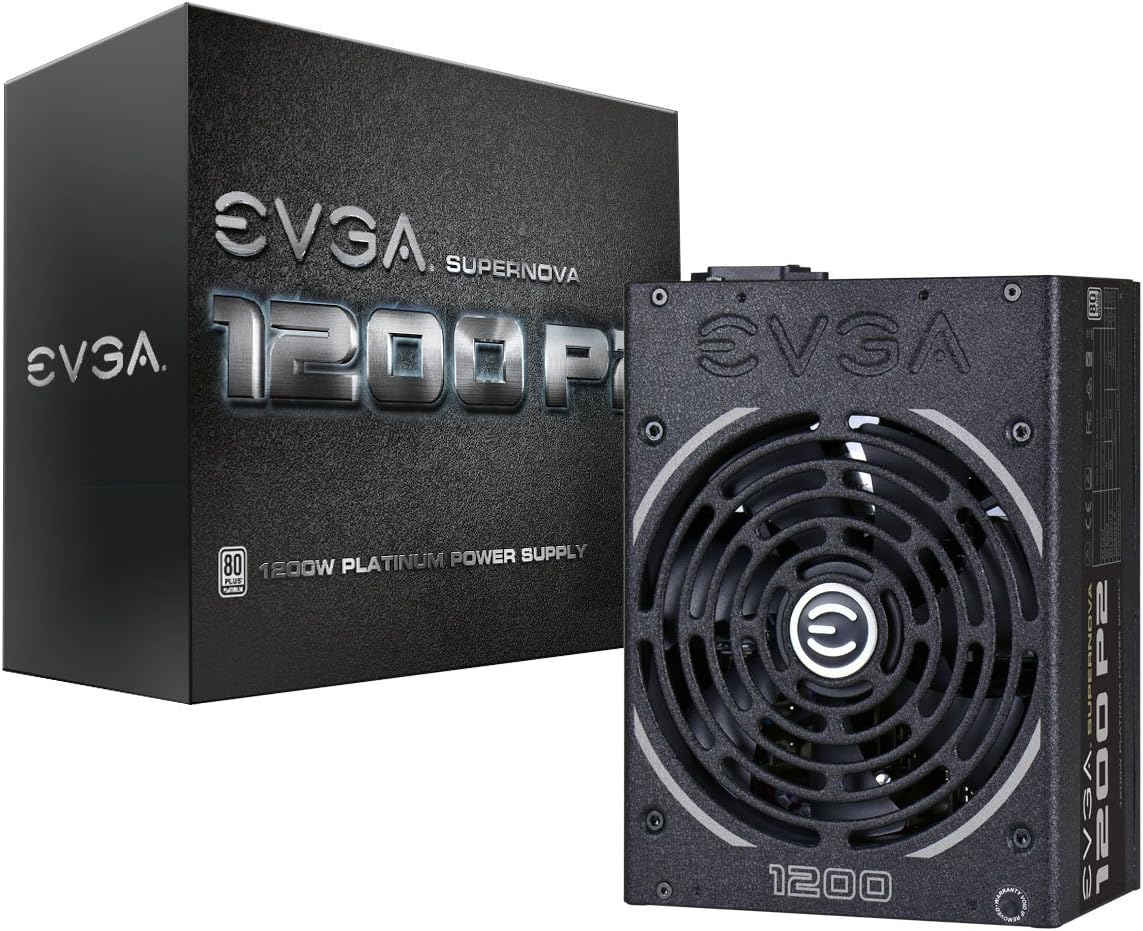
The EVGA Supernova 1200 P2 is a classic choice known for its reliability and strong 4.6 rating. It features 80 Plus Platinum efficiency and an ECO mode that keeps the fan off during low loads for a quieter experience.
We may earn a commission when you buy through this link, at no additional cost to you.
With 100% Japanese capacitors and a 10-year warranty, this unit is built to last. The double ball bearing fan is designed for long-term durability, making it a solid option for those who want a 'buy it for life' power supply.
However, it does not support the latest ATX 3.1 standard natively, which might limit compatibility with the newest GPUs without adapters. For systems that do not require the absolute latest connector types, it remains a powerhouse.
If you are building a system that does not need PCIe 5.1 native cables, this unit offers a reliable and efficient solution. Its long warranty and proven track record make it a trustworthy choice for many builders.
The ECO mode ensures the fan stays off during light use, reducing noise and wear on the fan bearings significantly.
With a 10-year warranty and durable internal components, this unit is designed to provide years of stable power delivery.
We may earn a commission when you buy through this link, at no additional cost to you.
The CORSAIR RM1200e brings the latest standards to a more accessible model, earning a 4.1 rating. It is Cybenetics Platinum certified and comes with a 12V-2×6 cable, ensuring compatibility with modern high-performance hardware.
We may earn a commission when you buy through this link, at no additional cost to you.
The use of 105°C-rated capacitors contributes to stability and reliability under high heat conditions. Modern Standby mode helps with quick wake times and better energy efficiency, making it a versatile unit for various usage patterns.
While it performs well, the ratings are mixed, suggesting potential issues with noise or build consistency in some batches. It is a solid choice for efficiency but might not match the silence of higher-tier models under heavy load.
For users who want the latest standards without the top-tier price tag, this unit is a strong candidate. It balances modern features and efficiency well, though buyers should manage expectations regarding noise performance.
Cybenetics Platinum certification guarantees a specific level of efficiency and low noise output that meets rigorous industry standards.
Capacitors rated for 105 degrees Celsius can withstand higher temperatures without degrading, ensuring better longevity in hot environments.
We may earn a commission when you buy through this link, at no additional cost to you.
The ASUS ROG Strix 1200W Platinum stands out with advanced technologies like GaN MOSFETs and a GPU-First Intelligent Voltage Stabilizer, reflected in its 4.5 rating. These features enhance power delivery and efficiency significantly.
We may earn a commission when you buy through this link, at no additional cost to you.
The GPU-First technology ensures your graphics card receives stable voltage during heavy gaming sessions, reducing the risk of crashes. With 0dB technology, the fan remains silent until higher temperatures are reached, improving the user experience.
While the price is higher than most, the unique technologies justify the cost for enthusiasts. However, the lack of software integration means you cannot customize fan curves or monitor performance digitally like with some competitors.
This unit is ideal for gamers who want the best voltage stability for their GPU without paying for software features. The GaN technology and stabilizer offer tangible benefits for system stability during intensive tasks.
Gallium Nitride MOSFETs provide better efficiency and thermal performance than traditional silicon components, leading to a cooler internal layout.
This patented voltage stabilizer prioritizes power to your graphics card, ensuring smoother performance during demanding gaming scenarios.
We may earn a commission when you buy through this link, at no additional cost to you.
Choosing the right 1200W power supply involves understanding several key factors that impact performance and longevity. This section breaks down what you should look for to make an informed decision.
Efficiency ratings like 80 Plus Gold or Platinum indicate how much power the unit converts to usable electricity versus wasted heat. Higher efficiency means lower electricity bills and less heat generated inside your PC.
Look for at least an 80 Plus Gold rating to ensure cost-effective operation and better thermal management for your components.
Modern power supplies are adopting new standards like ATX 3.1 and PCIe 5.1 to support the transient power spikes of latest-generation GPUs. Units that meet these standards usually come with native 12V-2×6 connectors.
Choosing a PSU that supports these standards ensures your system is ready for future hardware upgrades without needing external adapters.
Fully modular power supplies allow you to connect only the cables you need, reducing clutter and improving airflow inside the case. Non-modular units force you to connect all cables, which can complicate installation.
Prioritize fully modular designs for a cleaner build and better cooling efficiency within your PC chassis.
Fan noise is a critical factor for a comfortable computing environment. Look for units with fluid dynamic bearing fans and zero RPM modes that allow the fan to stop completely during low loads.
A quiet fan mode ensures you can work or game without distraction, especially during quieter times of the day.
Protection features such as Over Voltage Protection (OVP) and Over Current Protection (OCP) safeguard your components from electrical faults. These systems detect irregularities and shut down power to prevent damage.
Ensure your selected unit includes a comprehensive set of protection features to keep your expensive hardware safe from electrical surges.
A longer warranty period often reflects the manufacturer's confidence in the product's build quality. Most high-end power supplies come with at least a 10-year warranty, which is essential for peace of mind.
Check the warranty terms to ensure you are covered for the lifespan of your build, protecting your investment over the long term.
The physical size of the power supply must fit within your PC case. Compact models are beneficial for smaller cases, while standard models may require more clearance to ensure proper airflow.
Always check your case specifications for the maximum supported PSU length before purchasing to avoid compatibility issues.
High-quality cables with long lengths help with better cable management, especially in larger cases. Look for flat, modular cables that are easier to route and tuck away neatly.
Good cable management not only looks better but also improves airflow, which keeps your components cooler during operation.
To install your power supply safely, ensure you disconnect all power sources before opening your PC case. Use the appropriate screws to secure the unit firmly to the case, aligning the fan intake with the ventilation holes.
Connect the main cables to the motherboard and GPU first, ensuring all connections are fully seated. Use the modular ports to add only the cables your system needs to reduce clutter and maximize airflow.
Regularly clean dust from the fan and filters using compressed air to prevent overheating. Monitor your system's temperatures and fan speeds through software to catch any potential issues early in the process.
ATX 3.1 certification ensures the power supply can handle high power spikes from modern graphics cards without shutting down. It also typically includes native 12V-2×6 connectors for safer and more reliable connections.
For most average gaming systems, 1200W might be overkill. However, for high-end gaming rigs with multiple GPUs or extreme overclocking, this wattage provides ample headroom and efficiency under load.
Modular power supplies allow you to detach cables not needed for your build, while non-modular units have all cables permanently attached. Modular units offer better cable management and improved airflow.
If your graphics card requires a 12V-2×6 connector, using the native cable provided with the power supply is safer. Adapters can sometimes cause connection issues or melting if not seated correctly.
It is recommended to clean your power supply every six to twelve months to prevent dust buildup. Regular cleaning ensures the fan runs smoothly and maintains optimal cooling performance.
Most warranties cover manufacturing defects but may not cover damage from external power surges. It is advisable to use a surge protector to protect your power supply and connected components.
Choosing the best 1200W power supply depends on your specific needs, whether it is raw power, efficiency, or advanced features. The CORSAIR HX1200i, MSI MAG A1200PLS PCIE5, and Redragon RGMS-1200W PRO stand out as top choices for different budgets.
Prioritize features like ATX 3.1 compliance and modular cabling to ensure your system is ready for future upgrades. Balancing efficiency with physical size and noise levels will lead to a stable and quiet computing experience.
Prices for these units can fluctuate frequently due to market conditions and promotions. Always check the current price and warranty details before making your final purchase decision.