
Wireless Caregiver Pager
4.7Editor score
Extended 1500 ft range
IP55 water and dust proof
Five adjustable volume levels
Caring for aging parents often involves ensuring their safety and independence at home. The right gadgets can provide peace of mind for families while allowing seniors to maintain their daily routines without constant supervision.
We evaluated ten highly rated devices focusing on ease of use, reliability, and specific features tailored to senior needs. Our comparison includes emergency pagers, digital clocks with large displays, and video monitoring systems designed for simplicity.
Each pick highlights unique benefits such as waterproof buttons, voice announcements, or app connectivity. Remember that prices and availability change frequently, so check current listings before purchasing to ensure you get the best deal.
4.7Editor score

4.8Editor score

4.4Editor score
As an Amazon Associate we earn from qualifying purchases.
This side-by-side comparison outlines the core specifications and unique capabilities of each selected device to help you quickly identify the best fit for your specific caregiving needs.


The WiFi Caregiver Pager Life Alert System stands out as a top contender for modern senior care. With a high rating and robust features, it ensures caregivers receive instant notifications via app when a button is pressed.
We may earn a commission when you buy through this link, at no additional cost to you.
Its key strength lies in the immediate alert system which sends notifications to mobile phones regardless of location. The device supports a wide range and penetrates walls easily making it reliable for multi floor homes.
While the system is powerful it only supports 2.4GHz WiFi which might be a limitation for some networks. Also phone call alerts require a subscription which adds ongoing cost beyond the initial purchase.
This device is ideal for families wanting remote monitoring without monthly service contracts. It offers a secure and efficient way to stay connected with elderly parents living independently.
Notifications are sent instantly to mobile phones ensuring caregivers are alerted immediately when help is needed.
Buttons can be screwed or adhesively mounted providing flexibility for placement in bathrooms or bedrooms.
We may earn a commission when you buy through this link, at no additional cost to you.
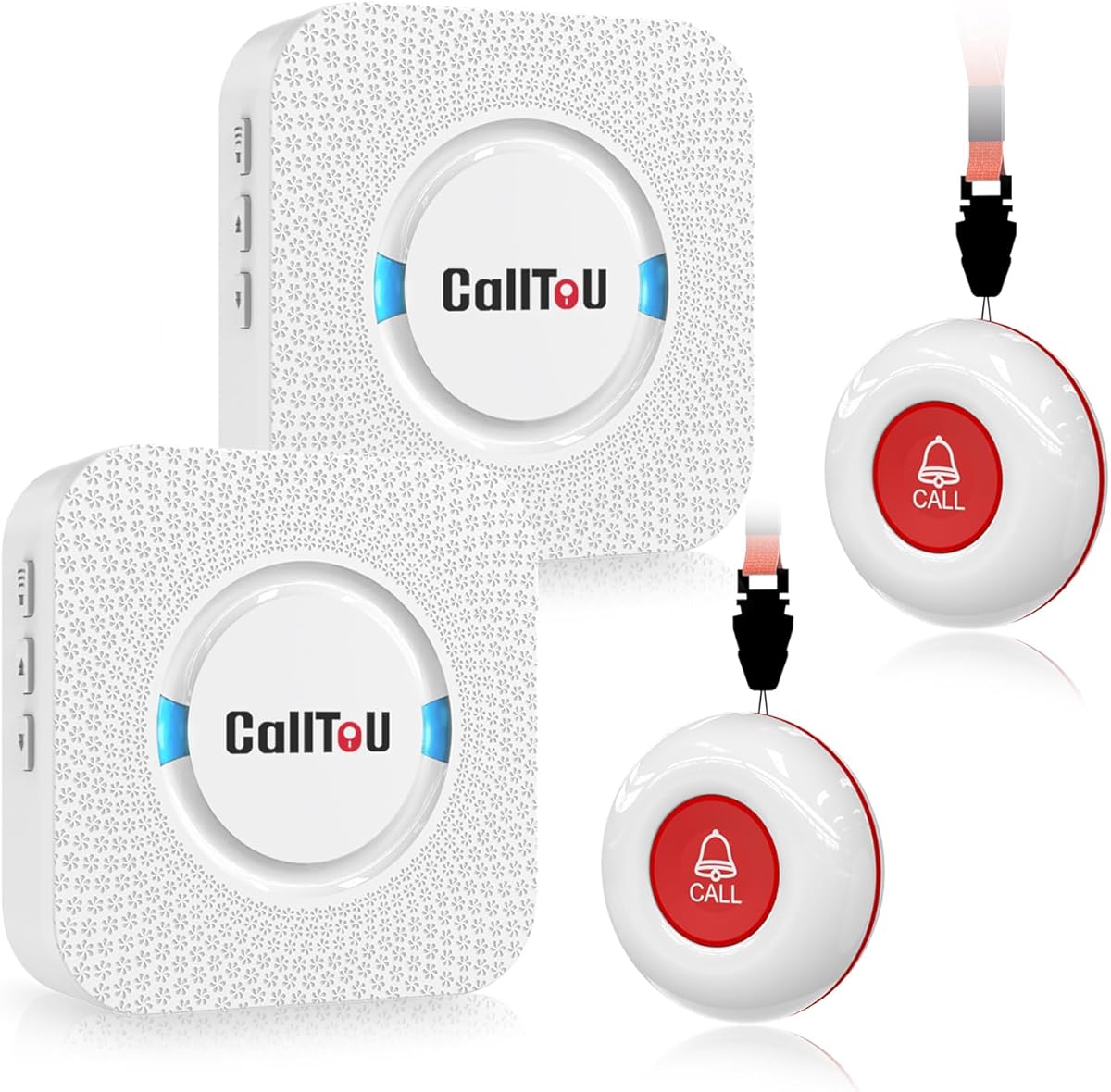
For those seeking cost effective reliability this Wireless Caregiver Pager delivers impressive performance. It offers a massive transmission range and robust build quality that ensures alerts are always received.
We may earn a commission when you buy through this link, at no additional cost to you.
The long range capability allows caregivers to move freely throughout large homes while remaining connected. The waterproof design ensures functionality in damp areas like bathrooms without risk of damage.
However it lacks smart app connectivity which limits remote monitoring options. Users must be within signal range to hear the receiver which might not suit everyone.
This pager is perfect for local home care where simple and reliable alerts are prioritized over digital integration. It provides peace of mind at an accessible price point.
Supports up to 1500FT wireless transmission allowing flexibility in large spaces.
IP55 design protects against water and dust ensuring reliability in various environments.
We may earn a commission when you buy through this link, at no additional cost to you.
This camera offers a premium experience by combining monitoring with visual connection. It allows family members to see and speak with parents instantly without requiring seniors to handle complex apps.
We may earn a commission when you buy through this link, at no additional cost to you.
The large screen and one touch button make it incredibly easy for elderly users to initiate calls. Fall detection alerts provide an extra layer of safety that standard cameras might miss.
While the device offers great features it requires a constant power connection which limits placement options. The privacy mode effectively cuts the feed which might be confusing if not explained.
Ideal for families prioritizing connection and safety this device bridges the gap between monitoring and presence. It helps combat loneliness while keeping parents secure in their own home.
Seniors see smiling faces on a clear screen without needing to operate a smartphone.
Loud crashes or cries for help trigger immediate phone alerts to caregivers.
We may earn a commission when you buy through this link, at no additional cost to you.
This system provides a complete setup with multiple call buttons for comprehensive coverage. It is designed to ensure caregivers are notified quickly regardless of where they are in the house.
We may earn a commission when you buy through this link, at no additional cost to you.
The waterproof feature makes it suitable for bathroom use where accidents are most common. The variety of ringtones helps distinguish between different emergency situations effectively.
The receiver needs to be plugged in which limits mobility compared to battery operated units. However the high volume settings ensure alerts are never missed even in noisy environments.
This option is well suited for homes needing a straightforward and durable alert system. It balances functionality and reliability without unnecessary complexity for seniors or caregivers.
Includes two call buttons for placement in multiple critical areas like bathroom and bedroom.
55 ringtones and volume control ensure alerts are heard clearly by caregivers.
We may earn a commission when you buy through this link, at no additional cost to you.
This pager system introduces a wristband option allowing seniors to call for help from anywhere. It is a versatile solution for those who move around frequently inside the home.
We may earn a commission when you buy through this link, at no additional cost to you.
The LED flash silent mode is a great feature for nighttime use to avoid disturbing sleep. It ensures caregivers are alerted visually without the noise of a loud chime.
While the button is splash proof it cannot be submerged which means it should be removed during bathing. This requires a small adjustment in routine for users in bathrooms.
Ideal for active seniors who need constant access to emergency help this system offers flexibility and reliability. It ensures help is always within reach regardless of location in the house.
Seniors can wear the call button as a pendant or wristband for hands free access.
Use LED flash only to alert caregivers without waking others during the night.
We may earn a commission when you buy through this link, at no additional cost to you.
Designed specifically for seniors with memory loss this clock eliminates confusion by spelling out time periods clearly. It is a supportive tool for daily orientation without overwhelming the user.
We may earn a commission when you buy through this link, at no additional cost to you.
The display automatically dims at night to reduce eye strain and promote better sleep. It also supports multiple languages making it accessible for diverse households and backgrounds.
It relies on a power adapter which is standard but means it must be placed near an outlet. The design does not support battery power for display though it retains settings during outages.
This clock is a practical aid for individuals with dementia or advancing years who need clear cues. It helps structure the day and reduces anxiety caused by time confusion.
Clear text like Morning or Evening helps seniors understand the time of day instantly.
Plug and play operation with minimal configuration required for immediate use.
We may earn a commission when you buy through this link, at no additional cost to you.
This clock addresses vision challenges with a voice announcement feature that speaks the time aloud. It is particularly useful for those who struggle to read small numbers on digital displays.
We may earn a commission when you buy through this link, at no additional cost to you.
The screen features large bold letters making the date and day easy to see. Automatic dimming ensures the light does not disturb sleep while still providing visibility when needed.
While the voice function is helpful it can be disruptive if set incorrectly or if sensitivity to sound is high. Also it relies on power for display which limits placement options to outlets.
It is an excellent choice for seniors with vision impairments who need auditory and visual cues. The simplicity of operation ensures it can be used without frustration or complex training.
Lightly press the button to hear the time announced clearly in multiple languages.
Large fonts and clear display ensure even poor vision users can read easily.
We may earn a commission when you buy through this link, at no additional cost to you.
This WiFi system allows multiple family members to receive alerts simultaneously ensuring no call goes missed. It is great for shared caregiving responsibilities where coordination is essential.
We may earn a commission when you buy through this link, at no additional cost to you.
The app interface allows users to customize sounds and volume making it easy to distinguish who is calling. This added level of control helps caregivers respond more efficiently.
The system relies on a plugged in receiver which can limit placement flexibility in smaller rooms. Also advanced notification features like text messages require an additional upgrade subscription.
Ideal for families sharing responsibility for an elderly parent this device facilitates better communication and support. It ensures everyone is informed when help is needed without delay.
Set up shared alerts so multiple family members receive notifications when a button is pressed.
Choose from 20 ringtone options to differentiate between different call buttons easily.
We may earn a commission when you buy through this link, at no additional cost to you.
This clock offers extensive customization with multiple brightness levels and color themes. It is designed to reduce eye strain and adapt to different visual preferences easily.
We may earn a commission when you buy through this link, at no additional cost to you.
The ability to play photos via USB makes it a dual purpose device for memories and time keeping. It allows families to display favorite images without needing extra equipment.
While highly customizable the lack of included memory media means extra cost for full functionality. The power adapter requirement ensures consistent operation but limits placement to outlet access.
Perfect for seniors who enjoy personalization this device combines utility with sentiment. It serves as both a practical timekeeper and a digital photo frame for the home.
Choose from 12 display themes and colors to match personal tastes or needs.
Insert a USB drive or SD card to cycle through family photos on the screen.
We may earn a commission when you buy through this link, at no additional cost to you.
This pager system prioritizes mobility with a clip that keeps the receiver accessible on the caregiver. It is a compact solution that ensures alerts are received without missing tasks.
We may earn a commission when you buy through this link, at no additional cost to you.
The dual alarm modes allow users to choose between a doorbell or continuous siren sound based on urgency. This flexibility helps tailor the alert style to the household environment.
While the battery life is long the need for replacement eventually adds to maintenance requirements. The range is adequate for most homes but may not suit very large properties.
It is a solid choice for caregivers who need to move between tasks while staying connected. The simplicity and portability make it an effective tool for daily home care.
Clip the pager to a belt so it stays with you even when moving around the house.
Switch between a standard chime or continuous alarm depending on the situation.
We may earn a commission when you buy through this link, at no additional cost to you.
Selecting the right gadgets for elderly parents involves considering their specific physical and cognitive needs alongside your own monitoring preferences.
Decide between wired WiFi or simple wireless RF connections based on your home layout. WiFi systems offer remote access but depend on internet stability while RF systems are often simpler and more reliable.
Choose a system that aligns with your home network capabilities and your need for remote alerts.
Ensure devices have large buttons clear displays and minimal setup steps. Seniors may struggle with complex interfaces so look for plug and play functionality and intuitive designs.
Prioritize products that require little to no technical knowledge for the end user to operate effectively.
Check how long call buttons and receivers last on a single charge or battery set. Long battery life reduces maintenance frequency and ensures the device is always operational during emergencies.
Opt for units with long lasting power or rechargeable options to minimize disruption and care.
Look for waterproof or water resistant buttons especially if placing them in bathrooms. This ensures durability and safety in areas where moisture is common and falls are frequent.
Ensure the device meets appropriate IP ratings for moisture protection to prevent damage from splashes.
Consider devices that allow volume and ringtone adjustments to suit hearing sensitivity. Being able to set a sound that is heard but not overwhelming is key to effective alerts.
Choose systems that allow you to tailor alarm settings to your specific environment and needs.
Review if monthly fees are needed for advanced features like SMS alerts or remote app access. Some devices work perfectly without subscriptions while others require ongoing payments for full functionality.
Calculate the total cost of ownership including any potential monthly fees before making your purchase decision.
Check for warranty coverage and customer service availability. Quality support can be crucial if issues arise with setup or device performance over time.
Look for products with solid warranties and responsive support teams to ensure long term reliability.
Ensure buttons can be mounted in strategic locations like bedsides and bathrooms. The device should be easily reachable even in moments of distress or urgency.
Select units that offer versatile mounting options like clips adhesive or lanyards for maximum flexibility.
Install devices in locations where seniors spend most of their time like the bedroom bathroom and living room. Ensure all components are charged or have fresh batteries before initial use.
Test the system regularly by pressing call buttons to confirm the receiver alerts correctly. This ensures all parts are working properly and alerts are being received as expected.
Clean buttons and receivers with a damp cloth to avoid dust buildup. Keep devices away from direct sunlight or extreme temperatures to maintain their functionality and appearance.
Most of the wireless and RF pagers listed do not require monthly fees as they operate independently of cellular networks. However some WiFi systems offer advanced alerts via SMS or app which may require a subscription.
Wireless RF pagers function without internet or WiFi because they use direct radio signals between buttons and receivers. Only the WiFi based models require a network connection to send remote alerts to phones.
Many models feature waterproof or water resistant buttons designed to withstand bathroom humidity and splashes. Always check specific IP ratings to ensure the button is suitable for use near water.
Signal ranges vary from 500 feet for basic units up to 1500 feet for advanced models. Walls and floors can reduce range so choose a system with a buffer for your home layout.
Most devices are designed for plug and play setup requiring no technical skills. Simply plug in the receiver and press buttons to pair them with the control units easily.
Some clocks include battery backup to retain settings while pagers run on batteries. The receiver units that plug into outlets will not work without power unless they have battery alternatives.
We reviewed ten gadgets ranging from simple pagers to advanced monitoring cameras to suit different needs. The top picks offer a mix of affordability reliability and smart features to enhance senior care.
Prioritize ease of use and reliable alerts to ensure parents feel secure without frustration. Consider your home setup and whether you need remote access or local monitoring when making your choice.
Always verify current prices and availability on the product pages as these details may change frequently. Investing in the right device can significantly improve quality of life for your loved ones.