
4K Vlogging Camera with Rotating Lens
4.4Editor score
4K video recording capability
330-degree rotating lens design
Built-in WiFi for easy sharing
Includes 16GB TF card and tripod
Compact pocket-friendly form factor
Explore top cameras for social media content creators in October 2026. This guide compares video quality, portability, and features for YouTube, TikTok, and
Creating engaging social media content requires the right tools to capture high-quality video and audio. Whether you are filming for YouTube, TikTok, or Instagram, choosing a camera that balances performance with ease of use is essential for consistent results.
This comprehensive guide evaluates ten top-rated cameras and kits designed specifically for content creators. We analyzed video resolution, stabilization, audio capabilities, and portability to help you find the perfect fit for your unique filming needs and budget.
Each pick highlights key strengths and potential trade-offs to guide your decision. Please note that product availability and pricing can change frequently, so always check current listings before making your final purchase to ensure you get the best deal available.
4.4Editor score

4.5Editor score
5.0Editor score
The following table provides a side-by-side comparison of all ten products evaluated in this guide. Review the key specifications for each option to determine which device aligns best with your specific content creation goals and technical requirements.


The DJI Osmo Pocket 3 stands out as a top-tier choice for serious content creators. With a 1-inch CMOS sensor and 4K recording at 120 frames per second, it delivers professional-grade footage in a compact package.
We may earn a commission when you buy through this link, at no additional cost to you.
Its advanced 3-axis mechanical stabilization ensures smooth video even during movement, while the rotating 2-inch touch screen allows effortless framing for both vertical and horizontal social media formats. ActiveTrack 6.0 keeps subjects in focus reliably.
While the price is higher than budget options, the image quality and stabilization justify the investment. The included Mic 2 Transmitter enhances audio quality significantly for vlogs and interviews.
This camera is ideal for creators who prioritize image quality and portability. If you need reliable performance for daily vlogging or professional content, the Osmo Pocket 3 is a strong recommendation.
The 1-inch CMOS sensor captures significantly more light than smaller sensors, resulting in clearer images with reduced noise in low-light environments like evening shoots.
Mechanical stabilization physically moves the sensor to counteract shake, providing smoother footage than electronic stabilization alone, essential for handheld vlogging or travel content.
We may earn a commission when you buy through this link, at no additional cost to you.
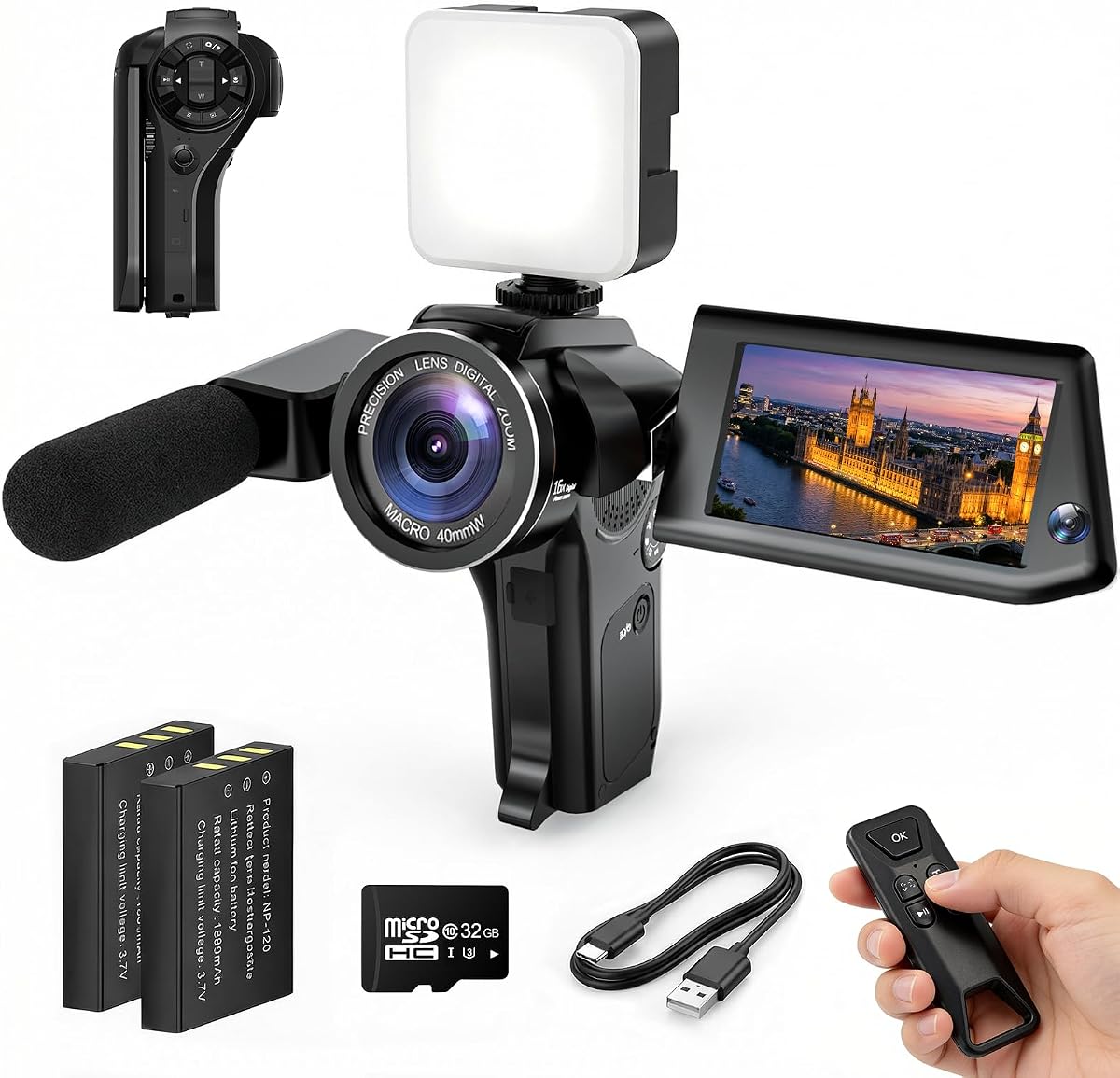
This 4K Vlogging Camera offers an excellent starting point for beginners. It captures sharp 4K video and 75MP photos while remaining compact enough for daily travel and pocket storage.
We may earn a commission when you buy through this link, at no additional cost to you.
The unique 330-degree rotating lens allows you to frame yourself easily without external monitors. Built-in WiFi enables quick transfer to smartphones for editing and sharing on social platforms.
While the build is basic compared to premium models, it includes a tripod and memory card so you can start immediately. The price makes it accessible for those testing the waters of content creation.
Ideal for travelers or casual creators needing reliable recording without complex settings. If you need a simple tool for daily logs or travel footage, this kit provides excellent value.
The rotating lens lets you see your subject and frame shots easily, reducing the need for external screens or assistants during filming.
Accessories like a tripod and memory card are included, removing immediate setup costs and getting you recording right out of the box.
We may earn a commission when you buy through this link, at no additional cost to you.
This camera introduces a unique picture-in-picture mode that records both the subject and the creator simultaneously. This innovative feature enhances storytelling by including reactions directly in the frame.
We may earn a commission when you buy through this link, at no additional cost to you.
Perfect for tutorials, reviews, and family videos, it lets viewers see the moment and the emotion behind it. The 8K capability ensures high-quality output for future-proofing your content.
While the feature is new and may require some setup, it offers a distinct advantage over standard cameras. The inclusion of a flip screen further aids in self-framing for vlogs.
Buy this if you prioritize engagement and unique visuals. It stands out for reaction videos or tutorials where seeing the creator adds value to the narrative.
Recording both scene and reaction keeps viewers emotionally connected, increasing watch time and engagement on platforms like YouTube.
Support for 8K resolution ensures your footage remains sharp even when cropped or downscaled for various social media formats.
We may earn a commission when you buy through this link, at no additional cost to you.
This FlyFrost model is packed with features like 8K video recording and 88MP photo capture. It also includes night vision, a stabilizer, and a microphone to cover diverse filming needs.
We may earn a commission when you buy through this link, at no additional cost to you.
Its webcam mode makes it versatile for streaming or video calls, while the IR vision allows filming in dim environments. The included accessories reduce the need for extra purchases.
However, the feature set adds complexity and weight. Navigation through menus may take time, and it lacks the sleek portability of smaller vlogging cams.
Choose this if you need high resolution and versatility for varied scenes. It suits creators requiring night vision or webcam functionality alongside standard video recording.
Built-in IR technology allows you to record clear black and white footage in low light without external lighting.
Connect via USB to function as a webcam for high-quality streaming or meetings, adding value beyond standard camera use.
We may earn a commission when you buy through this link, at no additional cost to you.
This compact camera emphasizes high-resolution photography with 96MP stills and 8K video. The flip screen and 20X zoom make framing and detailed shots accessible for beginners.
We may earn a commission when you buy through this link, at no additional cost to you.
Built-in WiFi and the Viipulse app allow instant sharing to social media. HDR imaging helps capture details in high-contrast lighting scenarios without overexposure.
While video features are solid, the focus on photo resolution stands out. The included batteries ensure long recording sessions without interruptions or extra purchases.
Ideal for creators balancing photos and videos. If you want a versatile point-and-shoot for travel and daily updates, this camera delivers quality results.
Physical rocker controls allow smooth transitions during recording, helping maintain stability while zooming in or out.
High Dynamic Range processing balances light and shadow, ensuring detail is preserved in both bright highlights and dark areas.
We may earn a commission when you buy through this link, at no additional cost to you.
This mini camcorder fits in your pocket and starts recording with one button. It is designed for effortless daily capture without complex setups or apps.
We may earn a commission when you buy through this link, at no additional cost to you.
With up to seven hours of battery life, it supports long recording sessions. The rotating lens enables selfie shots and POV perspectives easily.
While resolution is basic, it prioritizes convenience and portability. The included 32GB card means you can start using it immediately upon arrival.
Best for travelers who want to record memories without carrying heavy gear. If simplicity and portability are your top priorities, this is a solid choice.
No apps or codes are needed. You turn the camera on and press record, simplifying the workflow for quick captures.
A single charge lasts up to seven hours, ensuring you capture all-day events without needing to stop for charging.
We may earn a commission when you buy through this link, at no additional cost to you.
Another strong budget option, this camera offers 4K video and a 330-degree rotating lens. It simplifies the process of creating content for YouTube or TikTok.
We may earn a commission when you buy through this link, at no additional cost to you.
The wide-angle lens and autofocus help keep shots sharp. WiFi transfer makes it easy to get footage onto your phone for editing.
As a budget model, it lacks premium build quality but delivers solid performance for daily use. The included accessories ensure you have everything to start.
Recommended for beginners on a budget. If you need a simple tool that works straight out of the box, this camera fits well.
A wider field of view helps capture more context, which is helpful for travel shots or recording groups.
Built-in WiFi enables fast file transfers to mobile devices, speeding up the workflow for daily social media posts.
We may earn a commission when you buy through this link, at no additional cost to you.
This kit transforms your smartphone into a vlogging station by adding professional accessories. It includes wireless microphones, a fill light, and stable tripods for better content.
We may earn a commission when you buy through this link, at no additional cost to you.
The RGB light offers color control for mood and skin tone. The wireless mic ensures audio is clear even when moving away from the camera.
If you already have a good phone, this is a cost-effective upgrade. It avoids buying a new camera while improving quality significantly.
Best for mobile creators needing better audio and lighting. If you want to elevate your existing smartphone setup, this kit provides essential tools.
Wireless mics let you move freely while recording without worrying about cables or distance from the microphone.
Adjustable RGB lighting adds creative color options and ensures you have enough light for clear video in darker rooms.
We may earn a commission when you buy through this link, at no additional cost to you.
This kit features an auto face-tracking tripod that keeps your face in frame as you move. Gesture control lets you start or pause tracking without touching the device.
We may earn a commission when you buy through this link, at no additional cost to you.
It includes dual wireless mics and LED lights to ensure audio and lighting quality. The 70-inch height allows for versatile framing angles.
While tracking can occasionally lag, it simplifies solo recording. The included gear makes it a complete package for social media videos.
Ideal for solo creators needing hands-free movement. If you want to avoid manual framing and rely on automated tracking, this kit is useful.
Using gestures like a hand wave allows you to control the camera without stopping, maintaining natural flow during recording.
The system detects your face and follows it, reducing the need to reposition the camera frequently during shots.
We may earn a commission when you buy through this link, at no additional cost to you.
This webcam is ideal for streaming and recorded video content on a desktop. Its 1080p resolution and RightLight technology ensure clear images in varying lighting.
We may earn a commission when you buy through this link, at no additional cost to you.
The built-in microphone simplifies setup. A privacy cover adds peace of mind when the camera is not in use.
While it lacks portability compared to camcorders, it is reliable for indoor sessions. USB connection ensures stable power and video transfer.
Best for streamers or creators working from a desk. If you need a dependable webcam for live streams or tutorials, this is a solid pick.
This feature adjusts brightness automatically to reduce shadows and improve facial clarity in dim environments.
The physical slide cover lets you shut off the lens completely when not recording, ensuring your privacy.
We may earn a commission when you buy through this link, at no additional cost to you.
Choosing the right camera involves balancing technical needs with practical usage. Consider the following factors to find the best match for your content goals.
Higher resolution like 4K or 8K provides sharper footage that can be cropped or downscaled for platforms like TikTok and Instagram. If you plan to edit heavily, higher resolution ensures you retain quality during the process.
Stabilization prevents shaky footage, which is crucial for handheld vlogging. Optical or mechanical stabilization offers better results than digital options and keeps your video looking professional.
A compact camera fits easily into a bag or pocket, allowing you to record spontaneously. Consider how often you travel or move locations when deciding on the size and weight of your device.
Clear audio is vital for viewer engagement. Look for cameras that support external microphones or include high-quality built-in mics to ensure your voice is heard clearly.
WiFi and Bluetooth allow quick transfer of files to your phone for editing. This speeds up your workflow when posting to social media platforms regularly.
Long battery life reduces interruptions during recording. If you plan to film for hours, ensure the camera supports long sessions or offers easy battery swapping options.
A flip screen allows you to see yourself while recording, which is essential for vlogs and tutorials. Ensure the screen rotates smoothly to frame shots correctly.
Some kits come with tripods, memory cards, or lights. Checking what is included helps avoid extra costs and ensures you have the necessary tools immediately.
To start using your camera, charge the battery fully and insert a memory card. Turn the device on and adjust settings like resolution and stabilization in the menu.
For vlogging, frame yourself using the flip screen or rotating lens. Keep a steady hand or use a tripod for stable shots. Record in well-lit areas to ensure clear video.
Maintain your camera by cleaning the lens with a soft cloth. Store it in a cool, dry place to prevent damage. Regularly update firmware to keep performance optimal.
Smartphones are often sufficient, but dedicated cameras with vertical screen support like the DJI Osmo Pocket 3 offer better control and image quality for high-demand content.
While platforms compress video, 4K allows for better cropping and detail. If you aim for professional results, 4K is recommended over lower resolutions.
Use cameras with built-in electronic stabilization or purchase a small tripod. Moving slowly and steadily also helps reduce shake in handheld recording.
Yes, webcams like the Logitech Brio are great for stationary content. However, they lack portability and manual control compared to dedicated video cameras.
A reliable tripod, external microphone, and extra batteries are crucial. Good lighting also improves video quality significantly regardless of the camera used.
Most platforms support up to 4K. 8K offers future proofing and editing flexibility, but it requires more storage and processing power to handle effectively.
Use cameras with built-in WiFi apps like Viipulse or iSmart DV2. These allow wireless transfer so you can edit and share immediately after recording.
Compact 4K cameras with simple interfaces are ideal. Look for models with automatic settings and included accessories to reduce the learning curve.
The DJI Osmo Pocket 3 offers premium quality for serious creators, while budget options like the 4K Vlogging Camera provide great value for beginners.
Prioritize factors like stabilization and ease of use based on your content style. Choosing a camera that simplifies your workflow ensures you create more consistently.
Remember that current prices and stock levels change regularly. Always check the latest listings before purchasing to secure the best deal available for your chosen device.