
WALI Computer Monitor Stand for Desk
4.7Editor score
Supports up to 44 lbs
Large metal shelf space
Ventilated platform design
This guide compares the top laptop risers for ergonomic support and cooling to help you choose the best stand for your workspace needs in 2026.
A laptop riser elevates your screen to eye level, reducing neck strain and improving posture during long work sessions. Choosing the right one depends on stability, adjustability, and material quality to ensure it supports your device securely while promoting better airflow for cooling.
We evaluated ten top-rated laptop stands based on ergonomic design, build quality, portability, and user feedback. Each model was assessed for compatibility with various laptop sizes, ease of adjustment, and ability to maintain stability during typing or multitasking across different environments.
Each pick highlights specific strengths like foldability, rotation features, or heavy-duty support to match diverse workflows. While prices may fluctuate over time, these selections represent the most reliable options available for enhancing your desk setup and maintaining comfort throughout the day.
4.7Editor score

4.8Editor score
4.7Editor score
The following table provides a side-by-side comparison of all ten selected laptop risers, highlighting key specifications such as compatibility range, weight capacity, and unique features to help you make an informed decision.






The BESIGN LS03 Aluminum Laptop Stand stands out as a top choice for users seeking a balance of stability and ergonomics. With a high rating of 4.8 stars, it is praised for its ability to elevate laptops by six inches, bringing screens to a comfortable viewing level that reduces neck strain during long work sessions.
We may earn a commission when you buy through this link, at no additional cost to you.
Constructed from premium aluminum alloy, this stand offers a sturdy base that supports up to 8.8 pounds without wobbling. The rubber pads on the holder arms ensure your laptop stays secure and scratch-free. Its open design promotes airflow, keeping devices cool during intensive tasks like video editing or gaming.
While it lacks adjustable tilt angles, the fixed ergonomic height is sufficient for most users. The detachable design makes it easy to assemble in three steps, ideal for those who frequently pack up for remote work or travel. This simplicity enhances its appeal for home offices.
Buyers looking for a reliable, no-fuss solution will find this stand an excellent investment. It suits professionals and students alike who need to improve posture without compromising desk space. Its durable build and effective ventilation make it a lasting addition to any setup.
By raising your screen to eye level, this stand helps maintain a neutral spine position, reducing the risk of chronic neck and shoulder pain associated with hunching over a laptop.
The aluminum material and open structure allow heat to escape efficiently, preventing thermal throttling and ensuring your laptop performs optimally even during heavy use.
We may earn a commission when you buy through this link, at no additional cost to you.
The Lamicall Aluminum Laptop Stand offers versatile adjustment for Mac and PC users alike. Rated 4.7 stars, it accommodates laptops from 10 to 17.3 inches, making it ideal for larger screens. Its adjustable design lets you fine-tune height and angle to suit specific ergonomic needs.
We may earn a commission when you buy through this link, at no additional cost to you.
The upgraded large base adds significant stability, ensuring the stand remains steady even when typing vigorously. Ventilation holes enhance airflow, keeping devices cool. The foldable feature supports portability, allowing easy storage in bags for commuters or remote workers.
While it is slightly heavier due to the robust base, this trade-off ensures reliability on crowded desks. The aluminum build matches sleek laptop aesthetics while providing durability. It is a practical choice for those needing adaptability across different work environments.
This stand is recommended for professionals who value customization and build quality. Its compatibility with a broad range of devices makes it a universal solution for mixed-device households. The ergonomic benefits justify its cost for daily users.
Adjusting both height and angle allows you to match the screen to your specific seating position, reducing eye strain and improving overall comfort during extended sessions.
The foldable design means you can take this ergonomic support wherever you go, ensuring consistent comfort whether in a hotel room, coworking space, or home office.
We may earn a commission when you buy through this link, at no additional cost to you.
The LOXP Adjustable Laptop Stand stands out with its 360-degree rotating base, perfect for collaborative work. Rated 4.6 stars, it allows effortless screen sharing without moving the entire laptop. The one-piece fiber metal material provides robust stability for devices up to 16 inches.
We may earn a commission when you buy through this link, at no additional cost to you.
Adjustable height and angle settings help maintain proper posture, reducing body strain. The foldable design enhances portability, making it suitable for travel. Non-slip silicone pads ensure laptops remain secure and scratch-free during rotation.
Some users report the rotating mechanism may loosen with heavy use, requiring occasional tightening. However, the material durability compensates for this minor issue. It offers a unique functionality not found in standard stands.
This stand is ideal for teams or students who frequently present or collaborate. Its flexible design supports dynamic workstyles. The rotation feature adds value for those needing quick screen adjustments in meetings.
Rotating the screen allows others to view content without disturbing your workflow, streamlining communication during meetings or study groups.
The one-piece metal design minimizes weak points, offering a sturdy platform that resists wobbling even when rotating the laptop for others to view.
We may earn a commission when you buy through this link, at no additional cost to you.
The Nulaxy Ergonomic Adjustable Laptop Stand is designed for heavy-duty use, supporting up to 22 pounds. Rated 4.7 stars, it features a dual-rod stability system that eliminates wobble even with powerful gaming laptops. Its geometric heat-vent design maximizes airflow to prevent overheating.
We may earn a commission when you buy through this link, at no additional cost to you.
The dual-foldable design allows it to collapse flat for easy storage, balancing portability with strength. It fits 10-16 inch laptops, making it versatile for various devices. Anti-slip silicone pads protect devices from scratches while ensuring secure placement.
Although heavier, the stand's durability makes it worth the trade-off for users with substantial hardware. It is suitable for professionals and gamers needing reliable support. The ergonomic height adjustment aids posture during long sessions.
This model is best for those prioritizing stability and thermal management. It is an investment for users with high-performance machines. Its design ensures consistent cooling and comfort across different laptop sizes.
The dual-rod structure distributes weight effectively, allowing the stand to hold robust devices without bending or shaking, which is crucial for gaming laptops.
The unique vent panel design ensures continuous airflow to critical heat-generating components, maintaining optimal performance during intensive tasks like rendering or coding.
We may earn a commission when you buy through this link, at no additional cost to you.
The Amazon Basics Sturdy Laptop Stand offers excellent value with up to 7 inches of height adjustment. Rated 4.6 stars, it suits laptops from 10 to 15.6 inches. Its lightweight aluminum construction makes it easy to carry, while the open hollow design promotes effective ventilation.
We may earn a commission when you buy through this link, at no additional cost to you.
Non-slip silicone pads securely hold devices, preventing scratches. It folds flat for storage, fitting easily into bags. The ergonomic height options help improve posture without breaking the budget, making it accessible for students and remote workers.
While plastic components are used in some areas, the stand remains functional for daily use. It may not support the heaviest laptops but is sufficient for standard models. Its simplicity and low cost make it a popular choice.
This stand is recommended for budget-conscious buyers seeking basic ergonomic benefits. It is perfect for those who need a reliable option without advanced features. The balance of price and performance is hard to beat.
Despite its lower price, it delivers essential height adjustment and stability, providing significant comfort improvements at a fraction of the cost of premium models.
The open hollow structure ensures air circulates around the laptop, preventing heat buildup and keeping the device cool during typical usage scenarios.
We may earn a commission when you buy through this link, at no additional cost to you.
The WALI Computer Monitor Stand is an exceptionally versatile budget option supporting up to 44 lbs. Rated 4.7 stars, it provides a large metal shelf ideal for laptops or monitors. Multiple height options allow ergonomic customization to reduce neck and back strain.
We may earn a commission when you buy through this link, at no additional cost to you.
Vented holes ensure devices stay cool, while the open space underneath stores keyboards and accessories, reducing clutter. Its sturdy design accommodates various devices, making it suitable for dual-monitor setups or heavier workstations.
The large footprint may not fit smaller desks, but its utility justifies the space. It is an excellent choice for those needing multifunctional support. The affordability makes it accessible for many users.
This stand is recommended for home offices requiring robust storage. Its capacity for heavier devices adds flexibility. The storage space enhances desk organization significantly.
With support up to 44 lbs, it handles not just laptops but also larger monitors or printers, offering versatility that few dedicated laptop stands provide.
The open space beneath the shelf allows you to store peripherals, freeing up valuable desk surface and keeping your workspace tidy and efficient.
We may earn a commission when you buy through this link, at no additional cost to you.
This Lamicall model is ideal for dual-screen setups, ensuring both monitors align at the same height. Rated 4.7 stars, it supports laptops up to 17.3 inches. The 360-degree rotation simplifies presentations by allowing screen sharing without moving the laptop.
We may earn a commission when you buy through this link, at no additional cost to you.
Its large aluminum base provides stability during typing. The heavy build ensures it remains steady even with multiple devices. Foldability allows for easy storage when not in use, balancing function and portability.
Alignment may require initial adjustment, but once set, it offers consistent comfort. The premium features justify the higher cost for power users. It enhances collaborative work and productivity significantly.
This stand suits professionals who need a unified workspace. Its dual-screen capability is unique among similar products. The rotation feature adds value for team meetings.
By aligning a laptop with an external monitor, you create a seamless dual-screen environment, reducing eye movement and increasing workflow efficiency.
Rotating the laptop effortlessly allows colleagues or clients to view the screen directly, facilitating smoother communication during presentations or discussions.
We may earn a commission when you buy through this link, at no additional cost to you.
This portable stand weighs only 0.49 pounds, making it ideal for frequent travelers. Rated 4.5 stars, it offers six height levels for ergonomic customization. The triangle support design ensures stability while maintaining minimal weight.
We may earn a commission when you buy through this link, at no additional cost to you.
It folds into a compact size, fitting easily into small bags. Non-slip pads protect devices and prevent sliding. While less heavy-duty, it provides sufficient support for standard office use and casual work.
Typing heavily may cause slight vibration, but it suffices for general tasks. The portability makes it a top pick for digital nomads. It balances convenience and functionality well.
This stand is best for those prioritizing travel. Its lightweight design ensures you can take ergonomic support anywhere. The price reflects its simplicity and utility.
Weighing less than half a pound, it adds virtually no bulk to your bag, making it easy to carry along for work on the go without burdening your pack.
Six height levels allow precise adjustments to find the sweet spot for your eyes and neck, ensuring comfort regardless of the seating environment.
We may earn a commission when you buy through this link, at no additional cost to you.
This metal laptop stand balances durability and portability. Rated 4.6 stars, it supports up to 17.6 pounds with rubber hooks and silicone pads. Its ventilation holes provide necessary airflow to prevent overheating during use.
We may earn a commission when you buy through this link, at no additional cost to you.
Foldable design makes it easy to slip into backpacks. The metal build ensures longevity, resisting wear better than plastic alternatives. It suits users seeking a reliable, straightforward option for daily tasks.
While it lacks tilt adjustments, the ergonomic height is effective for standard setups. The rubber components add stability without scratches. It is a practical choice for those valuing durability over flexibility.
This stand is recommended for office workers and students. Its metal construction ensures it withstands daily use. The simplicity and cost-effectiveness make it a great basic tool.
Metal construction offers resistance to wear and tear, ensuring the stand remains sturdy and functional over years of daily use without bending or warping.
Strategically placed holes promote continuous airflow, keeping the laptop surface cool and preventing heat buildup that could lead to reduced performance.
We may earn a commission when you buy through this link, at no additional cost to you.
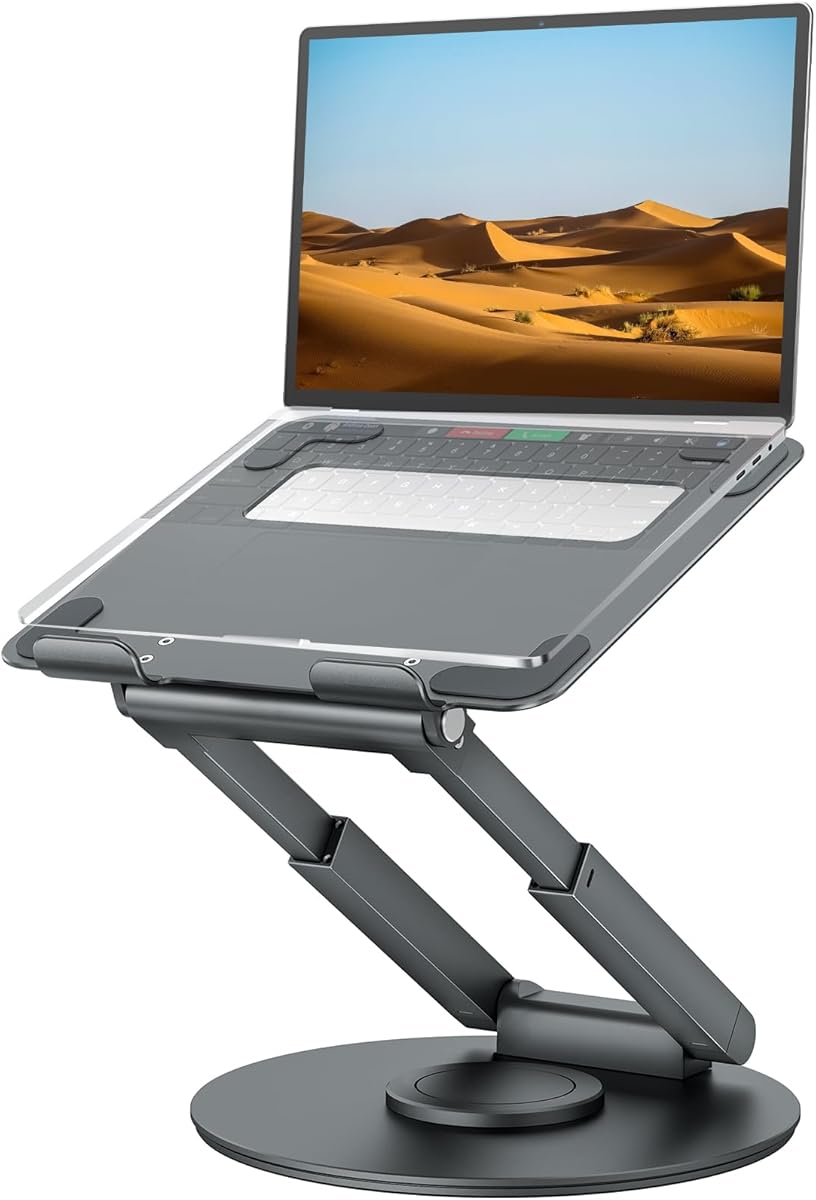
The tounee Telescopic Laptop Stand offers premium sit-to-stand functionality for active work. Rated 4.7 stars, it adjusts height from 2.1 to 21 inches with a telescoping button. The 360-degree swivel base enables smooth screen sharing during chats.
We may earn a commission when you buy through this link, at no additional cost to you.
A large aluminum base with two pivot joints ensures stability, supporting up to 22 pounds. It folds compactly to save space. This feature-rich design promotes healthy posture by allowing easy switching between sitting and standing.
The higher price reflects its advanced mechanics and durability. Assembly may be more involved, but the ergonomic benefits justify it. It is designed for professionals seeking maximum workspace adaptability.
This stand is best for those prioritizing health and mobility. Its telescoping design encourages movement throughout the day. The swivel feature adds a collaborative edge to professional setups.
By enabling easy transitions between sitting and standing, it helps break up long periods of inactivity, reducing muscle tension and promoting better overall health.
The telescoping mechanism provides precise control over height, ensuring your screen is at the perfect level whether seated or standing without compromising stability.
We may earn a commission when you buy through this link, at no additional cost to you.
Selecting the right laptop riser involves considering factors like compatibility, material, adjustability, and portability to ensure it meets your ergonomic and practical needs.
Ensure the riser supports your laptop's size and weight. Check the maximum width and thickness to avoid instability. Most stands fit 10 to 17.3-inch laptops, but heavy devices may require reinforced support.
Choose a model that explicitly lists your device size to guarantee a secure fit and prevent potential damage.
Aluminum stands offer excellent heat dissipation and durability. Steel models provide added strength for heavier laptops. Plastic options are lightweight but may lack stability or longevity for daily intensive use.
Prioritize metal constructions for better cooling and a premium feel that matches most laptop aesthetics.
Look for height and angle adjustments to customize your viewing experience. Fixed stands are simpler but less adaptable. Adjustable models reduce neck strain by letting you align the screen with your eyes.
Opt for stands with multiple settings to accommodate different seating positions throughout the day.
Foldable designs are ideal for travelers who move frequently. Weight matters if you carry your stand daily. Compact options fit easily into bags without adding bulk to your equipment.
Select a foldable model if you work remotely or often move between locations.
A wide base prevents wobbling during typing. Rubber or silicone pads enhance grip on desks. Stable stands ensure your device remains secure, especially when typing vigorously or multitasking.
Check reviews for stability feedback to ensure the stand won't tip over under load.
Open designs or vents help cool laptops during intensive tasks. Heat buildup can lead to thermal throttling. Proper airflow maintains performance and extends your device's lifespan.
Choose stands with open structures or specific vents for better thermal management.
The primary goal is improving posture. Risers that elevate screens to eye level reduce strain. Consider how much height adjustment you need based on your chair and desk setup.
Invest in a riser that aligns with your natural posture to prevent long-term physical issues.
Prices range from affordable basic models to premium feature-rich stands. Determine which features are essential for your needs. Higher costs often reflect better materials and additional functions like rotation.
Balance cost with features to find a riser that offers value without unnecessary extras.
Place the riser on a flat, stable surface to prevent tipping. Ensure the surface is dry and clean to avoid slipping. Align the laptop properly so its weight is distributed evenly across the support points.
Clean the stand regularly with a soft cloth to remove dust. Avoid harsh chemicals that might damage the coating. Check screws or joints periodically to ensure they remain tight and functional.
Adjust the height based on your sitting position. Your screen should be at or slightly below eye level. If moving frequently, secure the laptop before transporting to prevent accidental falls.
Yes, elevating the screen to eye level reduces the need to hunch forward, which alleviates strain on the neck and shoulders. Consistent use promotes better posture during long work sessions.
Many models support heavier gaming laptops if they have high weight capacity. Look for sturdy metal construction and robust stability mechanisms to handle the extra weight safely.
Most risers are compatible with MacBooks as long as they fall within the supported size range. Check the manufacturer's specifications to ensure a secure fit for your specific model.
Use a soft, dry cloth to wipe down the surface. Avoid abrasive materials or chemicals. For aluminum stands, a slightly damp cloth works well to remove dust without leaving streaks.
Fixed stands are simpler and more compact but lack versatility. Adjustable stands offer better ergonomic customization for different users or seating positions, which may be worth the extra complexity.
Yes, open designs allow better airflow around the device. This prevents heat buildup and can extend the lifespan of your laptop by maintaining optimal operating temperatures.
Yes, most stands are designed to allow typing on the keyboard. Ensure the stand is stable to prevent wobbling while you type to maintain a smooth experience.
Do not exceed the weight limit as it may cause damage or instability. Look for stands with a higher load capacity or reinforced construction to safely support your specific device.
The BESIGN LS03, WALI Computer Monitor Stand, and tounee Telescopic Laptop Stand lead our list for their balance of features, build quality, and ergonomic benefits. These models suit various needs from budget-conscious users to professionals requiring advanced adjustments.
Prioritize stability and height adjustability to ensure consistent comfort. Choose a material that matches your durability needs and fits your workflow whether at home or on the go.
Prices and availability may change over time so check current listings before purchasing. Investing in a quality riser can significantly improve your daily work environment and long-term health.