
UJ8C2 UJ8E2 UJ8G2
5.0Editor score
9.5mm Slim Height
Plug and Play
Wide System Support
This guide compares the top internal DVD drives for laptops to help you choose the best optical drive for data backup and media playback.
Finding a reliable internal DVD drive for laptop upgrades is essential for preserving access to physical media and ensuring data security. Modern laptops often omit optical bays, leaving users without a way to read discs or burn important files efficiently.
We evaluated ten top-rated internal drives based on compatibility, write speeds, noise levels, and build quality. Our analysis focuses on SATA interfaces and slim form factors that fit standard laptop bays without requiring external adapters.
Each pick highlights specific strengths like M-DISC support or silent play technology. Please note that availability and pricing fluctuate frequently, so verify current stock before purchasing your replacement drive.
5.0Editor score

4.4Editor score

5.0Editor score
The following table provides a side-by-side comparison of all ten internal drives, highlighting key specifications like thickness, interface type, and supported disc formats to streamline your decision-making process.

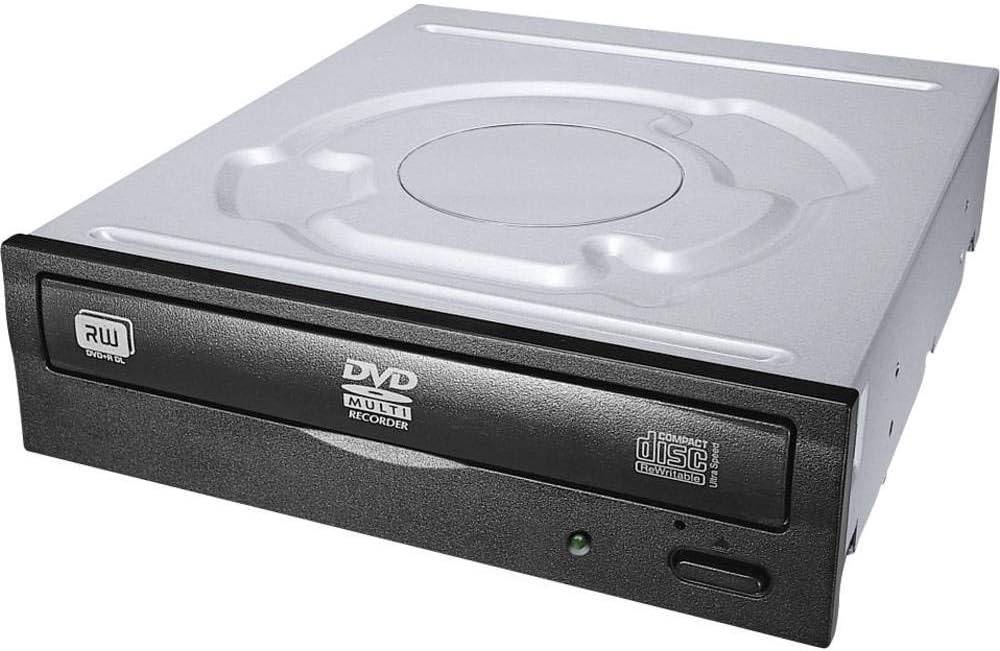


The Hitachi-LG GTC2N stands out as a top choice for users needing a reliable internal optical drive. With its M-DISC support and Silent Play technology, it balances performance with a quiet operation experience.
We may earn a commission when you buy through this link, at no additional cost to you.
Its Super Multi-Compatibility ensures you can read and write various disc formats including DVD+R, RW, and DVD-RAM. The 8x writing speed allows for efficient burning of large data sets without prolonged waiting periods.
While the 12.7mm thickness might be thicker than slim models, it fits many legacy laptop bays securely. The drive is designed to handle different media types adjusting playback speed automatically to minimize noise.
If you need a sturdy drive that supports long-term archival storage and handles diverse disc formats, this model is an excellent investment for your laptop setup.
The M-DISC technology uses a rock-like surface for data, ensuring files remain readable for decades even under harsh conditions.
Silent Play technology adjusts spin speed based on the media type, significantly reducing distracting noise during video playback.
We may earn a commission when you buy through this link, at no additional cost to you.
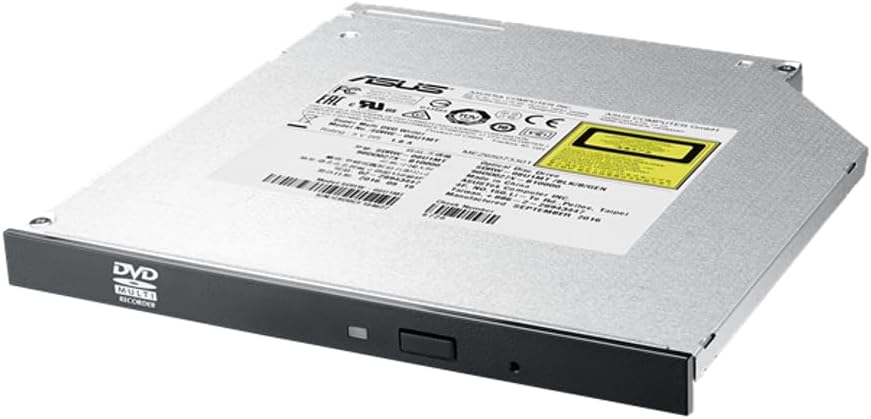
The ASUS SDRW-08U1MT is engineered for users who need a slim optical drive without compromising on features. Its 9.5mm form factor fits modern thin laptops while offering advanced data backup capabilities.
We may earn a commission when you buy through this link, at no additional cost to you.
With M-DISC support, you can ensure your precious photos and videos remain safe for up to 1,000 years. The E-Green technology helps conserve power by auto-closing the drive application when not in use.
This drive is designed to provide a quiet usage environment making it ideal for home office setups where noise can be distracting. The 8x DVD writing speed ensures efficient data transfer for daily tasks.
If you prioritize a compact design and long-term data security in a single internal package, this ASUS model is a premium solution worth considering for your system upgrade.
E-Green technology automatically closes the drive application when idle, saving over 50% in power consumption for users.
The 9.5mm ultra-slim form factor ensures compatibility with thinner laptops that cannot accommodate standard 12.7mm drives.
We may earn a commission when you buy through this link, at no additional cost to you.
The HP 16X DVD-ROM Drive is a high-performance option designed for users who prioritize read speeds over write capabilities. As an OEM part, it offers a perfect fit for HP laptops requiring a direct replacement.
We may earn a commission when you buy through this link, at no additional cost to you.
With a 16X read speed, this drive ensures that software installations and media playback are fast and responsive. The Serial ATA interface provides a stable connection and data transfer rates.
While it does not support writing to discs, its focus on read performance makes it ideal for users who primarily need to access existing media. The professional-grade build quality ensures consistent operation.
If your primary use case involves reading large amounts of data or installing software from discs, this high-speed HP drive is a reliable and efficient choice for your system.
The 16X DVD-ROM reading speed allows for quick access to large files and rapid software installation from physical media.
As a genuine HP part, this drive ensures maximum compatibility and reliability when replacing a broken optical bay unit.
We may earn a commission when you buy through this link, at no additional cost to you.
This HP DVD±RW Dual Layer drive is a strong contender for users needing a balance of capacity and cost. Built on the Samsung SH-216 platform, it is known for robust performance in internal laptop applications.
We may earn a commission when you buy through this link, at no additional cost to you.
The dual layer support allows you to burn significantly more data onto a single DVD compared to standard single layer discs. This is particularly useful for backing up large photo libraries or video projects.
It maintains a SATA interface which is standard for most modern laptops ensuring easy integration into your system. The drive is designed to handle frequent read and write operations without issues.
For those looking for a dependable dual layer burner that fits standard bays and offers solid performance, this HP option provides excellent value for your storage needs.
Dual layer support lets you burn up to 8.5 GB of data on a single disc, doubling the storage of standard DVDs.
Built on the reliable Samsung SH-216 platform, this drive is a workhorse for general optical disc operations.
We may earn a commission when you buy through this link, at no additional cost to you.
The Lite-On 24X SATA drive is particularly notable for its fast CD writing capabilities. It serves as a reliable internal optical solution for users who still rely on compact discs for audio or data storage.
We may earn a commission when you buy through this link, at no additional cost to you.
Its SATA interface ensures a stable connection and data transfer rates that are well-suited for internal laptop bays. The drive supports both reading and writing of DVD and CD formats making it versatile.
Lite-On is a well-respected brand in the optical storage industry known for producing durable and efficient drives. This specific model is designed to fit into standard laptop optical bays with standard mounting points.
If you need a dependable drive that handles CD burning quickly and maintains compatibility with older media formats, this Lite-On model is a solid choice for your laptop restoration.
With a 24X CD write speed, this drive excels at burning audio CDs and data discs quickly and efficiently.
The SATA interface provides a modern and stable connection method ensuring reliable data transfer within the laptop chassis.
We may earn a commission when you buy through this link, at no additional cost to you.
This LG DVD Rewriter is distinguished by its Silent Play technology which reduces noise during movie playback. It is an excellent choice for users who value a quiet computing environment while working or watching media.
We may earn a commission when you buy through this link, at no additional cost to you.
The drive supports M-DISC for long-term archival storage and offers a buffer under-run prevention function to ensure reliable data burning. It features an electrical release tray which simplifies disc ejection.
With a perfect rating from many users, this drive demonstrates consistent reliability and ease of use. The power saving mode helps manage energy consumption when the drive is idle.
If noise is a major concern for you and you need a versatile burner with archival support, this LG drive offers a balanced combination of features and performance.
Silent Play technology significantly reduces disc spin noise making it ideal for quiet home office environments.
Buffer Under-Run Prevention ensures that your burning process completes successfully even if data flow is interrupted.
We may earn a commission when you buy through this link, at no additional cost to you.
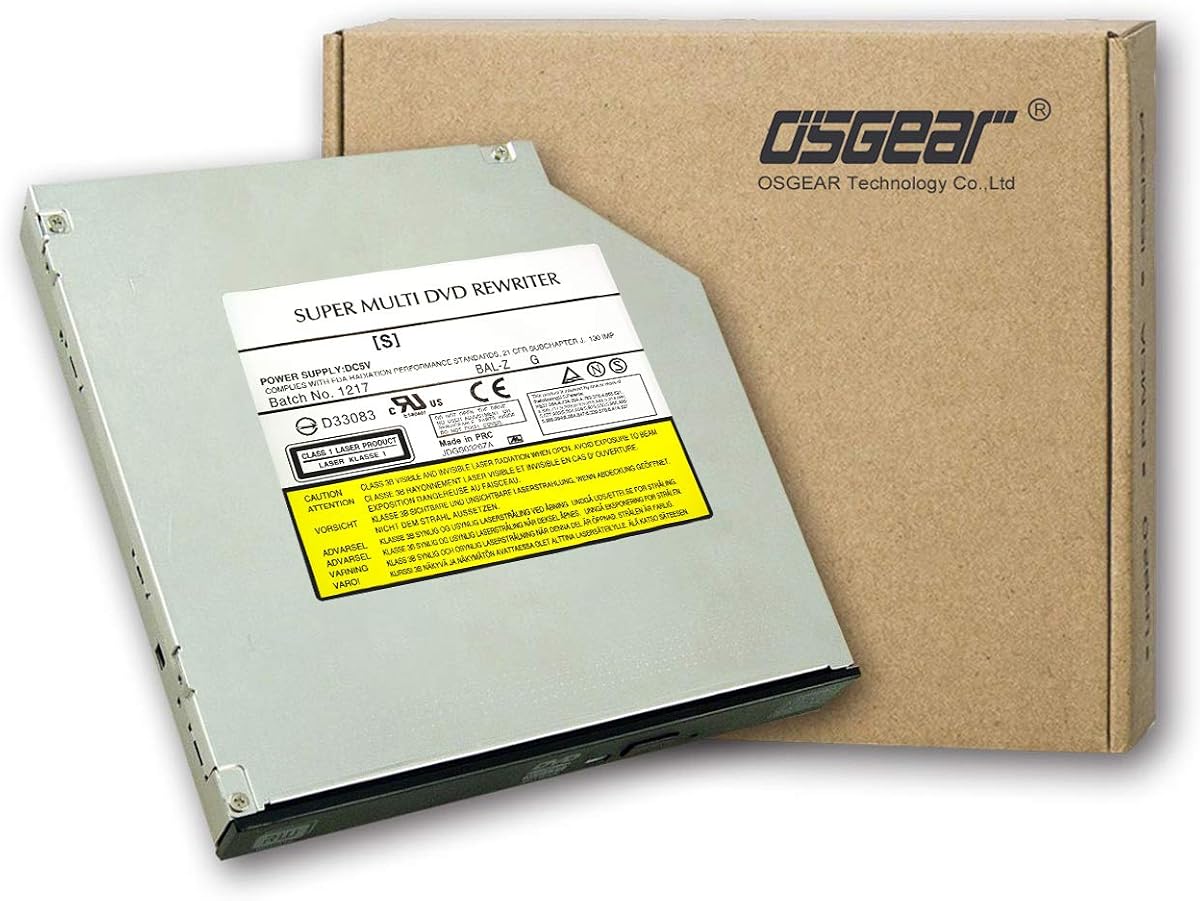
The OSGEAR Internal 9.5mm drive is a practical solution for users looking for an affordable replacement optical drive. It supports a wide range of operating systems including Windows 98 to 10 and Mac OS.
We may earn a commission when you buy through this link, at no additional cost to you.
Its 9.5mm thickness is specifically designed for modern laptops that have slim optical bays. The tray loading style ensures that discs are loaded manually which can be more precise than slot-in mechanisms.
While it may not have premium features like M-DISC, it performs standard reading and writing tasks efficiently. The 24X CD read and 8X DVD write speeds are adequate for most general users.
If you are on a tight budget and need a functional drive to read discs or burn occasional backups, this OSGEAR model offers a cost-effective solution for your laptop.
Supports a wide range of operating systems from legacy Windows versions to modern Mac OS and Linux.
The 9.5mm form factor ensures it fits into the slim optical bays found in many modern laptops.
We may earn a commission when you buy through this link, at no additional cost to you.
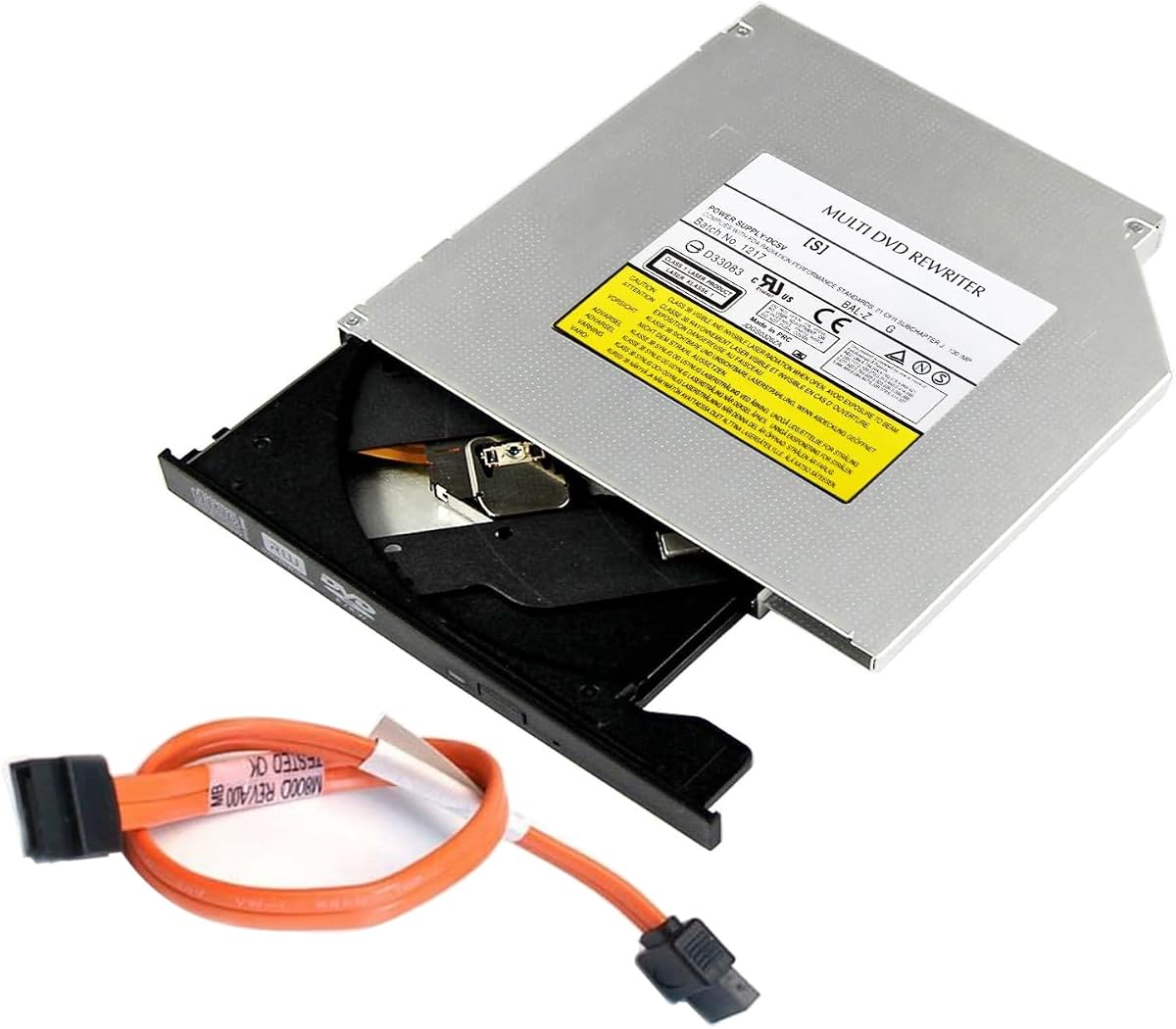
This UJ8C2 drive bundle stands out by including a data cable and offering plug-and-play functionality without needing extra drivers. It is designed to fit 9.5mm SATA bays in major laptop brands.
We may earn a commission when you buy through this link, at no additional cost to you.
The slot-in loading design allows for a sleek and convenient user experience as it does not require opening a manual tray. It supports a vast array of disc formats including DVD-R DL and CD-RW.
With over ten years of experience cited by the vendor, you can expect solid tech support and premium quality control. The perfect rating indicates high satisfaction among users who have installed this drive.
If you want a hassle-free installation with all necessary cables included, this bundle is an excellent value for restoring optical functionality to your laptop.
Requires no driver programs to function allowing you to start using the drive immediately after installation.
The package includes the drive and a data cable making the replacement process easier and quicker.
We may earn a commission when you buy through this link, at no additional cost to you.
The TechMagnet Internal 7mm drive is designed for the thinnest laptops where space is at a premium. Its 7mm height allows it to fit into ultrabook optical bays that cannot accommodate thicker drives.
We may earn a commission when you buy through this link, at no additional cost to you.
Despite its slim profile, it still supports M-DISC for long-term storage and offers 8X DVD write speeds. The tray-loading design ensures easy access to discs and smooth operation.
As a renewed product, it offers a cost-effective way to get optical capabilities back into a modern device. It is compatible with popular brands like Dell, Lenovo, and HP.
If your laptop specifically requires a 7mm drive and you need a budget-friendly solution with archival storage support, this TechMagnet model is a great fit.
The 7mm height makes this drive the ideal choice for modern ultrabooks with extremely tight internal dimensions.
Buying a renewed unit allows you to access optical drive functionality at a lower price point.
We may earn a commission when you buy through this link, at no additional cost to you.
This 9.5mm SATA Internal DVD RW drive is a versatile all-rounder that balances features and ease of use. It includes a data cable and supports M-DISC for long-term storage of your important files.
We may earn a commission when you buy through this link, at no additional cost to you.
The Super Multi compatibility means it can read and write a wide variety of disc formats including DVD+R DL and DVD-RAM. The 8X DVD read and write speeds are sufficient for daily data tasks.
Its tray-loading design is straightforward and user-friendly ensuring you can load discs without complications. The drive is a good fit for many laptops using a standard 9.5mm SATA optical bay.
If you need a reliable drive that supports archival media and comes with the necessary cables for installation, this GUD1N model is a practical and well-rounded choice.
Supports DVD+R DL and DVD-RAM allowing you to handle complex data sets and high capacity discs easily.
Includes a data cable in the package making it easier for replacement and connection in compatible devices.
We may earn a commission when you buy through this link, at no additional cost to you.
Selecting the right internal optical drive requires understanding your laptop's physical and technical specifications. Here are the key factors to consider before making a purchase.
The most critical physical specification is the drive thickness. Most laptops use either a 9.5mm or a 12.7mm bay. You must measure your current drive or check your laptop manual to ensure the replacement fits physically.
Always verify the exact height of your laptop's optical bay before ordering to avoid purchasing a drive that is too thick or too thin for the chassis.
Modern internal drives almost exclusively use the SATA interface. Ensure that the drive you select is a SATA model not IDE or PATA as older connectors are rare in current laptops.
A SATA connection ensures that your drive is recognized properly by your system and provides reliable data transfer speeds for both reading and writing.
Speed ratings are important for efficiency. Look for a drive that supports at least 8x DVD writing speed and 24x CD read speed to handle most tasks like without excessive delays.
Higher speeds allow you to burn large files or backup data more quickly making them ideal for frequent users of optical media.
Check the disc formats the drive supports. A Super Multi drive should handle DVD-R, DVD+R, and their RW variants. If you need long-term storage consider models with M-DISC support.
Compatibility with various disc types ensures you can use whatever media you have on hand without worrying about format errors or unreadable discs.
Drives come in two main loading styles: tray and slot-in. Tray loading is generally more user-friendly for delicate discs while slot-in is often found in thinner laptops.
Choose a loading style that matches your preferences and your laptop's existing mounting mechanism to ensure a smooth installation process.
Ensure the drive is compatible with your operating system. Most modern drives work with Windows 10 and later versions without issues but verify support for Linux or Mac OS if needed.
A compatible drive ensures that you can install software drivers easily if required and that the operating system recognizes the hardware automatically.
Optical drives contain moving parts which makes build quality vital for longevity. Look for drives from reputable manufacturers known for durability to ensure a longer service life.
A solid build reduces the risk of mechanical failure and ensures the drive operates quietly and reliably over time.
Some packages include essential accessories like data cables or screws. Verify what is included in the box to avoid purchasing additional parts separately for installation.
Having all necessary components in the package simplifies the upgrade process and saves time and potential additional costs.
To install your new internal drive open your laptop chassis carefully and locate the optical bay. Disconnect the old drive by removing screws and the SATA connector then slide the new drive in and reconnect the cable.
Regularly clean the lens with a specialized optical disc cleaner to maintain read accuracy and prevent errors during playback or burning.
Avoid exposing the laptop to extreme heat or vibration while the drive is spinning to prevent mechanical damage and ensure the longevity of the internal components.
The difference lies in the height of the drive. A 9.5mm drive is thinner and fits modern slim laptops while a 12.7mm drive is thicker and fits older standard laptops. You must match the height of your current bay exactly for a physical fit.
Most modern internal drives are plug and play and do not require manual driver installation. The operating system should recognize the hardware automatically once it is connected to the SATA port.
You can connect an internal SATA drive to an external enclosure but you need a specific SATA to USB adapter. This allows you to use the drive as an external unit if your laptop bay is missing or broken.
M-DISC is a technology that uses a rock-like recording surface to store data. It is designed to last for up to 1000 years and is ideal for archiving important photos and videos compared to standard organic dye discs.
If the laptop does not recognize the drive check that the SATA connector is securely attached and the tray is fully closed. You may also need to check the BIOS settings to ensure the drive is enabled.
Yes one internal drives allow you to install software and games directly from physical discs. You simply insert the disc and follow the installation prompts on your screen to set up the program.
We have reviewed ten top-rated options ranging from slim 9.5mm models to robust 12.7mm drives. Each selection offers unique features like M-DISC support or silent play technology to suit different user needs.
Prioritize the physical dimensions of your laptop bay when making a choice. Ensuring the thickness matches is the most important step before considering speed or brand features.
Remember to check current stock and specifications before purchasing as availability varies by region and model. This guide helps you find the perfect internal drive to restore optical functionality to your machine.