
EKWB EK-Quantum Velocity 3 CPU Water Block
4.6Editor score
Up to 2 degrees thermal improvement
Nickel plated copper coldplate
Compatible with AM5 platforms
Explore our expert guide comparing the top EK waterblocks for Nvidia GPUs and CPUs, analyzing cooling performance, build quality, and compatibility for custom
Custom liquid cooling has become essential for high performance computing setups that demand thermal stability and aesthetic appeal. EK Waterblocks offer premium solutions designed to manage heat efficiently while enhancing the visual presentation of your hardware through clear acrylic tops and synchronized lighting effects.
We evaluated these products based on cooling efficiency, build materials, compatibility with specific GPU models, and integration features like EK-Matrix7 standards. Our analysis considers thermal performance data, user feedback, and technical specifications to ensure each recommendation meets the rigorous demands of modern gaming and workstation environments.
Each selection highlights unique strengths whether you need maximum thermal dissipation or streamlined installation. Keep in mind that pricing fluctuates based on market availability and regional factors. We update this guide regularly to reflect the latest product releases and pricing trends so you can make an informed purchasing decision confidently.
4.6Editor score

4.6Editor score

4.6Editor score
This detailed comparison table highlights the key specifications and features across all ten selected products to help you identify the right component for your specific cooling needs and hardware configuration without confusion.



This water block stands out as the top pick for users seeking maximum thermal efficiency with their high-end GPUs. The expanded split-flow design and optimized fin array work together to dissipate heat effectively even during intensive rendering tasks or extended gaming sessions.
We may earn a commission when you buy through this link, at no additional cost to you.
The nickel-plated copper coldplate ensures rapid heat transfer from the core to the coolant fluid. Additionally the full coverage backplate actively cools critical PCB components which helps maintain stability during overclocking scenarios where standard blocks might struggle.
While it is built specifically for Gigabyte AORUS and Gaming OC models which limits flexibility for some users the performance gains are substantial. The pre-installed thermal pads simplify installation and reduce the risk of errors during the loop building process significantly.
If you own a compatible Gigabyte RTX 5090 this block delivers exceptional cooling and aesthetic value. Its robust construction and advanced features make it a reliable choice for enthusiasts who prioritize thermal performance above all else in their custom loop.
The open split-flow design ensures even coolant distribution across the entire GPU die preventing hotspots that can throttle performance during sustained workloads.
With 13 individually addressable LEDs and compatibility with major motherboard sync technologies the block enhances system visuals without requiring extra controllers or complex wiring setups.
We may earn a commission when you buy through this link, at no additional cost to you.
This CPU block offers outstanding value by delivering measurable thermal improvements over previous generations without the added cost of RGB lighting. The optimized geometry ensures maximum heat transfer efficiency making it ideal for users focused purely on performance.
We may earn a commission when you buy through this link, at no additional cost to you.
Users report up to two degrees Celsius reduction in temperatures compared to the Velocity 2 model. This gain is achieved through refined internal channels that improve flow dynamics while maintaining low hydraulic restriction across the loop.
Although it lacks the visual flair of D-RGB versions the solid build quality and reliable performance make it a smart choice. The Plexi top provides clear coolant visibility and the mounting system ensures consistent contact with the CPU die.
For builders seeking a high-performance CPU solution without extra frills this block is an excellent starting point. It supports modern AMD and Intel sockets ensuring longevity and relevance as you upgrade your system in the future.
The redesigned micro-fin structure increases surface area contact with the coolant allowing for more efficient heat exchange within the compact dimensions of the block.
Compatible with both Intel LGA 1700 and 1851 as well as AMD AM5 platforms this block adapts easily to different builds without requiring new parts.
We may earn a commission when you buy through this link, at no additional cost to you.
This block is engineered specifically for the ASUS ROG Astral RTX 5090 ensuring a perfect fit and maximum cooling efficiency. Its premium build includes a nickel-plated copper coldplate and a crystal-clear acrylic top that showcases your coolant beautifully.
We may earn a commission when you buy through this link, at no additional cost to you.
The 14 individually addressable LEDs provide exceptional lighting coverage along both the top and back edges. This level of detail enhances the visual appeal significantly especially when paired with other EK components using the same lighting protocols.
Installation is straightforward thanks to pre-cut thermal pads and a full-coverage L-shaped backplate that passively cools hotspots. The EK-Matrix7 compatibility simplifies tube routing and integration with distro plates for clean and professional loop designs.
While it commands a premium price it delivers unmatched aesthetics and thermal performance for compatible cards. This makes it an ideal choice for enthusiasts building showpiece systems where appearance and cooling capability are equally important priorities.
Actively cooling the GPU core VRAM and power stages while the backplate handles PCB heat ensures comprehensive thermal control even under extreme overclocking conditions.
The Matrix7 standard allows for consistent orientation and connection points across your entire loop reducing planning complexity and minimizing the risk of leaks during installation.
We may earn a commission when you buy through this link, at no additional cost to you.
This block remains a strong choice for Intel users needing D-RGB compatibility without sacrificing cooling performance. The next-gen cooling engine is optimized specifically for the LGA 1700 socket ensuring efficient heat transfer across the CPU die.
We may earn a commission when you buy through this link, at no additional cost to you.
Users appreciate the inclusion of Thermal Grizzly Hydronaut paste which simplifies setup and ensures reliable thermal conductivity right out of the box. The patent-pending exact mount system provides consistent pressure for stable long-term operation.
The extensive RGB compatibility means it works seamlessly with most major motherboard manufacturers software. This flexibility allows you to sync lighting effects across all system components for a cohesive look without needing extra controllers or hubs.
For Intel users who want both performance and style this block offers a reliable solution. While newer models exist the Velocity 2 continues to perform well for those building or upgrading systems with existing Intel hardware configurations.
The D-RGB lighting integrates with popular RGB software from major motherboard manufacturers enabling synchronized effects across your entire system with minimal configuration effort.
The exact mount system ensures uniform contact pressure across the CPU surface reducing the risk of uneven cooling and improving overall thermal transfer efficiency.
We may earn a commission when you buy through this link, at no additional cost to you.
This block is precision engineered for the ASUS TUF Gaming GeForce RTX 5080 ensuring exact fitment and maximum cooling efficiency. The open split-flow design reduces pressure while maintaining high flow rates for effective heat dissipation.
We may earn a commission when you buy through this link, at no additional cost to you.
The backplate features pre-installed captive screws which prevent over-tightening during installation. This detail reduces stress on the PCB and ensures a secure fit without requiring extra torque calculations or risk of damage during assembly.
With 12 individually addressable LEDs this block provides good lighting coverage without overwhelming the setup. It supports major RGB sync technologies making it easy to match colors with your motherboard and other lighting components seamlessly.
For TUF card owners this block delivers reliable thermal performance and protection against hotspots. The robust construction and thoughtful design features make it a trustworthy choice for builders who prioritize compatibility and ease of installation.
The split-flow design reduces flow restriction significantly allowing for easier pump requirements and quieter operation while maintaining high thermal transfer efficiency.
Captive screws on the backplate ensure consistent mounting pressure and reduce the risk of applying too much force on the GPU PCB during the water block installation.
We may earn a commission when you buy through this link, at no additional cost to you.
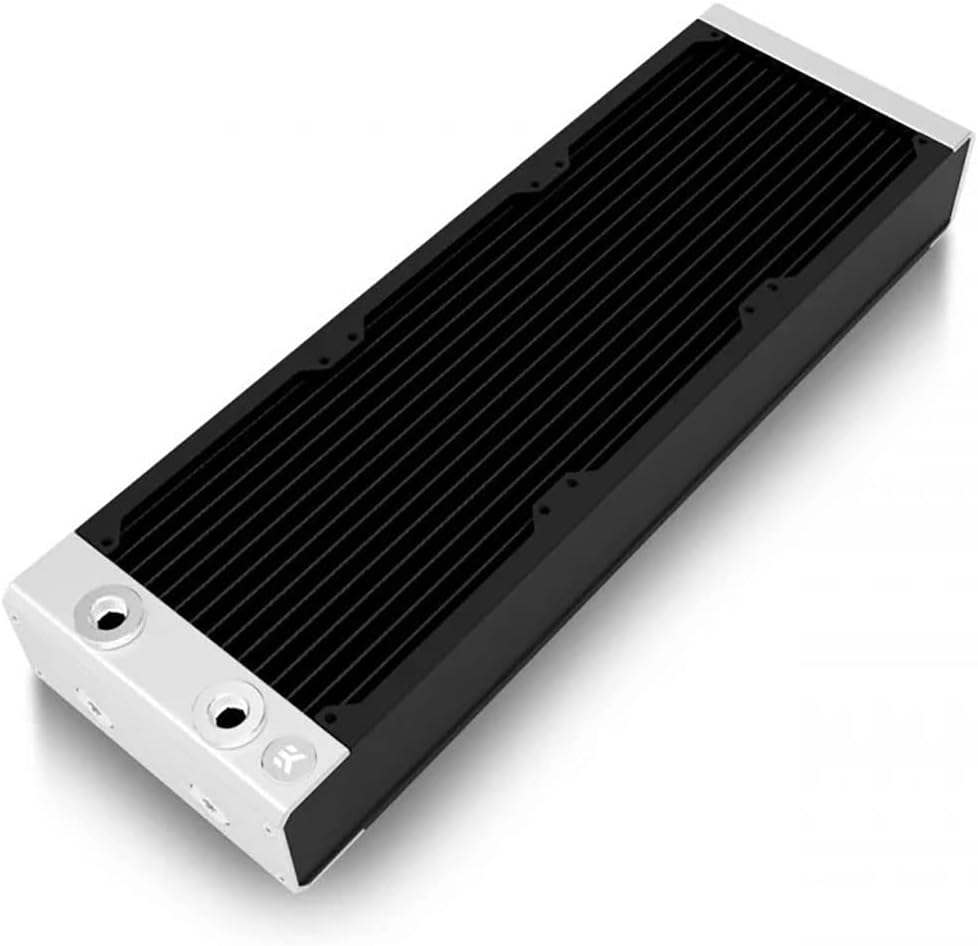
This radiator is designed for builders who need effective cooling in tight spaces without compromising on thermal efficiency. The 120mm footprint allows it to fit into cases where larger radiators simply cannot be mounted securely.
We may earn a commission when you buy through this link, at no additional cost to you.
Constructed with high-grade copper tubes and non-louvered fins it ensures optimal coolant flow and heat exchange. While smaller than other models it still provides solid thermal performance when paired with appropriate fans for adequate airflow.
The matte black finish maintains a clean and professional look that blends well with dark case interiors. It supports standard mounting configurations making installation straightforward even for first-time liquid cooling enthusiasts.
Ideal for small form factor builds or supplemental cooling this radiator offers a reliable solution. Just ensure you use fans capable of moving sufficient air through the dense fin structure for best results under load.
Despite its smaller size the high density copper construction ensures it can dissipate significant heat effectively when properly ventilated within your system chassis.
The internal tube design minimizes flow restriction allowing your pump to maintain stable pressure even when this radiator is part of a larger loop.
We may earn a commission when you buy through this link, at no additional cost to you.
This thick radiator delivers maximum cooling power for demanding systems that run high thermal loads. Its 58mm profile requires more clearance but provides superior heat dissipation potential compared to standard radiators in the same category.
We may earn a commission when you buy through this link, at no additional cost to you.
Sixteen 2mm wide copper tubes ensure optimal coolant flow across the entire radiator surface. The 18 FPI density offers a balance between thermal transfer and air resistance making it suitable for medium to high speed fans.
For users building dedicated workstations or high-end gaming rigs this radiator supports stable temperatures under sustained stress. The robust construction ensures longevity and reliability even when running fans at higher RPMs for maximum efficiency.
Ensure your case has sufficient space and airflow to accommodate this radiator effectively. With proper setup it offers exceptional thermal headroom that keeps your components cool during intensive tasks without thermal throttling.
The increased thickness provides more surface area for heat exchange allowing it to absorb and dissipate heat more effectively than thinner radiator models.
The fin density is tuned to work well with a range of fan speeds giving you flexibility to prioritize silence or performance depending on your needs.
We may earn a commission when you buy through this link, at no additional cost to you.
This block provides precision cooling for ASUS ROG Astral RTX 5080 cards with an optimized open split-flow engine. It ensures maximum heat dissipation while maintaining low restriction for smoother loop performance overall.
We may earn a commission when you buy through this link, at no additional cost to you.
Next-generation pre-cut thermal pads simplify installation and ensure optimized contact for better heat transfer. The full-coverage L-shaped backplate passively cools PCB hotspots which is critical for maintaining stability during demanding workloads.
The 14 individually addressable RGB LEDs along the top and back edges provide excellent visual integration. Compatible with major motherboard sync technologies this block enhances system aesthetics without complex lighting setups or extra wiring.
If you own an Astral RTX 5080 this block delivers top-tier thermal performance and aesthetics. Its robust construction and compatibility features make it a strong choice for enthusiasts focused on clean builds and reliable cooling.
The optimized coolant flow paths direct fluid efficiently across the GPU die and VRAM ensuring even cooling distribution without dead zones that could cause hotspots.
CNC-machined cast acrylic tops provide crystal-clear coolant visibility allowing you to showcase your custom fluid choices while maintaining a sleek premium look.
We may earn a commission when you buy through this link, at no additional cost to you.
This reservoir introduces a flat shape that revolutionizes loop building by offering multiple connection points in a compact profile. It provides flexibility for custom tubing runs while maintaining a clear view of your coolant fluid.
We may earn a commission when you buy through this link, at no additional cost to you.
With nine G1/4 ports you can choose optimal setup configurations for your specific loop needs. This flexibility allows for cleaner cable and tube routing especially in cases with limited vertical space or tight layouts.
The digital RGB lighting adds visual flair without requiring external controllers. The ~225ml capacity suits smaller systems but may require frequent top-ups for larger loops due to limited volume.
Ideal for builds needing flexible plumbing solutions this reservoir balances aesthetics with utility. It is a strong option for those prioritizing clean routing over maximum fluid storage in space constrained custom systems.
The nine ports allow for multiple inlet and outlet options giving you freedom to route tubing without relying on additional fittings that clutter the build area.
The flat design reduces footprint significantly compared to traditional cylindrical reservoirs enabling installation in cases where vertical space is limited or restricted.
We may earn a commission when you buy through this link, at no additional cost to you.
This block is custom designed exclusively for ASUS ROG Astral GeForce RTX 5090 graphics cards ensuring perfect fit and maximum thermal performance. Its enhanced cooling engine features expanded fin arrays for superior heat dissipation.
We may earn a commission when you buy through this link, at no additional cost to you.
The full-coverage solution actively cools the GPU core VRAM and power stages while the L-shaped backplate passively manages PCB heat. This comprehensive approach ensures stability even under extreme overclocking conditions.
With 14 addressable LEDs along top and back edges it offers excellent visual integration with major RGB sync technologies. The polished design ensures your coolant looks pristine inside the acrylic top without clouding or residue buildup.
For owners of this specific GPU model this block is a top choice for cooling and aesthetics. The Matrix7 compatibility simplifies loop planning and ensures a clean professional look for your custom cooling system.
The expanded fin array and optimized flow paths work together to maximize surface contact and heat exchange efficiency during heavy workloads and gaming sessions.
CNC-machined cast acrylic tops provide crystal-clear coolant visibility allowing you to showcase your custom fluid choices without sacrificing structural integrity.
We may earn a commission when you buy through this link, at no additional cost to you.
Selecting the right waterblock requires understanding compatibility performance needs and aesthetic preferences. This guide outlines the key factors to consider before making your purchase for a reliable and efficient liquid cooling setup.
Ensure the waterblock is explicitly designed for your exact GPU model. Many EK blocks are built for specific card variations like ROG Astral TUF or Gaming OC to guarantee a perfect fit without mechanical interference.
Always verify the model number and series match the product description before buying to avoid returns and compatibility issues during installation.
Look for blocks with advanced cooling engines that include optimized flow paths and fin arrays. Split-flow designs often provide better heat dissipation and lower hydraulic resistance which helps maintain stable temperatures under heavy loads.
Prioritize models with full-coverage backplates to passively cool PCB components and ensure thermal stability during overclocking.
Nickel-plated copper coldplates offer excellent thermal conductivity and corrosion resistance. Ensure the block uses high-grade materials like pure electrolytic copper to maximize heat transfer from the GPU core.
Acrylic tops provide clear coolant visibility while black anodized aluminum backplates add structural strength and passive cooling benefits.
Choose blocks with addressable D-RGB LEDs if you want customizable lighting effects. Ensure compatibility with your motherboard's RGB sync software for unified control across system components.
Check the number of LEDs included since higher counts often mean more detailed illumination and better visual integration with your build.
Select blocks that include pre-cut thermal pads and captive screws to simplify setup. These features reduce installation time and lower the risk of errors or component damage during assembly.
Look for EK-Matrix7 compatibility which standardizes orientation and mounting to streamline tube routing and overall system planning.
Waterblocks range in price based on features and exclusivity. Premium models cost more but deliver better aesthetics and performance while budget options focus on core cooling without RGB or special finishes.
Balance your financial limits with performance needs to choose a block that offers value without compromising critical thermal requirements for your GPU.
Consider how the block fits into your long-term build plans. Matrix7 compatibility ensures you can swap components easily in the future without needing custom fittings or redesigned layouts.
Investing in a block with broad compatibility standards helps maintain flexibility as you upgrade other parts of your system over time.
Check the manufacturer warranty terms for leaks and defects. Reputable brands often provide support to resolve issues quickly and ensure your loop remains reliable over time.
Reading user reviews can reveal real-world reliability and how well the company stands behind their products under normal usage conditions.
Before installation inspect all components for shipping damage and clean the GPU die and thermal contact points with isopropyl alcohol. Apply the provided thermal pads or paste according to manufacturer guidelines to ensure optimal thermal transfer without air gaps.
Connect the waterblock securely using included screws and fittings ensuring no overtightening occurs. Fill the loop with coolant and power on the system while monitoring for leaks in the first few hours before closing the case permanently.
Periodically check fluid levels and clean the coolant to prevent buildup or algae growth. Replace thermal pads if you disassemble the block and keep firmware updated for RGB control to maintain consistent lighting and system performance over time.
No these waterblocks are designed exclusively for custom liquid cooling systems and require a pump reservoir and radiator setup. They cannot replace air coolers directly because they rely on fluid circulation to transfer heat away from the GPU.
Most blocks are compatible with major motherboard RGB sync software so you typically need no extra applications. Just ensure your motherboard has a 5V addressable LED header to connect the block for full lighting control.
Verify your exact GPU model number series and manufacturer before purchasing. The product descriptions specify compatible cards such as ROG Astral TUF or Gaming OC ensuring a perfect fit without mechanical interference.
Yes EK-Matrix7 standards are designed to simplify integration between components making tube routing and mounting seamless. This standardization helps maintain a clean and professional look across your entire custom cooling system.
Both clear and colored coolants work well with the nickel-plated copper and acrylic materials. Avoid abrasive pastes or corrosive fluids that could damage internal components and reduce the lifespan of your waterblock.
Thermal pads can be reused if they remain intact and undamaged but replacing them ensures optimal contact and thermal performance. If you disassemble the block for maintenance new pads are recommended for consistent results.
Most brands offer warranties that cover manufacturing defects but user errors might not be covered. Always test the loop with distilled water before adding coolant and monitor for drips during initial operation to catch issues early.
Waterblocks themselves do not produce noise but the pump and fans used in the loop do. Choosing blocks with low restriction helps fans run slower which reduces overall system noise during normal usage.
Choosing the right EK waterblock depends heavily on your specific GPU model and cooling priorities. The top picks offer superior thermal performance and aesthetic integration whether you favor premium features or value-focused options.
Prioritize compatibility and build quality to ensure your investment lasts through many system upgrades. Look for blocks with Matrix7 standards and robust construction to maintain reliable performance and easy maintenance.
Prices fluctuate based on market demand and availability so always check current listings before purchasing. Keeping an eye on deals ensures you get the best value for your custom liquid cooling system build.